












Action Mimic
Transform static images into dynamic animated videos with AI-powered motion and expression control

Click / Drop / Paste
Upload image or drag and drop the file here (or press Ctrl+V to paste)
Supported formats: jpg, jpeg, png, bmp, webp
Supported Resolution: min 200x200, max 4096x4096
Supported Aspect Ratio: min 1:3, max 3:1
Max Image Size: 5 MB
Standard mode: 20 credits per second / Professional mode: 30 credits per second

Click / Drop
Upload video or drag and drop the file here
Supported formats: mp4, avi, mov
Supported Resolution: min 200x200, max 4096x4096
Supported Aspect Ratio: min 1:3, max 3:1
Max Duration: 30s
Min Duration: 2s

Settings

Key Features
Anime Styles You Love
Upload a static image and a reference video. Wan Animate intelligently maps motion, posture, and expressions — turning your image into an animated, lifelike character.
Replace People in Videos Seamlessly
Swap any person in a video with your chosen character. The model automatically adapts lighting, tone, and perspective, maintaining a natural blend with the background.
Control Motion, Expression & Lighting in One Model
Unlike conventional video animation tools, Wan Animate unifies body movement, facial emotion, and environmental consistency, achieving cinematic realism with ease.
How Wan Animate Works
Extraction and Alignment
The model analyzes reference videos to capture key motion points and body posture, aligning them precisely with your uploaded character image.
Relighting and Scene Adaptation
Wan Animate applies Relighting LoRA technology to match illumination and color tone, ensuring your character seamlessly blends into any environment.
Unified Animation & Replacement Output
Powered by Wan2.2’s Mixture-of-Experts architecture, it handles animation and replacement tasks while preserving temporal coherence and environmental consistency.
Technical Highlights
Dual-Mode Framework
Supports both Animation (from image) and Replacement (within video) in a unified system.
Temporal Consistency
Maintains natural transitions between frames for realistic movement and stable visuals.
Relighting LoRA
Automatically adjusts lighting and tone to perfectly match the original video's environment.
Efficient GPU Performance
Optimized for A100, H100, and RTX 4090, with FSDP + DeepSpeed support for faster generation.
Open Source Access
Available under the Apache 2.0 License — open for developers, artists, and researchers.
Creative Use Cases
| Use Case | How Wan Animate Helps |
|---|---|
| Film & Advertising | Digitally replace actors or produce animated brand ambassadors for post-production. |
| Virtual Avatars | Drive virtual influencers, livestream hosts, and 3D mascots with real human motion. |
| Gaming & Animation Studios | Speed up production with automatic motion retargeting and character consistency. |
| Social Media Creators | Animate yourself or your characters for short videos and creative storytelling. |
How to Use Wan Animate on KaraVideo
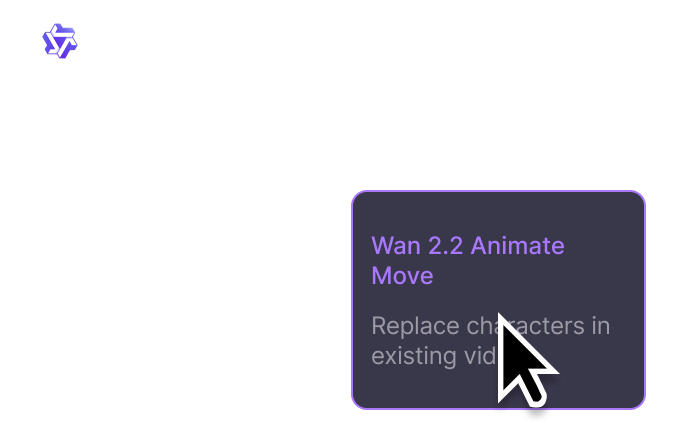
Select the Wan Animate Model
Head to KaraVideo's AI Video Generator, and choose Wan Animate from the supported model list.

Upload Image and Reference Video
Add your character image and motion reference video. Adjust lighting and style preferences as needed.
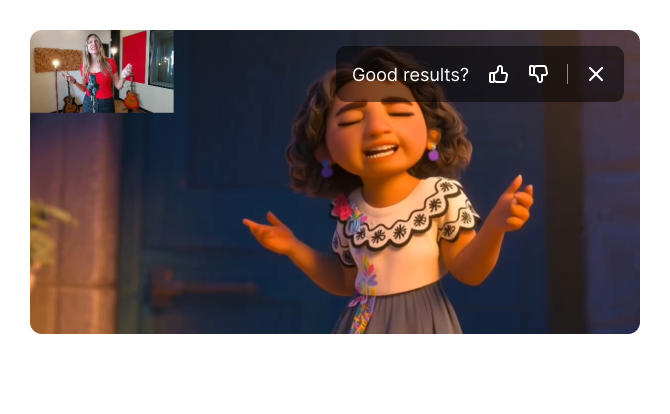
Generate & Download
Click Generate, wait a few moments, and download your AI-animated video instantly. You can edit or share it directly within KaraVideo.
Frequently Asked Questions
The Best Text & Image to Video Creation Platform
All the great AI video models in one place.
Enjoy seamless access to world-class video engines — Sora, Veo, Wan Animate, Runway, KLING, Pika, Luma, and more — all from one dashboard with one price.
Try KaraVideo Free