What is Recraft V3 and how does it generate images with text
You can use Recraft V3 on the karavideo.ai website. It is a strong tool for making images with easy-to-read text.
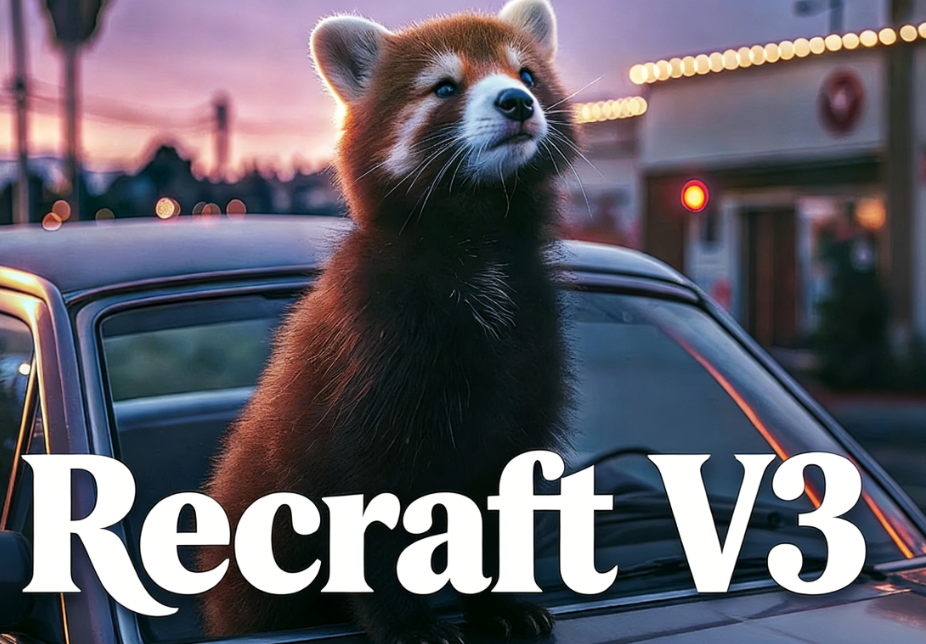
You can use Recraft V3 on the karavideo.ai website. It is a strong tool for making images with easy-to-read text. Most AI image makers have trouble with long text. They often make words that look messy or use different fonts. Recraft V3 is different because it lets you make images with full sentences. It also puts the text in the right place. The table below shows how Recraft V3 does better than other models in making text clear and correct:
Aspect | Recraft V3 | FLUX 1.1 Pro |
|---|---|---|
Text Clarity | Excellent, bold and readable | Good, sometimes soft |
Font Accuracy | High, clear font copy | Moderate, some details missing |
Overall Readability | Very high | High but not always the same |
Key Takeaways
- Recraft V3 is great at making images with easy-to-read text. This makes it perfect for projects that need long sentences or paragraphs.
- Users can change the text size, where it goes, and how it looks. This helps designs fit their brand and style.
- The tool works with both raster and vector art. This gives users choices for many design needs, like logos or posters.
- Recraft V3 lets users make changes fast. They can quickly fix their designs and get a professional look.
- With advanced prompt engineering, Recraft V3 helps users pick where the text goes and how it looks. This makes the design better overall.
Recraft V3 Overview
What Makes Recraft V3 Unique
Recraft V3 is different from other AI image makers. It can make images with long, clear text. Older models could not do this well. With Recraft V3, you can add whole sentences or even paragraphs. You also get to pick where the text goes and how it looks. This works because Recraft V3 uses smart technology and deep learning. The model reads your prompts and makes great images. It can work with both raster and vector art. This gives you more ways to design what you want.
Here are some things that make Recraft V3 special:
- Makes images with text that can be any size or length.
- Works with both raster and vector images.
- Lets you control brand style, like colors and fonts.
- Puts text in the right place and keeps style the same.
- Understands prompts well for better results.
Recraft V3 is ranked high on industry tests. It does better than other models in image quality and text clarity. You can use it on karavideo.ai to make pro designs fast and easy.
Key Features for Designers
If you do design work, Recraft V3 gives you strong tools. You can change every part of your image, like text and colors. The platform lets you remove backgrounds, turn images into vectors, and fine-tune details. You can upload images to match your brand style. The model also works fast and gives you high-quality exports. This helps you finish your projects quicker.
Tip: Try Recraft V3 on karavideo.ai to make logos, posters, and social media graphics with perfect text and style.
Here is a table with some technical highlights:
Feature | Benefit |
|---|---|
Long text rendering | Add full sentences or paragraphs to images |
Vector art support | Create scalable graphics for any use |
Brand style customization | Match your company’s look and feel |
Fast performance | Get results quickly, even with complex prompts |
High image fidelity | Enjoy sharp, detailed images every time |
With Recraft V3 on karavideo.ai, you can make designs that look pro and fit your needs. The tool helps you turn your ideas into finished images, even if your idea is hard.
AI Image Generation Challenges
Text in AI Images
When you use ai to create images, making readable text is one of the hardest tasks. Your brain can spot even small mistakes in letters or words. If a letter is out of place or the font looks strange, the text will not look right. This is different from how you see other objects, like trees or animals, where small errors are easy to miss.
Many ai models struggle with text because they need to understand both the words and where to put them in the image. Early ai focused more on pictures than on words. This led to images with jumbled or broken text. Sometimes, the training data did not have enough clear examples of text. This made it even harder for ai to learn how to make good text in images.
Here are some common challenges:
- The model must know the meaning and placement of words.
- Older ai models often made text that did not make sense.
- Not enough training images with clear text can cause poor results.
Overcoming Limitations with Recraft
Recraft v3 on karavideo.ai solves these problems in smart ways. You can tell recraft where to put your text in the image. You can also pick the size of the text. This gives you more control and helps your design look just right.
Recraft uses advanced prompt engineering. This means you can guide the ai to place text exactly where you want it. You can also save your favorite styles. If you upload a reference image, recraft can match its look. This keeps your images looking the same across different projects.
Note: Recraft v3 can handle longer texts. You can add full sentences or even paragraphs to your images. This was not possible with many older ai models.
With recraft, you get:
- Accurate text placement in your images.
- The ability to set text size and position.
- Style consistency by saving and reusing custom looks.
- Images that match your brand style on karavideo.ai.
Recraft v3 makes ai image generation easier for you. You can create images with clear, readable text and keep your design style the same every time.
Image Generation with Text Using Recraft V3
Step-by-Step on karavideo.ai
You can start making your own images with text using recraft v3 on karavideo.ai. The process is simple and gives you a lot of control. Here is a step-by-step guide to help you get started:
- Go to karavideo.ai and open the recraft v3 tool.
- Type your prompt. Include the text you want in your image. For example, you can write, "A movie poster for Space Adventures with the title in large red text at the top."
- Choose where you want the text to appear. You can set the position, like top, center, or bottom.
- Pick the size and style of your text. You can make it big, small, bold, or colorful.
- Select your image style. You can use raster or vector art, depending on your project.
- Click to generate images. Review the results and see if the text looks clear and is in the right place.
- If you want to change something, adjust your prompt or settings and try again. Each iteration helps you get closer to your perfect design.
Tip: You can upload reference images to match your brand style. This helps recraft v3 keep your designs looking the same every time.
You can use recraft v3 for many types of projects on karavideo.ai. The tool works well for posters, social media graphics, and even logos. Each iteration lets you test new ideas and improve your image.
Customizing Text and Styles
Recraft v3 gives you many ways to control how your text looks in your image. You can set the size, color, and font. You can also decide exactly where the words go. This level of control helps you make designs that fit your needs.
Here are some best practices for customizing text and styles:
- Define your visual style. Use 5–10 reference images that show your brand’s tone.
- Write clear prompts. Combine the subject, emotion, and layout. For example, say "headline on top center" or "text curved at bottom."
- Test different outputs. Run several iterations to see which style matches your brand best.
- Use vector generation for images you want to use in many places, like both online and in print.
- Make sure your color palette matches your company’s look. Add this to your prompt for better results.
- Try both manual and automatic text layout. You can drag words where you want or let recraft v3 place them for you.
- If your prompt does not work as expected, switch to a different style like photorealism or illustration.
You can also use advanced features like inpainting and outpainting. These tools let you add or change parts of your image without starting over. Each iteration helps you fine-tune your design until it is just right.
Note: Recraft v3 on karavideo.ai is built for high-fidelity image creation. You get accurate text, sharp visuals, and full control over every detail.
The system lets you control word positioning closely or use automation for faster results. You can save your favorite styles and use them in future projects. This makes each new iteration faster and more consistent.
Here is a quick table to help you remember the main customization options:
Customization Option | What You Can Do |
|---|---|
Text Size | Make words big or small |
Text Position | Place text at top, center, or bottom |
Font and Color | Match your brand style |
Layout Control | Use manual or automatic placement |
Vector Support | Create images for any size or format |
Iteration | Test and improve with each new version |
With recraft v3 on karavideo.ai, you can generate images that look professional and match your vision. Each iteration brings you closer to the perfect design.
Use Cases for Recraft V3 AI Image Generator
Recraft v3 helps you make your design work easier. You can use this ai image generator for logos, branding, posters, social media, and big projects. When you use recraft on karavideo.ai, you get tools to create, edit, and grow your images without trouble.
Logos and Branding
Recraft v3 lets you make logos and brand pictures that look unique. The platform helps you set your brand style and try out new looks. You can pick colors, fonts, and where things go. This makes your brand look the same in every design. On karavideo.ai, you can quickly make many logo choices and improve them with feedback. The table below shows how recraft v3 helps with logos and branding:
Feature | Benefit |
|---|---|
Multiple Logo Options | Easy to compare and choose the best design |
Advanced Control | Adjust every detail for brand consistency |
Fast Iteration | Make changes and see results instantly |
Professional Output | Present polished logos to clients or teams |
You can count on recraft to help you make great branding images every time.
Posters and Social Media
Recraft v3 makes it easy to create posters and social media images. You can use text prompts to make cool graphics for events or ads. The ai image generator on karavideo.ai gives you tools to change layout, style, and where the text goes. You can also make images bigger for printing or cut out backgrounds for new designs. Here are some tools that help with graphic design:
Tool | What It Does |
|---|---|
AI Image Generator | Turns your ideas into high-quality images |
Vector Generator | Makes scalable graphics for any platform |
Mockup Creator | Builds realistic previews for marketing or presentations |
Image Upscaler | Boosts resolution for sharp prints |
Background Remover | Cuts out subjects for flexible layouts |
You can use these tools on karavideo.ai to make social media posts, ads, and posters that fit your brand style.
Scalable Design Projects
If you have big projects, recraft v3 is a good tool. The image tools on karavideo.ai let you make designs from small icons to huge billboards. You can set up tasks to run by themselves and keep your style the same in every image. For example, a fashion brand used recraft to make more than 300,000 images a day instead of just 10. This shows recraft can help you make lots of images fast.
- Automate design jobs you do over and over and save time.
- Keep your brand style the same in all your images.
- Make pro-quality images with little extra effort.
- Grow your designs for any use, like web or print.
Many fields use recraft v3 for marketing, UX/UI, game art, and teaching. You can make images that fit your needs and keep your design work smooth. Karavideo.ai helps you get the best from recraft, whether you work alone or with a team.
Tip: Use recraft v3 on karavideo.ai to finish your graphic design projects faster and keep your images looking clear and on-brand.
You can see how recraft v3 on karavideo.ai leads in ai image generation for text-based designs. This ai tool gives you control over text, style, and layout. Recraft helps you create sharp, readable images with long text. You can use ai to match your brand and finish projects faster. Try recraft on karavideo.ai to explore new ways to design with ai.
FAQ
What makes Recraft V3 different from other ai image generator tools?
Recraft V3 gives you text that is easy to read. Most ai image generator tools have trouble with long words or sentences. On karavideo.ai, Recraft V3 lets you pick where the text goes and how it looks. You can make images that always match your brand.
Can I use Recraft V3 for business projects on karavideo.ai?
You can use this ai image generator for your business. Many companies use karavideo.ai to make logos, posters, and social media pictures. Your brand style will stay the same in every project.
How do I control where text appears in my ai image generator designs?
When you use the ai image generator on karavideo.ai, you choose where the text goes. You can put the text at the top, in the center, or at the bottom. You also get to pick the size and color. This helps your design look just right.
Does the ai image generator support long sentences or paragraphs?
You can add long sentences or even whole paragraphs. The ai image generator in Recraft V3 can handle more text than most other tools. Every image you make on karavideo.ai has clear, easy-to-read words.
Is it easy to match my brand style using the ai image generator?
You can upload reference images to karavideo.ai. The ai image generator learns your colors and fonts. You can save your favorite styles and use them again. This keeps your images looking the same for all your projects.