What is Google Veo 3.1 and Why It Matters for Video Creators
You can now make videos faster with more creative choices using Google Veo 3.1. This is a smart AI video tool from Google DeepMind
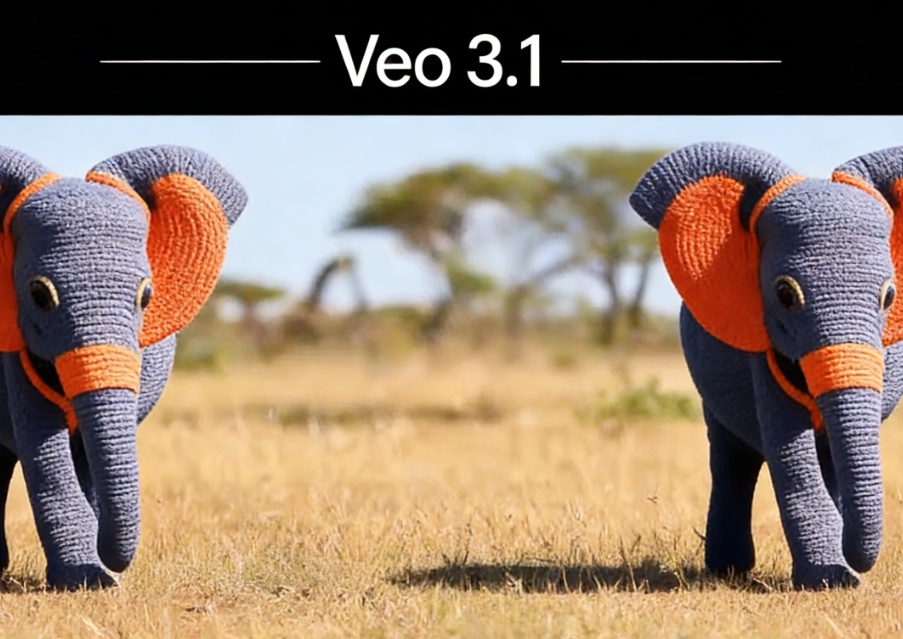
You can now make videos faster with more creative choices using Google Veo 3.1. This is a smart AI video tool from Google DeepMind. You can use it on the karavideo.ai website. Many video creators use AI to help them work better.
- Over 80% of creators use AI in their work.
- Almost 49% of marketers use AI to make videos.
- By 2025, about 40% of video editors will use AI tools.
Google Veo 3.1 is special because it makes high-quality videos. It also has advanced features for filmmakers and content creators.
Key Takeaways
- Google Veo 3.1 is an AI video tool. It helps creators make good videos fast and easy.
- The tool has advanced features like better audio support. It also has special editing tools. You can make videos in 4K resolution.
- Using reference images keeps characters and backgrounds the same. This helps tell stories better and makes videos look nicer.
- Veo 3.1 makes editing simple. Creators can add or remove things easily. This saves time and effort.
- The platform lets you make vertical videos. This is great for mobile apps like YouTube Shorts and TikTok.
Google Veo 3.1 Overview
What Makes Veo 3.1 Different
Google Veo 3.1 gives you more ways to make videos. You can use it to create videos from pictures. It works on your phone, too. You can make tall videos for YouTube Shorts. The tool helps you write better conversations. It keeps the backgrounds of characters the same. You get special editing tools. You can make videos look clear in 1080p or 4K.
Many people say Google Veo 3.1 makes sound better. It lets you make longer videos. You have more control over how your videos look. Experts like its tools for making movies. They also like how it works well with Google’s other products.
Here is a simple table to show what is new:
Feature | Veo 3.0 | Veo 3.1 |
|---|---|---|
Audio Support | Basic | Better audio support |
Editing Tools | Regular | Special editing tools |
Video Quality | Regular | Clear videos in 1080p, 4K |
Integration Capabilities | Not many | Works with Flow, Gemini App, Vertex AI, Gemini API |
You also get sound that matches the video. The frames in your video stay steady. Motion looks smoother. These changes help your videos feel real and fun to watch.
Using Veo 3.1 on karavideo.ai
If you use Google Veo 3.1 on karavideo.ai, you get even more features. The website gives you a control panel for making AI videos. You can use many pictures to keep your video looking the same. The tool lets you add sound that fits your video.
You can make scenes longer. You can add new clips. You can use movie-style settings. These features help you tell bigger stories. Your video stays clear and sharp. The website makes it easy to turn words or pictures into good videos fast. You get more control over your story. Your videos look more real. Editing is simple and smooth—all in one place.
Key Features of Google Veo 3.1
Creative Controls and Reference Images
Google Veo 3.1 gives you tools to change your videos. You can use reference images to help your scenes look the way you want. Uploading several images helps keep characters and backgrounds the same. This feature lets you tell your story your own way.
Reference images work in both portrait and landscape modes. You can make videos for different devices and platforms.
Here is a table that explains how these controls help:
Feature | Description |
|---|---|
Ingredients to Video | Lets you add reference images so your video looks the same in every shot. |
First and Last Frame Control | Helps you match motion and sound for smooth scene changes. |
Scene Extension | Lets you make longer videos with matching visuals and audio. |
Insert and Remove Objects | Lets you add new things or take out unwanted objects from your video. |
You can build scenes with many images. This makes your videos more interesting and thoughtful. You get better stories and more control over your ideas.
Vertical and 4K Video Generation
Google Veo 3.1 lets you make vertical videos and 4K videos. You can create videos for phones, like YouTube Shorts. The tool gives you clear, high-quality videos. You can use up to four reference images for more control.
Feature | Description |
|---|---|
4K Resolution | Supports 4K resolution. Your videos look sharp and professional. |
Vertical Video Support | Works well for mobile platforms. You can reach more people on their phones. |
Character Consistency | Keeps faces and identities the same in different scenes. |
Ingredients to Video | Lets you use up to four reference images for better control. |
Google Veo 3.1 is known for its clear and realistic videos in 4K. It leads the industry in video quality. You can make videos at the highest resolution among AI video tools.
Synchronized Audio and Scene Extension
You can make your videos more fun with matched audio and scene extension. The platform creates audio that fits the pictures. You get talking, sound effects, and background noise together. This makes your videos feel real and exciting.
- You can control characters and style with many reference images.
- You can set starting and ending images for smooth changes.
- The "Extend" feature lets you make longer videos that connect to earlier clips.
- You get better audio with timed talking and real sounds.
- Sound effects change with what happens on screen.
- Lip-sync is improved, so characters look more believable.
- The model makes audio and visuals at the same time, not after.
- Demis Hassabis, CEO of Google DeepMind, says this is a new way to tell stories.
Scene extension lets you join video parts together. You can make longer videos with smooth changes. This helps you tell bigger stories and keeps viewers watching.
Google Veo 3.1 helps you make content that looks and sounds real. You get more control and freedom for your creative projects.
Benefits for Video Creators
Enhanced Workflow on karavideo.ai
Google Veo 3.1 on karavideo.ai helps you work faster. The platform gives you tools that make editing simple. You can add or remove things in your video with a few clicks. You get to decide how your story goes. The audio sounds better, so your videos are more interesting. The visuals look real and help your videos stand out.
You spend less time on hard tasks. You can be creative and not worry about technical stuff. The editing tools save you lots of time.
Here is a table showing how your workflow gets better:
Improvement Type | Description |
|---|---|
Audio Quality | Better audio makes your videos sound great. |
Realism | Videos look more real and lifelike. |
Narrative Control | You can shape your story the way you want. |
Editing Capabilities | Easy editing lets you add or remove objects quickly. |
Dynamic Storytelling and Realism
Google Veo 3.1 helps you tell stories in new ways. The AI builds a story from pictures. You use the "first and last image" feature for smooth changes. The audio matches what you see, so scenes feel real. You can change how things look to keep your story the same.
Feature Description | Evidence Supporting Dynamic Storytelling and Realism |
|---|---|
AI-generated narratives | Veo 3.1 turns pictures into stories that make sense. |
Smooth transitions | The "first and last image" feature helps scenes flow smoothly. |
Synchronized audio | Audio fits the visuals, making videos feel real. |
Advanced editing tools | You can change things in your video to keep your story strong. |
Your videos look ready for TV with smooth frame rates. The visuals are shiny, and light and sky reflections look cool. People may not look as real as in other tools, but your videos still stand out.
Output Quality and Platform Flexibility
You can make videos for many places with Google Veo 3.1. The model gives you clear visuals and follows your instructions well. The audio stays matched to the video. The physics in your scenes look real. You can make ads, training clips, or product demos fast. The platform works for developers, businesses, and creators.
Metric | Result |
|---|---|
Overall preference | Most people like it best on MovieGenBench |
Prompt adherence accuracy | It follows instructions best on MovieGenBench |
Visual quality ratings | It gets top scores for visuals on MovieGenBench |
Audio synchronization | Audio matches video best on MovieGenBench |
Image-to-video generation | People like its results on VBench I2V benchmark |
Realistic physics simulation | It does physics best in videos |
- You can use Gemini API to connect apps.
- Vertex AI helps big companies use it.
- Google AI Studio lets you build videos visually.
You can make videos with just words or a few pictures. The platform makes video creation easy for everyone.
Veo 3.1 vs Other Tools
Improvements Over Previous Versions
Google Veo 3.1 brings lots of new changes. You can add objects to your scenes without starting over. You can make videos longer to tell bigger stories. The model lets you make videos in 4K, so they look sharp and clear. You can make tall videos for TikTok and Instagram. Characters and backgrounds stay the same, so your videos match your ideas. The model makes faces and movements look more real with shorter prompts.
Here is a table showing what is better:
Improvement | Description |
|---|---|
Video Resolution | You can make clear videos in 4K. |
Native Vertical Video | Make tall videos for phones without losing quality. |
Character Consistency | Characters look the same in every scene. |
Background Consistency | Places and objects stay the same in your video. |
Improved Expressiveness | Faces and movements look natural with less input. |
Videos process faster now. Object recognition is 35% more accurate. The model works twice as fast as before. It cuts waiting time in half.
Unique Advantages on karavideo.ai
Using Google Veo 3.1 on karavideo.ai gives you special features. You can control scenes exactly how you want. You can add or remove things easily. You can make videos longer, so your stories feel complete. The platform lets you make videos for any device, like phones or computers.
Here are some cool benefits:
- Change scenes without making the whole video again.
- Make videos longer than 8 seconds for better stories.
- Use many reference images to keep characters and backgrounds the same.
- Get audio that matches your video.
This table shows how karavideo.ai is different:
Feature | Benefit |
|---|---|
Add Object | Change scenes fast and easily. |
Scene Extension | Make longer videos for bigger stories. |
Audio Support | Get sound that fits your video well. |
Multi-format | Make videos for phones, tablets, and computers. |
You get a smoother way to work and more creative choices. The platform helps you make videos that look and sound real, all in one place.
You can change your video projects using Google Veo 3.1 on karavideo.ai. Many creators say this tool helps make great videos fast and easy. You get tools like Multi-Shot Mode and Draw-to-Video for more creative choices. Filmmakers say it saves both time and money. Now, anyone can make professional videos. This technology helps you follow new AI video trends. It gives you a big advantage in telling stories.
FAQ
What is Google Veo 3.1?
Google Veo 3.1 is a smart AI video tool from Google DeepMind. You can use it to make good videos fast. The model works on karavideo.ai. It gives you creative tools for your projects.
How do you use reference images in Veo 3.1?
You upload one or more pictures as references. The tool uses these pictures to keep characters and backgrounds the same. This helps your video look how you want.
Can you make vertical videos with Veo 3.1?
Yes! You can make tall videos for YouTube Shorts or TikTok. The tool works for both portrait and landscape modes. Your videos fit different devices.
Does Veo 3.1 generate audio for your videos?
Veo 3.1 makes sound that matches your video scenes. You get voices, sound effects, and background noise. The sound matches the pictures for a real feel.
What makes Veo 3.1 better than other AI video tools?
Feature | Advantage |
|---|---|
4K Video | Sharper visuals |
Scene Extension | Longer stories |
Audio Sync | Realistic sound |
Editing Tools | Easy object changes |
You get more control, better quality, and faster results.