How to Use Gen 4.5: The Ultimate Guide to Cinematic AI Video Creation
Learn how to use Gen 4.5 for cinema-grade AI video. This guide covers visual fidelity, audio generation, and how karavideo.ai outperforms other platforms.
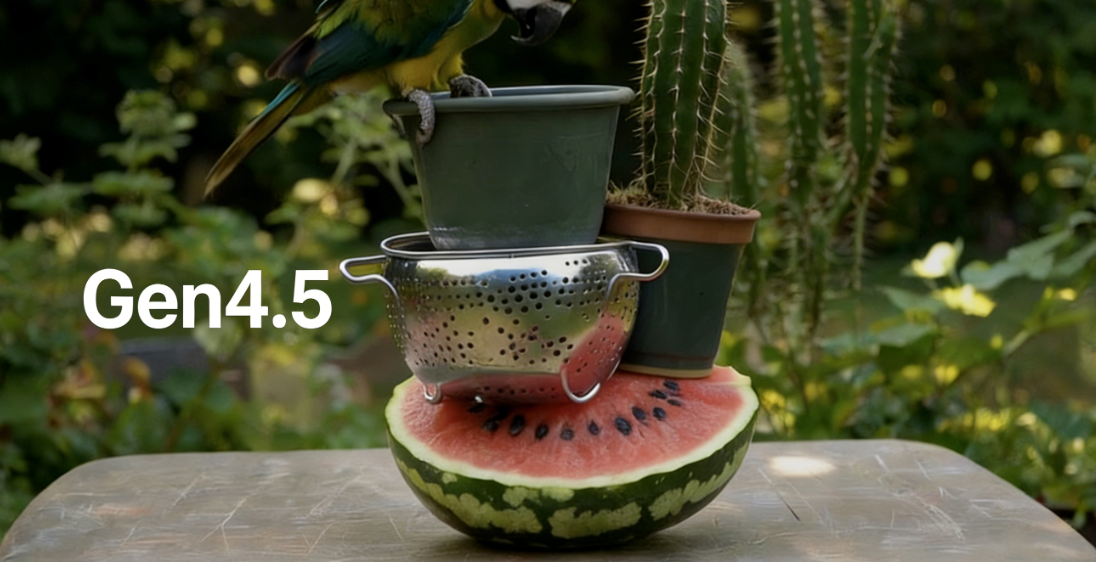
The wait is over. The era of glitchy, morphing AI video is fading fast. With the arrival of Gen 4.5, creators are no longer just "generating" video—they are directing it. Whether you are a seasoned filmmaker looking to speed up storyboarding or a marketer needing viral content yesterday, learning how to use Gen 4.5 is your ticket to the big leagues.
This model doesn't just improve on its predecessors; it rewrites the rules of physics in the digital space. We are talking about water reflections that actually shimmer like water, hair that moves naturally in the wind, and characters that stay the same person from the first frame to the last.
Ready to create professional-grade results? Let’s dive into the mechanics of this powerhouse model and explore why accessing it through karavideo.ai gives you the ultimate creative edge.
The Gen 4.5 Revolution: What’s Under the Hood?
Before you start typing prompts, you need to understand the engine you are driving. Gen 4.5 isn't just a minor update; it is a massive leap forward in three critical areas: visual fidelity, creative control, and time consistency.
1. Visual Fidelity That Rivals Reality
When you learn how to use Gen 4.5, the first thing you will notice is the "cinema-grade" dynamic range. The model understands light, texture, and motion in a way previous AI simply couldn't.
- Lighting: Imagine a shot of a river at sunset. In older models, the water might look like blue plastic. In Gen 4.5, you get complex "sunset reflections on the river," where light dances accurately across the moving surface.
- Motion: Think about a runner. Previously, their hair might have looked like a solid helmet. Now, you capture the "hair swinging while running," with individual strands reacting to the momentum.
- Materiality: Clothing flows. You can see the "folds of fabric" compress and expand as a character moves. This attention to texture brings a tactile realism to your generations.
2. Temporal Consistency Modeling
This is the technical term for "things staying stable." If you used Gen-2 or Gen-3, you likely encountered the "shifting face" nightmare—where your main character turns into a stranger halfway through the clip. Or perhaps a coffee cup randomly vanished from a table.
Gen 4.5 utilizes advanced Temporal Consistency Modeling. It remembers what an object or person looks like at the start of the video and ensures they look the same at the end. The transition between continuous frames is now incredibly natural, solving the "random disappearance" and "sudden face change" issues that plagued earlier versions.
3. Unprecedented Creative Control
Finally, Gen 4.5 hands the director's chair back to you. It introduces features that transform it from a random generator into a precise tool:
- Multi-Shot Editing: You can modify the sequence and content of shots within an initial scene. This allows for narrative pacing that feels intentional, not accidental.
- Native Audio Generation: Silent movies are history. The model can now generate dialogue, sound effects, and background music that match your video perfectly, elevating the storytelling capability instantly.
Step-by-Step: How to Use Gen 4.5 on Karavideo.ai
Accessing the world's best video engines shouldn't be a headache. Using karavideo.ai simplifies the process, letting you focus on creativity rather than technical setup. Here is your roadmap to generating your first masterpiece.
Step 1: Access the Dashboard
Log in to your karavideo.ai account. You will see a clean, intuitive dashboard designed for efficiency. Unlike other platforms where you might get lost in complex menus, we prioritize a "Describe → pick model → generate" workflow.
Navigate to the model selection menu and choose Gen 4.5.
Step 2: Crafting the Perfect Prompt
The secret to how to use Gen 4.5 effectively lies in your description. Because the model is so powerful, it craves detail. Use a structure like this:
[Subject] + [Action] + [Environment] + [Lighting/Style] + [Camera Movement]
- Weak Prompt: "A man walking."
- Gen 4.5 Power Prompt: "Cinematic shot of a cybernetic detective walking through a neon-lit rainy alleyway at night, reflections of neon signs on wet pavement, smoke rising from vents, leather coat texture visible, camera tracking forward low angle, 8k resolution."
Pro Tip: Be specific about the physics. Mention the "fabric wrinkles" on the coat or the "hair movement" in the wind. Gen 4.5 is listening for these details.
Step 3: Image-to-Video (Optional but Recommended)
For maximum control over the character's look, start with an image. Upload a high-quality reference image into the input field. This anchors the generation, giving the "Temporal Consistency Modeling" a solid foundation to work from.
Step 4: Configure Advanced Settings
Before you hit generate, tweak the settings to suit your needs:
- Aspect Ratio: Choose 16:9 for cinematic looks or 9:16 for social media (TikTok/Reels).
- Motion Slider: Adjust how much movement you want. High motion is great for action; low motion is better for dialogue or subtle atmospheric shots.
Step 5: Generate and Iterate
Click "Generate." In moments, karavideo.ai will process your request using the Gen 4.5 engine. Watch as the "sunset reflections" or "fabric folds" render with startling clarity. If it’s not perfect, don't worry. Tweak one variable in your prompt and try again. The speed of our platform allows for rapid iteration.
Deep Dive: Mastering Native Audio and Multi-Shot
To truly master how to use Gen 4.5, you need to move beyond simple clips. Let's explore the features that make this tool a storytelling powerhouse.
Unleashing Native Audio
Sound is 50% of the video experience. Gen 4.5’s Native Audio Generation analyzes the visual content and invents audio to match.
How to use it:
When you prompt for a video, you can include audio descriptors.
- Example: "A busy cyberpunk market, sounds of sizzling street food, distant sirens, and murmuring robotic crowds."
The AI aligns the sound of the sizzling food with the visual steam rising from the pan. It syncs the sirens with the passing flying cars. This feature alone saves hours of post-production time searching for stock audio.
The Power of Multi-Shot Editing
This feature allows you to act like a video editor within the generation phase. Instead of generating one continuous, potentially boring shot, you can instruct the model to create a sequence.
How to use it:
In your prompt, you can specify transitions.
- Example: "Start with a close-up on the warrior's eye, cut to a wide shot of the battlefield, then cut to a medium shot of him drawing his sword."
Gen 4.5 understands the language of cinema. It maintains the character's identity across these cuts thanks to its improved consistency, giving you a mini-movie in a single generation.
Karavideo.ai vs. The Competition: Why Choose Us?
You might be wondering, "Why should I use karavideo.ai to access these tools?"
The market is flooded with single-solution platforms. You have tools that only do lip-sync, tools that only do anime style, and tools that host specific models but lack integration. Karavideo.ai is built differently. We aggregate the world's best video engines into one seamless dashboard with one price.
Here is how we stack up against other similar brands and standalone model hosts:
1. The "Tool-Hopping" Fatigue
- Competitors: To create a full video project, you often need a subscription to a text-to-image generator (like Midjourney), a separate subscription to a video generator (like Runway or Pika), and maybe a third for upscaling. This kills your workflow and drains your wallet.
- Karavideo.ai Advantage: We integrate it all. You can generate your base image, animate it with Gen 4.5, and apply 40+ AI-powered effects—all in one place. No tool-hopping, no setup overhead.
2. Model Agnostic Flexibility
- Competitors: Most platforms lock you into their proprietary model. If their model struggles with "anime style" or "photorealism," you are stuck.
- Karavideo.ai Advantage: We offer a curated selection of the best models available. If Gen 4.5 is perfect for your realistic short film, use it. If another model suits your stylized animation better, switch with one click. Enjoy seamless access to the world’s best video engines without juggling multiple accounts.
3. User Interface and Ease of Use
- Competitors: Many AI interfaces are built by engineers, for engineers. They are cluttered with parameters like "CFG Scale" and "Seed numbers" without explanation, alienating creative users.
- Karavideo.ai Advantage: Our interface is designed for creators. We prioritize simplicity without sacrificing power. We use clear, punchy language and intuitive sliders. We believe you should "Free your video creation"—start with any text, image, or clip without needing a degree in computer science.
4. Cost Efficiency
- Competitors: Managing three or four different $20/month subscriptions adds up fast ($60-$80/month).
- Karavideo.ai Advantage: One dashboard, one price. We optimize our credit usage to ensure you get the most generations for your money across all model types.
Feature | Competitor Brands | Karavideo.ai |
|---|---|---|
Model Variety | Usually Single Proprietary Model | Aggregated Top-Tier Models (Inc. Gen 4.5) |
Workflow | Fragmented (Need multiple apps) | All-in-One (Image, Video, Audio, Effects) |
Learning Curve | Steep / Technical | Intuitive / Creator-Focused |
Audio Gen | Often Requires External Tool | Integrated Native Audio Support |
Price | Multiple Subscriptions Required | Single Subscription for All Tools |
Advanced Strategies for Commercial Creators
If you are using Gen 4.5 for business—whether for ads, social content, or client work—efficiency is your metric for success.
Batch Production for Social Media
Use Gen 4.5 to create "viral-ready" templates. Because the model has such high consistency, you can reuse the same prompt structure (e.g., product showcase on a podium) and simply swap the subject description.
- Workflow: Set up a prompt for a luxury perfume bottle. Run it. Then change "perfume bottle" to "watch" or "sneaker." The lighting and camera movement remain identical, giving your brand a cohesive look across different products.
The "Hybrid" Workflow
Don't rely on AI for everything. The best creators use AI to enhance, not replace.
- Shoot Real Footage: Film your product on a simple table.
- Upload to Karavideo.ai: Use our video-to-video capabilities powered by Gen 4.5.
- Style Transfer: Transform that simple table into a "futuristic lab" or "fantasy forest" while keeping the product movement perfectly accurate. This is where the "Temporal Consistency Modeling" shines, ensuring your product doesn't warp or distort.
Troubleshooting Common Gen 4.5 Issues
Even with a model this advanced, things can go wrong. Here is how to fix them using the tools on karavideo.ai.
Problem: The Video is Too Static
- Solution: Your prompt might lack action verbs. Instead of "A car on the road," try "A car speeding down the highway, dust kicking up from tires, motion blur." Also, check the Motion Slider on your dashboard—crank it up!
Problem: The Character Looks Different in the Second Shot
- Solution: This is rare with Gen 4.5, but it happens. Ensure you are using the Image-to-Video feature with a strong reference image. In your text prompt, reiterate the key features (e.g., "wearing a red scarf") to reinforce the AI's memory.
Problem: The Audio Doesn't Match
- Solution: Be more descriptive with audio cues. If the video shows a dog barking but there is no sound, explicitly add "loud barking audio" to your prompt. Gen 4.5 follows instructions; it doesn't always guess.
The Future of Video is Here
Learning how to use Gen 4.5 puts you at the cutting edge of content creation. The ability to generate cinema-grade visuals with complex lighting, realistic textures, and perfectly synced audio was science fiction just a few years ago. Now, it is a menu option on your dashboard.
The barriers to entry have crumbled. You don't need a million-dollar budget, a film crew, or a render farm. You just need an idea and the right platform.
Karavideo.ai is committed to keeping you ahead of the curve. As models evolve, we integrate them, ensuring you always have the sharpest tools in the shed. We invite you to explore, experiment, and push the boundaries of what's possible.
Ready to create?
Don't let your ideas stay in your head.
- Log in to karavideo.ai now.
- Select Gen 4.5.
- Type your first prompt.
Free your video creation—start with any text, image, or clip today and see the difference for yourself.
Frequently Asked Questions (FAQ)
Q: Is Gen 4.5 suitable for beginners?
A: Absolutely. While the technology is complex, our interface is simple. If you can describe what you want to see, you can use this tool.
Q: Can I use the videos for commercial purposes?
A: Yes! We prioritize compliance. The content you create on karavideo.ai is yours to use for marketing, YouTube, or client projects.
Q: How does Gen 4.5 handle text inside videos?
A: It has significantly improved text rendering compared to previous generations, making it viable for generating signs, logos, and on-screen text with greater accuracy.
Q: Do I need a powerful computer to run this?
A: No. All the heavy lifting is done in the cloud. You can create 8K-quality videos on a standard laptop or even your phone.