How to Use K-Pop AI: Transform Into an Idol in Minutes
Want to create stunning K-Pop content? Learn how to use K-Pop AI to generate dance videos, style swaps, and more.
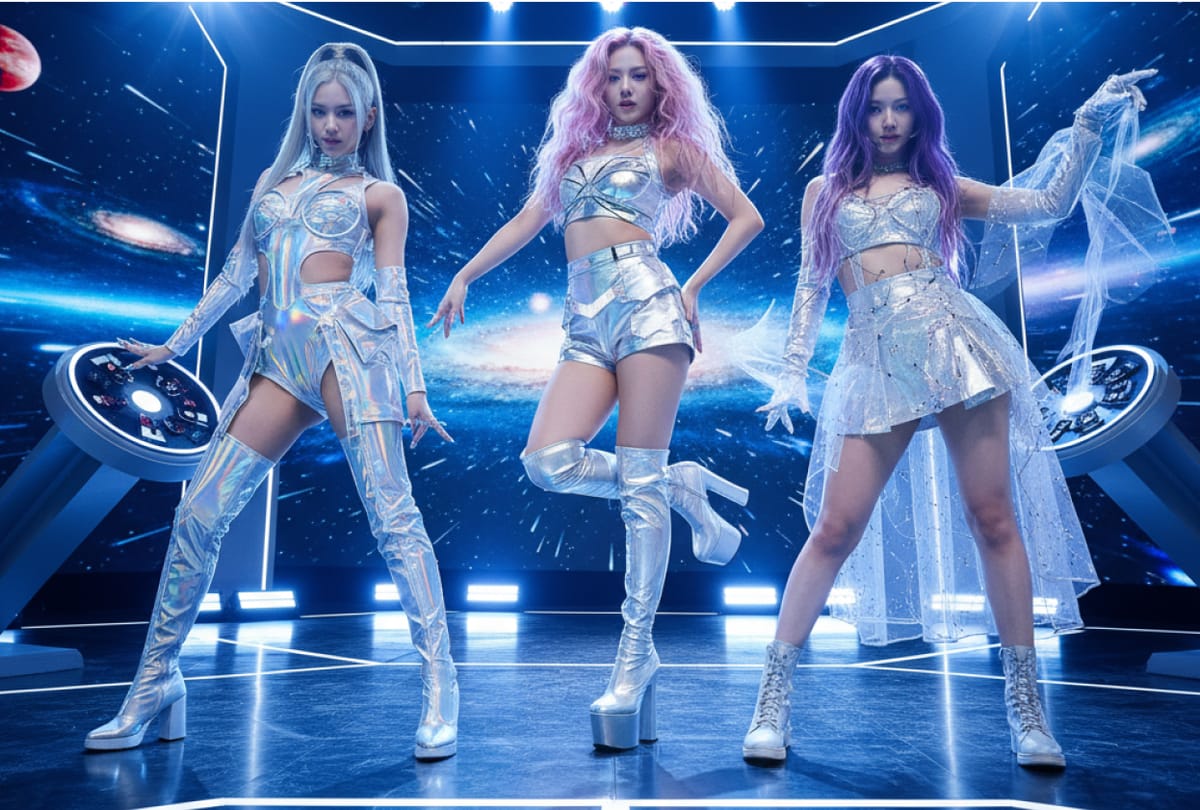
The world of K-Pop is defined by perfection—razor-sharp choreography, high-concept visuals, and polished aesthetics. For fans and creators, replicating that level of production used to require years of dance training, expensive wardrobes, and a professional video crew. But the game has changed.
With the rise of generative technology, learning how to use K-Pop AI is the secret weapon for modern content creation. Whether you want to participate in the latest dance challenge without breaking a sweat, create a virtual idol, or style your videos with the "glitch" aesthetic of a futuristic music video, AI makes it possible.
In this guide, we will explore the exciting world of K-Pop AI tools. We will break down exactly what this technology is, how it’s revolutionizing fan culture, and provide a clear step-by-step tutorial on generating your own idol-worthy content. plus, we’ll compare top market contenders—including the comprehensive platform karavideo.ai—to help you find the perfect engine for your debut.
What Is K-Pop AI?
When we talk about K-Pop AI, we aren't referring to a single software. Instead, it describes a suite of artificial intelligence tools used to replicate, enhance, or generate content related to Korean Pop culture. This generally falls into three main categories:
- AI Dance & Motion Transfer: This technology takes a source video (like a professional idol dancing) and maps that movement onto a different character or person. Conversely, it can take a static image of a person and animate it to perform complex choreography.
- Visual Style Transfer: This uses generative AI to transform ordinary footage into the high-gloss, neon-soaked, or cyberpunk aesthetics common in K-Pop music videos.
- Virtual Idols: Advanced AI that generates entirely new faces and personas, allowing creators to manage "virtual" K-Pop groups that exist only on screen.
The Tech Under the Hood
To understand how to use K-Pop AI, it helps to understand the magic behind it. These tools rely on complex neural networks, such as:
- Pose Estimation: The AI tracks the skeletal joints of a dancer to understand the choreography.
- Diffusion Models: These generate high-quality pixels to fill in details, ensuring that when you swap a face or change an outfit, the lighting and textures look realistic.
Essentially, K-Pop AI democratizes the "Idol" experience. You don't need a trainee contract; you just need a computer and a creative vision.
Applications: Why Creators Are Using K-Pop AI
The explosion of K-Pop culture globally has created a massive demand for content. Here is how creators and marketers are leveraging this tech.
1. Instant Dance Challenges
TikTok and Instagram Reels are dominated by K-Pop dance challenges. However, not everyone can nail the choreography of a group like SEVENTEEN or ITZY. With motion transfer AI, creators can upload a photo of themselves and have the AI generate a video of them performing the dance perfectly. This allows fans to participate in trends regardless of their dancing ability.
2. Fan Edits and Music Videos
Fan channels are a huge part of the K-Pop ecosystem. Creators use AI to upscale old concert footage to 4K, change the outfits of their favorite biases in videos, or create "what if" scenarios—like seeing a boy group perform a girl group's song with full visual fidelity.
3. Virtual Influencers
Agencies are experimenting with AI-generated members (like in the group aespa). Independent creators are now following suit, building their own virtual K-Pop stars to host channels, react to videos, or release AI-generated covers.
4. Merchandise and Marketing
E-commerce brands targeting K-Pop fans use AI to model merchandise. Instead of hiring models, they can generate visuals of diverse "idols" wearing their fan apparel in dynamic, stage-like environments.
How to Use K-Pop AI: A Step-by-Step Guide
Ready to make your debut? Learning how to use K-Pop AI effectively requires understanding the workflow. While specific buttons may vary, the logic remains the same across most professional tools.
For this guide, we will focus on a "Motion Transfer" workflow—taking a static image or a simple video and transforming it into a high-energy dance clip.
Step 1: Define Your Concept
K-Pop is all about "concept." Are you going for a "Girl Crush" vibe with dark leather and neon? Or a "Freshteen" look with bright colors and sunshine? Having a clear visual direction will help you write better prompts for the AI.
Step 2: Choose Your Platform
Select a platform that handles video generation and motion transfer well. You need a tool that offers stability (so your character doesn't glitch) and high resolution. (We will discuss why karavideo.ai is a top contender for this shortly!)
Step 3: Prepare Your Source Material
You will generally need two things:
- The Reference Video: A video of the dance you want to replicate. Ensure the dancer’s full body is visible and the camera is steady.
- The Target Subject: This is you, or the character you want to animate. If using a photo, use a full-body shot with even lighting.
Step 4: Upload and Configure
Navigate to the "Video to Video" or "Image to Video" section of your dashboard.
- Upload your Target Subject.
- Upload your Reference Dance Video.
- Prompting: In the text box, describe the scene to help the AI blend everything. For example: "K-Pop idol performing on a lit stage, 4k, neon lighting, detailed outfit, spotlight."
Step 5: Adjust Settings
Look for settings that control "Motion Strength" or "Denoising Strength."
- Higher Strength: The AI follows the reference dance more strictly but might distort the original character's face.
- Lower Strength: Preserves the original character's look but the dance might be less precise.
- Tip: Start with a medium setting (around 0.6 or 0.7) to test.
Step 6: Generate and Iterate
Hit "Generate." AI video takes heavy computing power, so be patient. Once the clip is done, watch it carefully. If the face looks weird, try running it again with a "Face Enhancer" setting turned on.
Step 7: Post-Production
Download your video. Now, add the K-Pop polish:
- Add the actual song (copyright permitting).
- Add dynamic camera zooms in your editing software.
- Overlay "ending fairy" text or graphics.
Market Comparison: Choosing the Right Engine
Not all AI is built the same. When creating high-fidelity dance or music video content, you need power. Let's compare karavideo.ai against other popular tools like Viggle and Runway to see which fits your needs.
1. karavideo.ai
Best For: Creators who want professional results, variety, and ease of use in one place.
Overview:
karavideo.ai isn't just a single tool; it is a gateway to the best video AI models in the world. It aggregates over 40 distinct AI engines into one seamless dashboard. Whether you need specific anime-style animation for a lyric video or realistic human motion for a dance cover, you can do it here.
Key Advantages:
- Massive Model Library: You aren't limited to one "look." You can switch between realistic, 3D, and anime styles instantly.
- One Subscription: Instead of paying for five different apps, you get seamless access to the world’s best video engines—all from one dashboard with one price.
- User-Friendly: The interface is designed for creators, not coders. Describe → pick model → generate. No tool-hopping, no setup overhead.
- High-Speed Rendering: Optimised specifically for video generation, reducing the wait time for complex dance sequences.
Why it Wins for K-Pop:
K-Pop is visually diverse. One day you need a realistic stage performance, the next you need a cartoon concept. karavideo.ai is the only platform flexible enough to handle both without forcing you to switch subscriptions.
2. Viggle
Best For: Quick, meme-style motion transfer on Discord.
Overview:
Viggle has gained popularity on social media for its ability to paste characters into dance videos via Discord commands.
Pros:
- Free tier available (though limited).
- Good at locking character consistency.
- Community-driven via Discord.
Cons:
- Complex Interface: Using Discord commands (/animate) can be confusing for non-technical users.
- Lower Resolution: Outputs are often lower quality, suitable for phone screens but not professional YouTube videos.
- Limited Styles: It focuses heavily on motion transfer and lacks the broader stylistic video generation features of a full suite.
Verdict:
Fun for a quick laugh or a meme, but lacks the professional polish required for serious content creation.
3. Runway (Gen-2)
Best For: Abstract and cinematic video generation from scratch.
Overview:
Runway is a heavyweight in the generative video space, known for creating video from text prompts.
Pros:
- High artistic control.
- Advanced "motion brush" tools to control specific parts of the image.
- Industry-standard reputation.
Cons:
- Steep Learning Curve: It takes time to master the controls to get a specific K-Pop look.
- Expensive: The credit system burns through cash quickly if you are iterating on complex dance moves.
- Inconsistent Motion: While great for atmospheres, it can sometimes struggle with specific, fast-paced choreography compared to dedicated motion-transfer models.
Verdict:
A powerful tool for abstract visuals, but it can be overkill and overpriced for creators who just want to generate specific dance or idol content quickly.
Why karavideo.ai is the Ultimate K-Pop Creator Tool
When you break it down, the specific needs of K-Pop content—high energy, diverse aesthetics, and consistent characters—align perfectly with what karavideo.ai offers.
Unmatched Versatility
In the K-Pop world, "duality" is key—idols can be cute one second and fierce the next. karavideo.ai mirrors this. You can use one model to generate a soft, pastel lyric video background, and another model to create a high-octane, cyberpunk dance performance.
- Choose from 40+ AI-powered effects to create fun, expressive, and viral-ready videos with just one click.
Streamlined Workflow
Creators often burn out from "app fatigue"—using one app to edit photos, another to animate, and a third to upscale. karavideo.ai solves this.
- Free your video creation—start with any text, image, or clip.
You can upload a sketch of a stage outfit and have the AI render it in 4K realism, then animate it. This unified workflow saves hours of production time.
Cost-Effective Production
Producing a K-Pop cover video usually involves renting a studio and buying lights. With karavideo.ai, you can generate the studio environment virtually. This empowers creators on a budget to produce visuals that look like they came from a "Big 4" entertainment agency.
Tips for Mastering K-Pop AI Content
To truly master how to use K-Pop AI, you need to combine the tech with some creative best practices.
1. Master the Prompt "Aesthetics"
K-Pop has a specific visual language. Use keywords like "glass skin," "stage lighting," "bokeh," "sequins," and "concert atmosphere" in your prompts. These trigger the AI to produce that distinct, high-budget idol look.
2. Mind the Frame Rate
K-Pop choreography is fast. Ensure your source videos are at least 30fps (frames per second), ideally 60fps. If you feed the AI a choppy video, the generated dance will look jerky. Smooth input equals smooth output.
3. Use Clear Silhouettes
If you are doing motion transfer, avoid wearing baggy clothes in your source video. The AI needs to see your limbs clearly to map the movement correctly. Form-fitting clothes help the algorithm track your joints precisely.
4. Facial Consistency
One of the biggest challenges in AI video is the face changing shape during movement. Use tools within karavideo.ai that offer "Face restoration" or "Character consistency" locks. This ensures your virtual idol looks like the same person from the start of the song to the end.
The Future of K-Pop and AI
We are standing at the edge of a new era in entertainment. The integration of K-Pop and AI is just beginning.
Interactive Fan Experiences
Imagine a future where you don't just watch a music video, but you are in it. Soon, fans will be able to upload a selfie and have AI instantaneously render them as a backup dancer in their favorite group's new release.
Infinite Content
Idols are human; they need sleep. AI idols do not. We will see the rise of 24/7 livestreams hosted by AI personalities who can interact with millions of fans simultaneously in different languages.
Democratized Debuts
The most exciting prospect is that the barrier to entry is vanishing. You don't need to be scouted. You don't need investors. With platforms like karavideo.ai, anyone with a sense of rhythm and style can debut their own concept to the world.
Frequently Asked Questions
Q: Is it legal to use AI to cover K-Pop dances?
A: Generally, using AI to generate a dance cover is fair use or creative expression, similar to filming yourself dancing. However, always be careful about the music copyright. Using the official audio track often requires permission or may result in demonetization on platforms like YouTube.
Q: Can I use K-Pop AI on my phone?
A: Yes, many platforms are mobile-accessible. However, for the best results, especially with heavy rendering loads, a desktop browser is recommended. karavideo.ai offers a cloud-based solution, meaning the heavy lifting is done on their servers, not your device, so you can even use it on a laptop with low specs.
Q: How do I stop the AI video from flickering?
A: "Flicker" happens when the AI generates each frame individually without looking at the previous one. Look for settings labeled "Temporal Consistency" or "Coherence." Increasing these values helps smooth out the jitter between frames.
Q: Does karavideo.ai support audio generation?
A: While primarily a video powerhouse, the platform integrates with various tools. For a K-Pop project, you would typically generate your visual assets on karavideo.ai and combine them with audio in your final edit.
Conclusion: Your Stage Awaits
Learning how to use K-Pop AI is your ticket to a new world of creative freedom. It allows you to bypass the physical limitations of video production and tap directly into your imagination. Whether you want to fix a bad hair day in a dance cover or build a sci-fi universe for your next music video, the technology is ready.
Don't let technical hurdles stop your creative flow. You need a tool that keeps up with your ideas. By choosing a robust, all-in-one platform like karavideo.ai, you ensure that your content stands out in the crowded feed.
Ready to start your idol journey?
- Step 1: Head over to karavideo.ai and create your account.
- Step 2: Upload your dance clip or concept image.
- Step 3: Select a style model—anime, realistic, or 3D.
- Step 4: Click generate and watch the magic happen.
The spotlight is yours. What will you create today?