How to Use GPT Image 1.5: The Ultimate Guide for Digital Creators
Learn how to use GPT Image 1.5 to create stunning visuals. We cover prompts, features, and how platforms like karavideo.ai are changing the creative landscape.
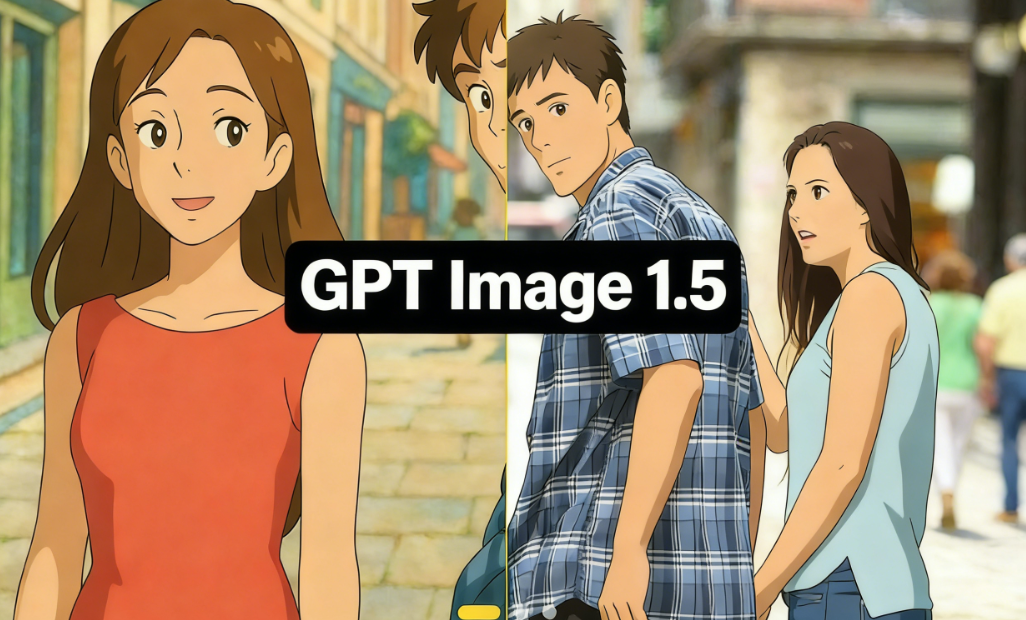
The digital art revolution isn't coming—it's already here, and it is reshaping how we create, share, and consume visual content. If you are a creator, a marketer, or just someone who loves exploring the boundaries of imagination, you have likely heard the buzz surrounding the latest image generation models. Today, we are diving deep into one of the most exciting tools on the market. This guide will teach you exactly how to use GPT Image 1.5 to unlock your creative potential.
But we won't stop at static images. In a world where video is king, understanding how to leverage these images for broader content strategies is crucial. We will also explore how top-tier platforms like karavideo.ai are bridging the gap between image generation and viral video creation, offering you a seamless workflow that traditional tools simply can't match.
Ready to transform your ideas into visual reality? Let’s get started.
What is GPT Image 1.5?
Before we jump into the "how-to," let's briefly cover the "what." GPT Image 1.5 represents a significant leap forward in AI-driven image synthesis. Unlike its predecessors, this model focuses heavily on prompt adherence and photorealistic details. It understands context better, handles text within images more accurately, and offers a wider range of stylistic outputs—from hyper-realistic photography to abstract digital art.
For the modern creator, this means less time wrestling with complex settings and more time creating. Whether you need a storyboard for your next short film or a striking thumbnail for social media, mastering how to use GPT Image 1.5 is a skill that will pay dividends in your creative workflow.
Step-by-Step: How to Use GPT Image 1.5
Getting started with advanced AI models can sometimes feel intimidating, but it doesn't have to be. We have broken down the process into simple, actionable steps.
1. Accessing the Interface
Most AI models are hosted on specific platforms or through API integrations. Once you have logged into your preferred provider supporting GPT Image 1.5, look for the "Image Generation" or "Creative Studio" tab. The interface is usually clean and minimalist, designed to keep your focus on the prompt box.
2. Crafting Your First Prompt
The magic starts with text. In the prompt bar, describe what you want to see. The key here is specificity.
- Basic: "A cat sitting on a wall."
- Better: "A fluffy Siamese cat sitting on a brick wall at sunset, warm lighting, 4k resolution."
3. Adjusting Settings
Before you hit generate, check your settings. GPT Image 1.5 often allows you to tweak:
- Aspect Ratio: Choose 16:9 for cinematic looks or 1:1 for social media posts.
- Style Presets: Select from options like 'Anime', 'Photographic', or '3D Render'.
- Negative Prompts: List things you don't want in the image (e.g., "blurry," "distorted," "low quality").
4. Generate and Refine
Click the "Generate" button. In seconds, the AI will interpret your text and produce an image. If it’s not perfect, don’t worry. Iteration is part of the process. Tweak your prompt, adjust the lighting description, or change the aspect ratio and try again.
5. Download and Upscale
Once you are happy with the result, download the image in high resolution. Many platforms integrated with GPT Image 1.5 also offer upscaling features to ensure your creation looks crisp on any screen.
Mastering the Prompt: The Secret Sauce
Learning how to use GPT Image 1.5 effectively is 90% about learning how to speak to the AI. "Prompt Engineering" might sound technical, but it’s really just about clear communication.
Here is a formula you can use for consistent results:
[Subject] + [Action/Context] + [Art Style] + [Lighting/Mood] + [Technical Details]
Let's try it out:
- Subject: A futuristic cyborg warrior.
- Action: Standing atop a neon skyscraper.
- Art Style: Cyberpunk, digital painting by ArtStation trends.
- Lighting: Neon blue and pink backlighting, rainy atmosphere.
- Technical: 8k, highly detailed, sharp focus.
Combined Prompt:
"A futuristic cyborg warrior standing atop a neon skyscraper, cyberpunk style digital painting, neon blue and pink backlighting, rainy atmosphere, 8k, highly detailed, sharp focus."
Tips for Better Prompts
- Be Descriptive: Use adjectives like "shimmering," "rugged," "ethereal," or "gloomy."
- Reference Styles: Mention specific art movements (e.g., "Impressionist," "Surrealism") or famous artists (e.g., "in the style of Van Gogh").
- Control the Camera: Use photography terms like "wide angle," "macro lens," or "bokeh effect" to control the composition.
Taking It Further: From Image to Video
You have created a stunning image using GPT Image 1.5. Now what? In today's fast-paced digital landscape, static images are often just the starting point. This is where the workflow often gets clunky—you have your image, but you need to switch tools to animate it, edit it, or turn it into a video.
This is where karavideo.ai shines.
While learning how to use GPT Image 1.5 gives you the visual assets, karavideo.ai gives you the motion. It is a comprehensive AI video generation platform that streamlines the entire creative process.
The Karavideo.ai Advantage
Karavideo.ai isn't just another tool; it's a creative ecosystem designed for the efficiency-obsessed creator. Instead of hopping between an image generator, a video animator, and an editor, you get everything in one dashboard.
- Image-to-Video: Take that masterpiece you generated with GPT Image 1.5 (or any other model) and upload it to karavideo.ai. With a few clicks, you can breathe life into it, adding movement, camera pans, and dynamic effects.
- One Dashboard, Multiple Models: Why limit yourself? Karavideo.ai aggregates the world's best video engines. You don't need five different subscriptions. You get seamless access to top-tier technology in one place.
- Viral-Ready Effects: Choose from 40+ AI-powered effects to create fun, expressive, and viral-ready videos with just one click.
Comparison: GPT Image 1.5 vs. The Competitors
To truly understand the value of these tools, we need to see how they stack up against each other. Let’s look at the landscape.
1. Midjourney
- Strengths: Incredible artistic style and texture. It has a very distinct, "painterly" look that artists love.
- Weaknesses: It operates primarily through Discord, which can be clunky for professional workflows. Prompt adherence can sometimes be loose compared to newer GPT models.
- Best For: Artistic inspiration and abstract concepts.
2. DALL-E 3
- Strengths: exceptional understanding of complex prompts and nuance. It is very easy to use conversationally.
- Weaknesses: Sometimes lacks the photorealistic "grit" of other models.
- Best For: Precise illustrations and marketing assets where specific elements must be present.
3. Stable Diffusion (SDXL)
- Strengths: Open source and highly customizable. You can run it locally if you have the hardware.
- Weaknesses: High learning curve. It requires technical know-how to get the best results.
- Best For: Tech-savvy users who want total control.
4. Karavideo.ai (The Aggregator Approach)
While the tools above focus on generating the image, karavideo.ai focuses on using the image.
- The Difference: Karavideo.ai is platform-agnostic. It empowers you to take assets from any source and transform them into high-engagement video content.
- Simplicity: Describe → pick model → generate. No tool-hopping, no setup overhead.
- Efficiency: For creators who need to move fast, karavideo.ai removes the friction. You aren't just making a picture; you are building a video campaign.
Practical Use Cases for GPT Image 1.5
So, how do you actually apply this to your daily work? Here are some scenarios where mastering this tool transforms your output.
1. Social Media Content
The feed moves fast. You need fresh visuals daily. Use GPT Image 1.5 to generate unique backgrounds for quotes, striking thumbnails for YouTube, or cover art for your Reels.
- Workflow: Generate a cyberpunk background → Import to karavideo.ai → Animate the neon lights → Post.
2. Concept Art and Storyboarding
Filmmakers and game developers can visualize scenes in minutes rather than days. Describe your scene, generate variations, and create a mood board that perfectly communicates your vision to the team.
3. Marketing and Ad Creatives
Need a stock photo of a "dog wearing sunglasses on a skateboard" but can't find the right one? Make it. AI allows marketers to create hyper-specific visuals that align perfectly with their ad copy.
4. Blog and Website Visuals
Stop using generic stock photos that everyone else is using. Create custom illustrations that match your brand’s color palette and tone. It adds a layer of professionalism and uniqueness to your web presence.
Advanced Techniques and Troubleshooting
Even with the best models, things can go wrong. Here is how to troubleshoot common issues when learning how to use GPT Image 1.5.
"The hands look weird."
AI struggles with hands. It’s a known issue.
- Fix: Try to frame the image so hands are not the focal point, or use "negative prompts" like "malformed hands," "extra fingers," or "missing limbs."
"The text is gibberish."
While GPT Image 1.5 is better at text than older models, it’s not perfect.
- Fix: Keep text requests simple. If you need complex typography, it is often faster to generate the image without text and add the overlay in a design tool later.
"The style isn't consistent."
If you are trying to create a series of images that look like they belong together, consistency is key.
- Fix: Use the exact same style descriptors in every prompt. Some platforms allow you to use a "seed" number to maintain consistency across generations.
Why Integration Matters: The Karavideo.ai Solution
We have talked a lot about image generation, but the future is moving pictures. The most successful creators are those who can blend static and dynamic content seamlessly.
This is why we keep coming back to karavideo.ai. It solves the fragmentation problem.
Imagine this workflow:
- You have an idea for a viral short video.
- You use an image generator to create the opening scene.
- Instead of downloading, saving, opening a video editor, and trying to animate it manually, you simply use the karavideo.ai ecosystem.
- You upload the image, select an "Image-to-Video" model, and apply a "Zoom Out" effect.
- In minutes, you have a high-definition video clip ready for TikTok or Instagram.
Karavideo.ai offers:
- Seamless Access: No need to manage API keys or complex software installations.
- Creative Freedom: Free your video creation—start with any text, image, or clip.
- High Quality: The platform prioritizes high-resolution outputs, ensuring your content looks professional on any device.
The Future of Creative Work
The landscape of content creation is shifting beneath our feet. Tools like GPT Image 1.5 are democratizing art, making high-fidelity visuals accessible to anyone with an internet connection and an imagination. But the tools are only as good as the creator wielding them.
By mastering how to use GPT Image 1.5, you are equipping yourself with a powerful engine for creativity. You are removing the barrier between "idea" and "execution."
However, to truly stand out, you need to look beyond the static image. You need to embrace motion, efficiency, and integrated workflows. Platforms like karavideo.ai are leading this charge, providing the streamlined, powerful dashboard that modern creators crave.
Conclusion
We hope this guide has illuminated the path to mastering AI image generation. Whether you are a seasoned pro or just starting, the ability to conjure worlds with words is a superpower.
Key Takeaways:
- Be Specific: Great prompts lead to great images. Use the formula: Subject + Context + Style + Lighting.
- Iterate: Don't settle for the first result. Refine your settings and prompts.
- Think Bigger: Don't let your creativity stop at a JPG. Use platforms like karavideo.ai to turn your images into engaging video content.
The tools are ready. The canvas is blank. The only limit is your imagination.
Ready to revolutionize your creative process? Dive into prompt engineering today, and when you are ready to make things move, head over to karavideo.ai to experience the best video engines all in one place. Unleash your potential and start creating content that captivates.