Unleash Your Visual Potential: The Ultimate Guide to AKA David
Whether you are looking to create stunning storyboards, unique marketing assets, or the perfect base image for your next viral video, this tool is your secret weapon
The digital landscape is shifting fast. Creators, marketers, and businesses are under immense pressure. You need more content. You need it faster. And you need it to look incredible. If you have been searching for a way to break through the noise without breaking the bank, you are in the right place.
Welcome to the future of content creation.
In this comprehensive guide, we are diving deep into a tool that is changing the game for creators everywhere. We are talking about AKA David, the powerful AI image generator housed within the karavideo.ai ecosystem. Whether you are looking to create stunning storyboards, unique marketing assets, or the perfect base image for your next viral video, this tool is your secret weapon.
If you have ever wondered how to use AKA David to transform your creative workflow, keep reading. We are about to unlock a world of visual possibilities.
The New Standard in Creative Freedom
Before we dive into the buttons and settings, let’s talk about why this matters. Traditional content creation is hard. It is expensive. Organizing photoshoots, hiring illustrators, or scouring stock photo sites for hours—it drains your energy and your budget.
karavideo.ai changes that dynamic.
As an AI-driven video creation platform, karavideo.ai is designed to streamline your entire production process. But every great video starts with a great visual. That is where AKA David comes in. It is not just an image generator; it is an idea engine. It allows you to visualize concepts instantly.
Imagine having a world-class artist on call 24/7, ready to draw anything you can describe in seconds. That is the power we are putting in your hands today.
Why Visuals Matter More Than Ever
· Attention spans are shrinking: You have milliseconds to grab attention. Unique, high-quality visuals are the only way to stop the scroll.
· Consistency is key: Building a brand requires a consistent visual style. AI allows you to maintain that look across hundreds of assets.
· Speed wins: Being the first to jump on a trend can define your success. AI tools reduce production time from days to minutes.
What is AKA David?
AKA David is the specialized AI image generation model integrated directly into karavideo.ai. While many people know the platform for its video capabilities, AKA David serves as the foundational creative block for many users.
It transforms text prompts into high-fidelity images. But it is more than just a text-to-image tool. It is designed to understand context, style, and artistic nuance. It bridges the gap between your imagination and your screen.
Key Capabilities
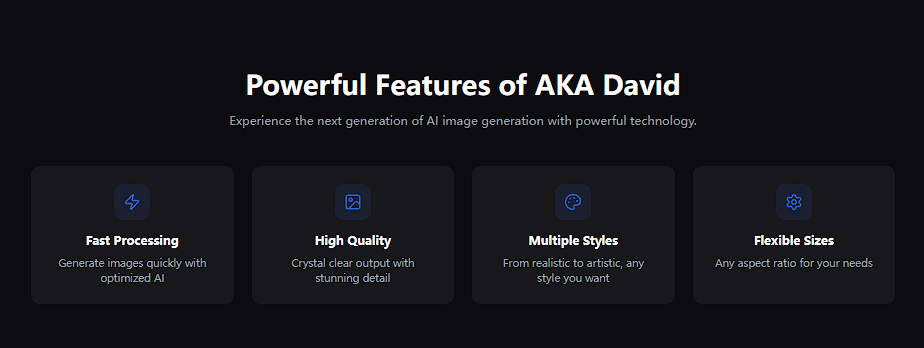
· Text-to-Image Generation: Describe a scene, and watch it appear.
· Style Versatility: Create anime, photorealistic, 3D render, oil painting, or cyberpunk visuals effortlessly.
· Seamless Integration: Your generated images aren't stranded. They are ready to be animated or edited within the broader platform.
When you learn how to use AKA David, you aren't just learning a tool; you are mastering a workflow that feeds directly into video production.
Getting Started: Accessing the Power
Ready to dive in? Let’s get you set up. The beauty of this platform is its simplicity. We believe technology should empower you, not confuse you.
Step 1: Log In to Your Dashboard
Head over to karavideo.ai and log in to your account. If you don't have one, sign up is quick and easy. You want to get to the central dashboard—your command center for creativity.
Step 2: Navigate to Image Generation
On the dashboard, you will see various options for video creation. Look for the "Image Generation" or "AI Tools" section. Here you will find AKA David.
Step 3: Familiarize Yourself with the Interface
The interface is clean and intuitive. You won't find cluttered menus or hidden settings.
· The Prompt Box: This is where the magic happens.
· Style Selectors: Buttons or dropdowns to pick your artistic vibe.
· Aspect Ratio Controls: Square, landscape, or portrait? You decide.
· Generate Button: The button you will be clicking to bring ideas to life.
Master Class: How to Use AKA David
This is the core of our guide. We are going to walk through the exact process of generating stunning visuals. Learning how to use AKA David effectively comes down to a simple loop: Dream, Describe, Generate, Refine.
Phase 1: The Description (Prompting)
The prompt is your instruction manual for the AI. The better your instructions, the better the result.
The Basic Formula:[Subject] + [Action/Context] + [Art Style] + [Lighting/Mood]
Example 1: Basic Prompt
"A cat sitting on a wall."
· Result: Good, but generic.
Example 2: AKA David Optimized Prompt
"A fluffy ginger cat sitting on a rustic stone wall at sunset, golden hour lighting, photorealistic, 4k, highly detailed."
· Result: Stunning, evocative, and usable for professional content.
Pro Tip: Be specific with adjectives. Instead of "big building," try "towering glass skyscraper reflecting the clouds."
Phase 2: Choosing Your Settings
Before you hit generate, you need to set the stage. AKA David offers flexibility to match your project needs.
Aspect Ratios:
· 16:9 (Landscape): Perfect for YouTube thumbnails, website banners, or cinematic video backgrounds.
· 9:16 (Portrait): Ideal for TikTok backgrounds, Instagram Stories, or mobile ad assets.
· 1:1 (Square): Great for social media posts and product showcases.
Model & Style Selection:Don't settle for default. Explore the styles available within the tool.
· Cinematic: For a movie-like feel.
· 3D Animation: Perfect for explainer videos or tech demos.
· Anime/Illustration: Great for storytelling and younger audiences.
Phase 3: Generation
Click "Generate."In moments, AKA David analyzes your text and constructs an image pixel by pixel. It creates something that has never existed before.
Phase 4: Refinement and Iteration
Rarely is the first output the final one. This is normal!
· Variation: If the composition isn't quite right, generate again. The AI will offer a new interpretation.
· Upscaling: Once you find the perfect image, use the upscale feature to boost resolution for crisp, clear quality.
Advanced Strategies: The Art of the Prompt
To truly master how to use AKA David, you need to become a "Prompt Artist." It sounds fancy, but it is just about learning which words trigger the best responses from the engine.
Power Words for Better Images
Sprinkle these into your prompts to instantly upgrade quality:
· Lighting: Volumetric lighting, cinematic lighting, soft glow, neon, studio lighting.
· Detail: Intricate, sharp focus, 8k, masterpiece, hyper-realistic.
· Camera Angles: Wide angle, close-up, drone view, fish-eye lens.
Negative Prompts (What to Avoid)
Some advanced interfaces allow you to specify what you don't want. Even if you put it in the main prompt, telling the AI what to avoid helps.
· "No blurry background"
· "No distorted text"
· "No low resolution"
Context is King
AKA David thrives on context. Don't just ask for a "woman working." Ask for a "focused young woman working on a laptop in a cozy, sunlit coffee shop with plants in the background." The AI builds the world around your subject.
From Static to Kinetic: The karavideo.ai Advantage
This is where things get exciting. Most image generators leave you with a JPEG. But remember, you are on karavideo.ai. You are in a video ecosystem.
Here is how to take your AKA David creation to the next level:
The Image-to-Video Workflow
1. Generate your base image: Use AKA David to create your scene. Let's say it's a futuristic city.
2. Select "Animate" or "Image-to-Video": Within the karavideo.ai dashboard, select your newly created image.
3. Apply Motion: Use the platform's video engines to add camera movement (pan, zoom) or element animation (moving clouds, flowing water).
4. Export: You now have a video clip generated entirely from text.
This workflow is a game-changer for storyboarding and establishing shots. You don't need stock footage. You create your own footage from scratch.
Consistent Character Creation
For storytellers, keeping a character consistent is tough. With AKA David, you can use specific descriptive tags to keep character traits similar across different generations. Combine this with the video tools, and you are effectively running your own animation studio.
Real-World Use Cases: Who Needs This?
You might be thinking, "This sounds cool, but how does it help my business?" Let's look at practical scenarios where knowing how to use AKA David saves time and money.
1. E-Commerce & Marketing
The Challenge: You sell coffee beans. You need fresh content for Instagram every day. Product photography is expensive.The Solution:
· Take a photo of your product.
· Use AKA David (or related tools on the platform) to generate stunning backgrounds: "Luxury kitchen counter," "Cozy campfire setting," "Morning picnic."
· Result: Unlimited lifestyle shots without leaving your desk.
2. Digital Agencies
The Challenge: A client needs a storyboard for a commercial by tomorrow morning.The Solution:
· Write the script.
· Feed scene descriptions into AKA David.
· Generate 10-15 high-quality frames.
· Result: A professional storyboard presented in record time, impressing the client and winning the pitch.
3. Content Creators (YouTubers/Streamers)
The Challenge: You need a thumbnail that screams "Click Me!" but you are not a graphic designer.The Solution:
· Describe an exaggerated, high-energy scene related to your video topic.
· "Shocked gamer looking at glowing computer screen, electric blue background, 3d render style."
· Result: A viral-ready asset generated in seconds.
4. Educational Content
The Challenge: You are explaining a complex history topic or a sci-fi concept. Stock photos don't exist for "Ancient Rome in the year 3000."The Solution:
· Describe exactly what you need.
· Result: Custom illustrations that perfectly match your curriculum or script.
Why Efficiency is Your New Superpower
In the modern digital economy, efficiency isn't just a nice-to-have; it is survival.By using karavideo.ai and AKA David, you are cutting out the "middlemen" of creative production.
· No more searching: Stop browsing page 50 of a stock photo site.
· No more waiting: No waiting for designers to return emails.
· No more compromise: Get exactly what you envisioned, not "close enough."
This efficiency scales. Whether you are a solo entrepreneur making one video a week or an enterprise team making 500 assets a month, the process remains the same. Describe. Pick model. Generate.
Troubleshooting Common Challenges
Even the best tools have a learning curve. Here is how to navigate common hiccups when you are learning how to use AKA David.
"The faces look weird."
Fix: This can happen with complex scenes. Try simplifying the prompt. Focus the prompt specifically on the character first ("Portrait of a man"), then add the background. Also, ensure you are using a model optimized for realism if that is your goal.
"The text in the image is gibberish."
Fix: AI struggles with specific text rendering inside images. It is best to generate the image without text, and then add your headlines or logos using an external editor or the karavideo.ai video editor overlay tools.
"It’s not the style I wanted."
Fix: Check your style modifiers. Did you include "photorealistic" when you wanted "cartoon"? Be explicit. If you want a specific art style (e.g., "Impressionist style"), put it at the very start of your prompt.
"I have too many options!"
Fix: Analysis paralysis is real. Start simple. Pick one style and master it before moving to the next. Treat it like a game—experiment and have fun.
Best Practices for Enterprise Users
For our power users at large companies, AKA David offers scalability that manual creation cannot match.
1. Build a Prompt Library: When you find a prompt structure that delivers your brand's look, save it. Share it with your team. "Brand Style Guide" prompts ensure everyone generates consistent visuals.
2. Batch Production: Don't generate one by one if you need a series. Plan your campaign, write your prompts in a batch, and generate your assets in a focused session.
3. Integrate with Data: Use the visuals for A/B testing. Generate five variations of an ad background, run them, and see which one converts. The cost of experimentation is near zero.
The Future of Your Creativity
We are standing at the edge of a creative revolution. Tools like AKA David are democratizing art. You no longer need to know how to hold a paintbrush or set up studio lighting to create a masterpiece. You just need an idea.
karavideo.ai is committed to keeping you at the forefront of this technology. We are constantly updating our models, improving speed, and enhancing integration to ensure your workflow remains seamless.
Recap: Your Roadmap to Success
1. Log in to karavideo.ai.
2. Locate AKA David.
3. Write detailed, descriptive prompts.
4. Select the right style and aspect ratio.
5. Generate and refine.
6. Animate using the platform's video tools.
It is simple. It is powerful. And it is waiting for you.
Start Creating Today
Don't let your best ideas stay stuck in your head. The barrier to entry has never been lower. Whether you are looking to save money, save time, or just explore the limits of your imagination, AKA David is the tool you need.
Unlock your potential. Transform your content strategy.
Visit karavideo.ai now and start your creative journey. The only limit is what you can describe.
Go create something amazing