SeeDance 1.5 Pro Review and Hands-On Performance Analysis
The new automatic dubbing and sound effect generation make every scene feel alive. With karavideo.ai as your creative partner, you’re in control of cinematic video creation
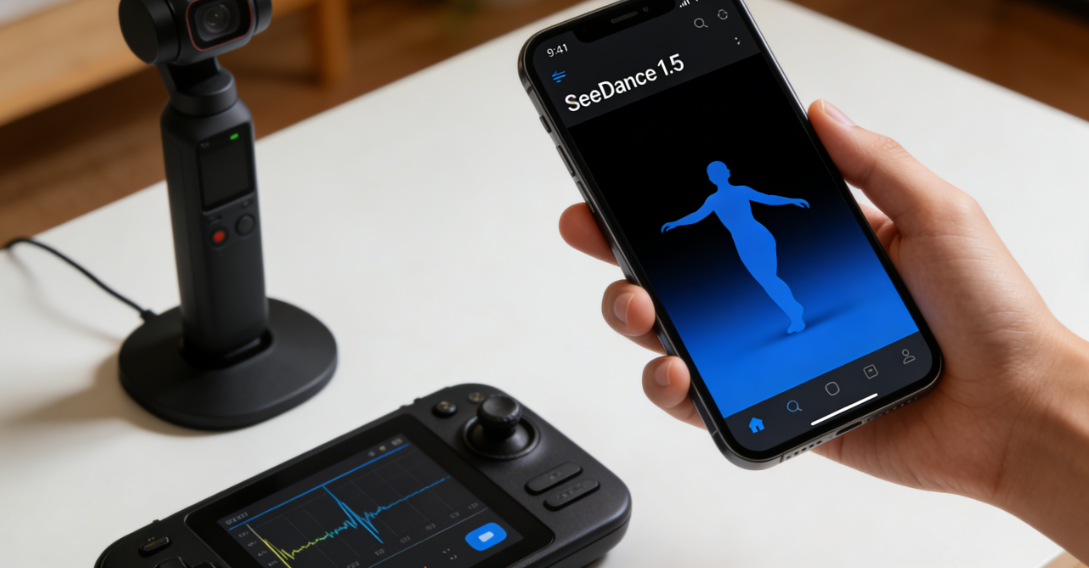
You want to know if the SeeDance 1.5 Pro Review, powered by karavideo.ai, actually delivers on its big promises. You’ll find that this platform takes audio-video AI to the next level. You get smooth lip-sync, realistic dubbing, and sound effects that match the mood. You can create videos in English, Chinese, and Cantonese, so your stories reach more people. The new automatic dubbing and sound effect generation make every scene feel alive. With karavideo.ai as your creative partner, you’re in control of cinematic video creation.
Supported languages and dialects:
English
Chinese
Cantonese
Key Takeaways
SeeDance 1.5 Pro offers seamless audio-video sync, ensuring that lip movements match dialogue perfectly.
The platform supports multiple languages, including English, Chinese, and Cantonese, making it accessible to a wider audience.
Creating videos is quick and easy; simply input your script, select your language, and let the platform generate your video.
Advanced AI technology enhances user experience by providing natural sound effects and emotional voice generation.
You can customize your videos with various styles, music, and sound effects to match your creative vision.
The platform allows for real-time collaboration, enabling teams to work together on projects from different devices.
SeeDance 1.5 Pro is beginner-friendly, with an intuitive interface and helpful prompts guiding users through the video creation process.
Regular updates and a supportive community from karavideo.ai ensure that users have access to the latest features and assistance.
SeeDance 1.5 Pro Review: Does It Deliver?
Real-World Performance
User Experience
You want a tool that feels like a creative partner, not just another app. That’s where SeeDance 1.5 Pro steps in. When you open the platform, you notice how smooth everything feels. The interface welcomes you with clear options and helpful prompts. You don’t have to dig through menus or guess what comes next. SeeDance 1.5 Pro guides you from script to screen.
You’ll love how SeeDance 1.5 Pro listens to your ideas. You type in your story, pick your language, and let the magic happen. The platform brings your vision to life with automatic dubbing, spot-on lip-sync, and sound effects that match every scene. You can switch between English, Chinese, and Cantonese with ease. The multi-language support means your videos reach more people, no matter where they are.
Tip: Try using Chinese voice commands. SeeDance 1.5 Pro understands them perfectly and responds with natural, emotional voices.
You’ll notice that karavideo.ai powers every step. The AI engine works behind the scenes, making sure your video and audio stay in sync. You don’t have to worry about awkward pauses or mismatched lips. The platform handles it all, so you can focus on your story.
Setup and Workflow
Getting started with SeeDance 1.5 Pro feels quick and easy. You don’t need a long tutorial or a technical background. The setup takes just a few clicks. You upload your script or idea, choose your settings, and watch as the platform gets to work.
Here’s what your workflow might look like:
Enter your script or prompt.
Select your preferred language and dialect.
Choose your video style and features.
Let SeeDance 1.5 Pro generate your video, complete with automatic dubbing and sound effects.
Review and make tweaks if you want.
You’ll see how SeeDance 1.5 Pro review lives up to its promises. The platform delivers on audio-video sync, cinematic visuals, and multi-language support. The new features, like automatic dubbing and environment sound effects, make your videos feel immersive and real.
Step | What You Do | What SeeDance 1.5 Pro Does |
Script Input | Type or paste your script | Analyzes and prepares the story |
Language Selection | Pick English, Chinese, etc. | Adapts voices and lip-sync |
Feature Selection | Choose video options | Adds dubbing, sound, and effects |
Generation | Click to create | Renders video with karavideo.ai |
Review | Watch and edit | Offers quick adjustments |
You’ll find that SeeDance 1.5 Pro review isn’t just about flashy features. It’s about making your creative process smoother and more enjoyable. The platform’s performance stands out because of karavideo.ai’s advanced technology. You get videos that look and sound professional, even if you’re new to video creation.
If you want a platform that listens, adapts, and delivers, SeeDance 1.5 Pro is ready for you. The seedance 1.5 pro review shows that the platform fulfills its core promises in real-world use. You get reliable audio-video sync, powerful multi-language support, and cinematic results—all powered by karavideo.ai.
Unique Features of SeeDance 1.5 Pro
Audio-Video Sync and Lip-Sync
Diffusion Transformer Technology
You want your videos to look and sound real. seedance 1.5 uses advanced diffusion transformer technology to make that happen. This technology keeps your audio and visuals in perfect sync, even when your characters move fast or the camera shifts. You get smooth lip movements that match every word. You can trust seedance 1.5 to handle complex scenes without losing stability.
Native audio-video sync means your dialogue always matches the lips.
Motion stays stable, even during quick actions or camera pans.
Multi-shot generation lets you tell stories with different scenes, all in one video.
Natural Sound Matching
seedance 1.5 brings your scenes to life with natural sound matching. You don’t have to hunt for the right sound effect or background noise. The platform listens to your script and fills in the perfect environment sounds—waves for a beach, rain for a city street, or the buzz of a busy crowd. You can even guide the sound with simple prompts. The result? Every scene feels immersive and real.
Tip: Try adding a prompt for a specific sound effect. seedance 1.5 will match it to your video instantly.
Multi-Language and Dialect Support
Chinese Voice Commands
seedance 1.5 stands out with its multi-language and dialect support. You can switch between English, Chinese, and Cantonese with just a click. If you use Chinese voice commands, the platform understands you perfectly. It responds with voices that sound natural and full of emotion. This makes your videos feel authentic, no matter the language.
Emotional and Natural Voice Generation
You want your characters to sound real. seedance 1.5 delivers emotional and natural voice generation. The AI captures the mood of your script—happy, sad, excited, or calm. It brings out the right emotion in every line. You get voices that fit your story and connect with your audience.
Feature | SeeDance 1.5 Pro | Manual Dubbing/Other AI Tools |
Accuracy | Generates natural, lip-synced dialogue | Varies, often less synchronized |
Speed | Inference speed increased by over 10x | Slower, time-consuming process |
Ambient Sound Effects | Automatically generates fitting sounds | Requires manual addition |
Human Voice & Dialogue | Supports multiple languages and emotions | Limited to pre-recorded options |
Musical Scoring | Auto-generated with user prompts | Manual selection required |
Cinematic Video Creation
Multi-Shot and Scene Composition
seedance 1.5 gives you the power to create cinematic videos with ease. You can build stories with multiple shots and seamless transitions. The platform keeps your subject consistent across scenes, so your narrative flows smoothly. You can use seedance 1.5 for films, ads, short dramas, or even animated stories.
Dynamic video generation with advanced AI.
Multi-shot storytelling for complex scenes.
Accurate physics simulation for realistic action.
Customization Options
You stay in control with seedance 1.5. You can choose your video style, set the mood with music, and adjust sound effects to match your vision. The platform supports resolutions from 480p to 1080p, so your videos always look sharp. Whether you want a warm, romantic vibe or a tense, mysterious atmosphere, seedance 1.5 adapts to your needs.
With seedance 1.5, you get a platform that listens, adapts, and delivers. You can trust it to keep your audio-video sync tight, your scenes cinematic, and your workflow smooth.
Performance Analysis: Hands-On Testing
Video Quality
You want your videos to look sharp and professional. seedance 1.5 delivers cinema-grade results every time. When you create with this platform, you see crisp details and vibrant colors. The system supports up to 1080p, so your visuals stay clear whether you’re making a short film or a social media clip. You notice the difference in every frame. The platform’s advanced technology boosts performance, making high-fidelity audio-video generation possible for everyone.
Here’s a quick look at how seedance 1.5 stacks up against industry standards:
Feature | Description |
Video Quality | Delivers cinema-grade results with 1080p quality, ensuring high visual fidelity. |
Speed | 10x faster inference due to advanced technology, enhancing overall performance. |
Audio Sync | Generates synchronized audio and video in parallel for a coherent experience. |
You get smooth motion and stable images, even when your story moves fast. The audio-visual sync stays tight, so lips match words and actions feel real. This level of quality makes your projects stand out.
Scene Transitions
You want your story to flow from one scene to the next. seedance 1.5 handles scene transitions with ease. The platform keeps your characters consistent and your backgrounds seamless. You can jump from a busy street to a quiet room without losing the thread of your narrative. The transitions feel natural, helping you build cinematic storytelling that draws viewers in.
Tip: Try using multi-shot generation for complex stories. You’ll see how seedance 1.5 keeps every shot connected, making your storytelling smooth and engaging.
Audio Generation
Environment Sound Effects
You know that sound brings your video to life. seedance 1.5 creates environment sound effects that match every scene. The platform listens to your script and fills in the right background noise. You hear waves on a beach, rain on a city street, or the hum of a crowd. You can guide the sound with simple prompts, making your audio-visual experience feel immersive.
Here are some ways seedance 1.5 measures up in audio generation:
Audio instruction following
Audio-video sync
Audio expressiveness
You get natural sounds that never feel out of place. The system supports dynamic sound fields, so you hear changes in distance and direction. This attention to audio quality makes your videos feel real.
Music and BGM Matching
You want music that fits your story. seedance 1.5 generates background music that matches the mood and style of your video. The platform combines dialogue, ambience, and music for a complete audio-visual package. You don’t need to search for tracks or worry about timing. The system does it all for you.
Feature | Description |
Synchronized Audio | Generates ambient sound and music alongside video content. |
Integration of Elements | Combines dialogue, ambience, and music for a cohesive audio-visual experience. |
Cost Efficiency | Reduces post-sync costs by rendering visuals, dialogue, ambience, and music together. |
You can choose the style of music you want, from warm and romantic to tense and mysterious. The platform matches the background music to your video’s atmosphere, making your cinematic storytelling even stronger.
Storytelling Ability
Script-to-Video Workflow
You want to turn your ideas into stories that connect with viewers. seedance 1.5 makes this easy. You enter your script, pick your settings, and watch as the platform brings your vision to life. The system uses native multi-shot generation and a unified architecture to keep your narrative coherent. You see accurate physics simulation, so actions look and feel real.
seedance 1.5 excels in storytelling and emotional expression. You can create scenes with multiple characters, each showing real emotions. The platform helps you build stories that feel authentic and immersive.
Editing Flexibility
You want control over your final product. seedance 1.5 gives you editing flexibility at every step. You can tweak dialogue, adjust sound effects, and change music to fit your vision. The platform lets you review and refine your video before sharing it. You stay in charge of your storytelling, making sure every detail matches your creative goals.
Note: You can make quick edits and see instant results. This saves you time and helps you focus on quality.
seedance 1.5 brings together high-quality visuals, expressive audio, and powerful storytelling tools. You get a platform that listens to your ideas and helps you create cinematic storytelling with ease. The audio-visual integration stands out, making your projects look and sound professional.
Technical Strengths
Processing Speed
You want your creative ideas to come to life fast. seedance 1.5 understands that. When you hit "generate," you see results in minutes, not hours. The platform uses advanced AI to process your scripts, visuals, and audio all at once. You don’t have to wait for separate rendering steps. Everything happens in a unified workflow.
Here’s what you’ll notice about processing speed with seedance 1.5:
Instant Feedback: You make a change to your script or scene, and seedance 1.5 responds quickly. You see updates almost right away.
Parallel Generation: The system creates video, dialogue, sound effects, and music together. This means you don’t have to wait for each part to finish before moving on.
Efficient Workflow: You spend less time waiting and more time creating. Your ideas flow from your mind to the screen without delay.
Tip: If you’re working on a tight deadline, seedance 1.5 helps you deliver polished videos fast. You can make last-minute edits and still meet your goals.
System Compatibility
You want a platform that fits into your creative setup. seedance 1.5 makes sure you can work on different devices and operating systems. Whether you use a Windows PC, a Mac, or even a web browser, you can access your projects with ease.
Check out how seedance 1.5 supports your workflow:
Device/Platform | Supported? | Experience |
Windows | ✅ | Smooth and stable |
Mac | ✅ | Seamless integration |
Web Browser | ✅ | No downloads needed |
You don’t have to worry about compatibility issues. seedance 1.5 adapts to your environment. You can start a project on your laptop and finish it on your desktop. The platform keeps your files safe and accessible.
Note: You can collaborate with others, too. Share your project and let your team review or edit from their own devices. seedance 1.5 makes teamwork simple.
seedance 1.5 stands out because it combines speed and flexibility. You get a creative partner that works as fast as you do and fits right into your daily routine. No matter where you work or what device you use, seedance 1.5 is ready to help you create.
SeeDance 1.5 vs. Competitors
Feature Comparison
Audio-Visual Sync
You want your video to look and sound perfect. SeeDance 1.5 Pro gives you tight audio-visual sync, so lips match words and every sound fits the action. When you compare it to other tools like Veo3 and Kling 2.1, you notice a big difference. SeeDance keeps everything in harmony, even during fast scenes or complex dialogue. Kling sometimes struggles with physical realism, which can break the illusion. Veo3 does a decent job, but SeeDance stands out for its natural lip movements and seamless sound integration.
SeeDance 1.5 Pro delivers smooth lip-sync and accurate sound placement.
Veo3 offers basic sync but lacks advanced matching for fast-paced scenes.
Kling 2.1 often shows anti-physical flaws, making some scenes feel less believable.
Multi-Language Support
You want your story to reach more people. SeeDance 1.5 Pro supports English, Chinese, and Cantonese, so you can create for a global audience. The platform understands voice commands in Chinese and responds with natural, emotional voices. Veo3 and Kling offer multi-language features, but SeeDance makes switching languages easy and keeps the voices sounding real.
Platform | Languages Supported | Voice Quality |
SeeDance 1.5 Pro | English, Chinese, Cantonese | Natural, emotional |
Veo3 | English, Chinese | Decent, less expressive |
Kling 2.1 | English, Chinese | Basic, less nuanced |
User Experience
Workflow and Collaboration
You want a tool that feels like a creative partner. SeeDance 1.5 Pro guides you from script to screen with clear steps and instant feedback. You can make changes and see results right away. Collaboration is simple. You share your project, and your team can jump in from any device. Veo3 and Kling offer collaboration, but their workflows feel less intuitive. SeeDance keeps things smooth and lets you focus on your ideas.
Tip: Try working with friends or colleagues. SeeDance makes teamwork easy, so you can build your story together.
Pricing and Value
You want value for your investment. SeeDance 1.5 Pro packs advanced features into a user-friendly package. You get cinematic visuals, expressive audio, and multi-language support without extra hassle. Veo3 and Kling offer similar tools, but SeeDance stands out for its realism and usability. You spend less time fixing errors and more time creating.
Platform | Usability | Realism | Value for Creators |
SeeDance 1.5 Pro | High | Outstanding | Excellent |
Veo3 | Good | Good | Solid |
Kling 2.1 | Moderate | Needs improvement | Average |
karavideo.ai Community
Support and Updates
You want to feel supported as you create. The karavideo.ai community gives you access to regular updates, helpful resources, and responsive support. You can ask questions, share feedback, and see new features roll out. SeeDance 1.5 Pro grows with you, making sure you always have the latest tools. Veo3 and Kling offer support, but karavideo.ai stands out for its active community and commitment to creators.
Note: If you ever need help or want to learn new tricks, the karavideo.ai community is ready to guide you.
SeeDance 1.5 Pro sets a high bar in the AI video space. You get a platform that listens, adapts, and delivers, making your creative journey smoother and more rewarding.
Is SeeDance 1.5 Pro Right for You?
Creator Profiles
Filmmakers
If you make films, you know how important it is to keep your audience engaged. SeeDance 1.5 Pro helps you create immersive content that feels like a real movie. You can build scenes with multiple shots, add emotional voice acting, and let the platform handle lip-sync and sound effects. You get more time to focus on your story, not the technical details. SeeDance 1.5 Pro gives you the tools to bring your vision to life, whether you’re working on a short film or a full-length feature.
Influencers
You want your videos to stand out on social media. SeeDance 1.5 Pro makes it easy to create sound-on social clips, talking-head hooks, and mini trailers. You can switch between languages, add dynamic sound effects, and keep your content fresh. The platform’s stability in edits means you spend less time fixing flicker or drift and more time connecting with your followers. If you want to boost your brand with immersive content, SeeDance 1.5 Pro is ready to help.
Educators and Businesses
You teach, train, or share ideas with others. SeeDance 1.5 Pro helps you make your message clear and engaging. You can create dialogue-driven clips for lessons, product demos, or business presentations. The platform supports multiple languages, so you reach a wider audience. You get natural voices, accurate lip-sync, and background music that fits your topic. Your videos look professional, and your viewers stay interested.
Use Cases
Cinematic Projects
You dream of making cinematic stories. SeeDance 1.5 Pro gives you the power to create multi-shot scenes, smooth transitions, and expressive characters. You can focus on storytelling while the platform handles the technical side. Your projects look and sound like real movies.
Social Media Content
You want to grab attention fast. SeeDance 1.5 Pro shines with short skits, product demos, and narrative snippets. The platform’s audio-video sync and environment sound effects make your clips pop. You can create talking-head intros or catchy hooks that keep viewers watching.
Use Case | Description |
Sound-on social | Great for short skits, product demos, talking-head hooks, mini trailers, and narrative snippets. |
Dialogue-driven clips | Enhances character performance with clear mouth shapes and timing, perfect for talking-head intros. |
Stability in edits | Reduces distractions like flicker and geometry drift, making it easier to create usable shots. |
Multi-Language Productions
You want your videos to reach people everywhere. SeeDance 1.5 Pro supports English, Chinese, and Cantonese. You can switch languages with a click and get natural, emotional voices. The platform makes it easy to create content for different regions and audiences.
Adoption Factors
Learning Curve
You might wonder how easy it is to start with SeeDance 1.5 Pro. The platform welcomes all types of creators, from innovators to those who like to wait and see. Your mindset and learning style matter. If you like to try new things, you’ll jump right in. If you prefer to learn from others, you can follow tips from early adopters. SeeDance 1.5 Pro adapts to your pace and helps you grow your skills.
The technology adoption curve shows that some creators love new tools, while others take their time.
Your background and motivation shape how quickly you learn.
You can learn by doing, watching, or collaborating with others.
Tip: Start with a simple project. You’ll see how easy it is to create something amazing.
karavideo.ai Support
You never create alone with SeeDance 1.5 Pro. The karavideo.ai team offers regular updates, helpful resources, and a supportive community. You can ask questions, share your work, and get feedback. If you run into a challenge, support is just a message away. The platform grows with you, making sure you always have the latest features and guidance.
Note: The karavideo.ai community loves to help creators succeed. You’ll find answers, inspiration, and new ideas every step of the way.
SeeDance 1.5 Pro fits many types of creators and projects. You get a creative partner that listens, adapts, and delivers, making your journey smoother and your results more professional.
You get a creative partner with SeeDance 1.5 Pro, powered by karavideo.ai. This platform stands out for audio generation, e-commerce focus, and short-form video creation. Check out how it compares:
Feature | SeeDance 1.5 Pro | Other Platforms |
Audio Generation | Yes | Limited or No |
E-commerce Focus | Strong | Varies |
Short-form Video Creation | Optimized | Not tailored |
Style Transfer | Brand-specific | Varies |
You’ll find it perfect for e-commerce, social media, and quick A/B testing. If you want cinematic results and easy workflow, karavideo.ai gives you the edge. Think about your goals, then let this platform bring your stories to life.
FAQ
How fast can I create a video with SeeDance 1.5 Pro?
You can generate a complete video in just a few minutes. The platform processes your script, visuals, and audio together, so you see results quickly.
Does SeeDance 1.5 Pro support multiple languages?
Yes! You can create videos in English, Chinese, and Cantonese. The platform handles voice commands and dubbing in all supported languages.
Can I add my own sound effects or music?
You can guide the platform with prompts for specific sounds or music styles. SeeDance 1.5 Pro automatically matches audio to your scenes, but you stay in control.
Is SeeDance 1.5 Pro good for beginners?
Absolutely. You don’t need editing experience. The interface feels intuitive, and you get helpful prompts at every step.
What devices can I use with SeeDance 1.5 Pro?
You can access your projects on Windows, Mac, or any web browser. The platform adapts to your workflow and keeps your files safe.
How does SeeDance 1.5 Pro handle lip-sync?
The platform uses advanced AI to keep lips and dialogue perfectly matched. You get natural, expressive characters every time.
Can I collaborate with others on a project?
Yes! You can share your project with teammates. Everyone can review or edit from their own device, making teamwork simple.