Niji V7 Brings Anime Magic to Everyone
Niji v7 helps you create cool anime pictures fast and easily. Anyone can have fun making anime art with niji.
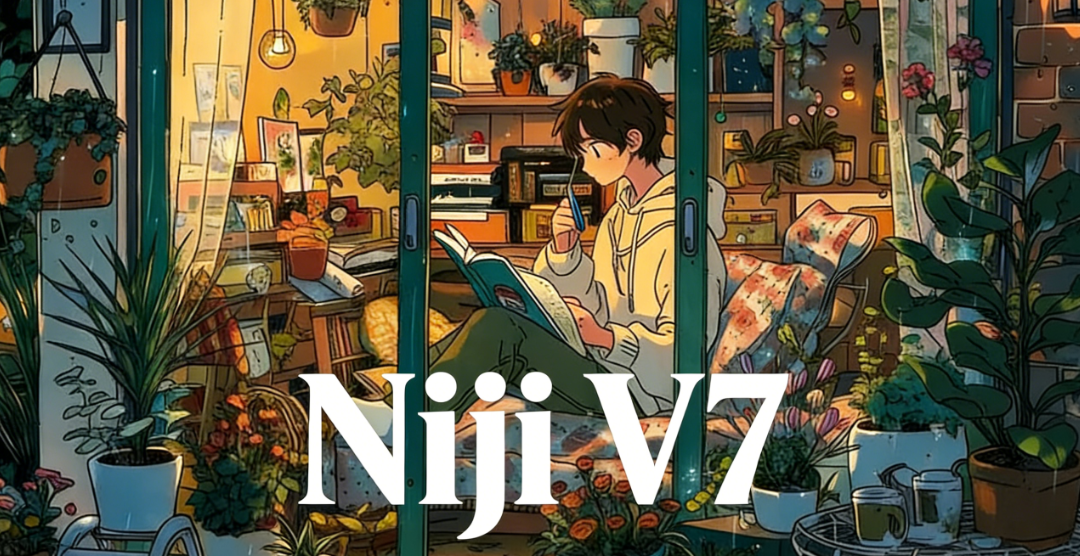
You can now make amazing anime art using niji v7. Niji v7 is a strong anime image generator on karavideo.ai. This new version just came out. Many people are excited about its features. Niji v7 helps you create cool anime pictures fast and easily. Anyone can have fun making anime art with niji. It does not matter if you are new or already an artist.
Key Takeaways
- Niji V7 is an anime art generator that is simple to use. Anyone can make amazing anime pictures fast. You do not need to be good at drawing to use it.
- The tool gives better details and clearer images. Characters and scenes look more lively and connected. It works well for beginners and skilled artists.
- Users can guide their art by giving clear prompts. This helps the images match their ideas very well.
- Niji V7 works with many anime styles. It keeps character designs the same in different scenes. This is great for comics and videos.
- The platform helps people work faster. Users can make great anime art 20-30% quicker than before. It is a helpful tool for all creators.
Niji V7 Overview on karavideo.ai
What Is Niji V7
You can make anime and manga-style pictures with niji v7 on karavideo.ai. This tool came out on January 9, 2026. Its main goal is to help you make art with better eyes, more accurate prompts, and cleaner lines. If you want to know the launch date and purpose, look at the table below:
Official Launch Date | Main Purpose |
|---|---|
January 9, 2026 | Focus on anime and manga-style art, giving better eye details, more accurate prompts, and cleaner lines than older versions. |
Niji v7 is special because it is made for anime art. You get clearer pictures and characters that show more feelings. The tool lets you turn your ideas into bright anime art easily. You do not need to be an expert to use it. The platform gives you cool features to help your art look great.
Niji V7 vs Niji 6
If you look at niji v7 and niji 6, you will see many changes. Anime images look more natural and connected in niji v7. The lines are sharper, so every part is easy to see. The tool follows your instructions better, so your ideas show up clearly. Words and letters look better in your pictures.
Tip: If you want art that is ready to use, niji v7 gives you cleaner and more lively results than niji 6.
You can trust niji v7 to give you good results every time. The pictures look finished and ready to show others. The new version helps you make anime art that matches what you want. Niji v7 is a big improvement for people who like making anime images.
Niji V7 Features for Anime Image Generation
Enhanced Coherency and Details
When you use niji v7, each picture looks more complete. The generator makes every part fit together well. You can see this in the eyes, hair, and accessories. The lines are sharper, and small details are easier to see. This is important for manga and anime art. Many people say niji v7 helps them make clear images, even with hard designs. You can trust it to keep everything in place. Nothing looks strange or unfinished.
Note: Niji v7 has a user rating of 4.9 out of 5. Thousands of people reviewed it. They like how the images look more connected and detailed, especially the eyes and backgrounds.
Here is a table that shows why niji v7 is special:
Feature | Description |
|---|---|
Improved Coherency | All parts of the image fit together, so it looks nice. |
Clearer Fine Details | The generator makes sharp and clear details for anime art. |
Expressive Anime Faces | You can make faces that show feelings, just like in manga. |
Clean Linework | The lines are neat and clear, good for manga and anime. |
Stylized Character Design | You can make cool characters and outfits for modern anime. |
Anime Screencap Composition | The lighting and layout look like real anime scenes. |
Prompt Adherence and Text Rendering
Niji v7 follows your prompt very well. The generator listens to what you ask for. If you describe a character or scene, the image matches your words. You can add details about hair, eyes, clothes, or background. The generator puts them in your picture. This helps you make art that looks like your idea. Niji v7 also makes words and letters easy to read. If you want to add text, it looks clear.
- You can use prompts to control:
- Character poses
- Facial expressions
- Outfit details
- Background elements
- Lighting and mood
You get more control over your art. You do not have to worry about missing details or wrong colors. The generator reads your prompt and makes a clear image every time.
Default Style and Sharpness
Niji v7 uses a style that fits modern anime. You see flat colors and bold lines in every picture. The generator makes sure your art looks sharp. This style works for manga and anime projects. You can make character sheets, storyboards, or manga pages. The sharp lines and clear spaces help you see every detail. Your art is ready to share or print.
Tip: If you want to make professional anime or manga art, niji v7 gives you the sharp look you need.
Limitations and Supported Functions
Niji v7 has many features, but it also has limits. The generator does not let you personalize, make moodboards, or use Omni Reference. You cannot train it with your own images or make custom styles. But it does support many things that help you make good anime and manga art.
Here are some things it can do:
- It makes sharp pupils and clean reflections in eyes.
- It keeps faces looking the same without blurry spots.
- It shows complex character details correctly.
You get clear eyes and details in every picture. The generator understands hard prompts and gives you good results. The lines stay flat and neat, just like classic anime and manga. Niji v7 uses many settings made for anime, so you always get high-quality pictures.
Remember: Niji v7 is made for anime and manga art. It may not work well for other styles, but it is best for anime images.
User Benefits of Niji V7 on karavideo.ai
Accessibility for All Creators
You can make anime art with niji v7, even if you have never drawn before. The platform gives you easy tools for making anime pictures. You just type your ideas, and the anime ai makes the art for you. You do not need special skills or expensive programs. Many people say niji v7 helps them make anime characters and scenes fast. You can turn your pictures into videos or share them with friends. The features help anyone join the world of anime art.
Tip: You can use niji v7 for school work, social media, or just for fun. The platform lets you use your anime images in many ways.
Consistent Character Design
You want your characters to look the same in every picture. Niji v7 helps you keep your character design steady in different scenes. You can use prompts to describe things like hair color or clothes. The generator follows these details so your anime characters match your ideas. You can add a style reference with the — sref parameter to match the art style. Try using permutation prompts to see your characters in new places, like a cafe or spaceship. This way, you can test your character design in many settings. You can use image to video tools to animate your characters and keep their look the same.
- Ways to keep character design steady:
- Add clear traits in your prompt.
- Use style reference images.
- Test different prompts for new scenes.
Why Choose Niji V7
You get many good things when you use niji v7 for anime art. The model understands your prompts better than other anime image generators. You can add text to your pictures, and the generator makes it easy to read. Niji v7 supports many anime styles, including classic looks. You have more control over your character design and scene details. The platform helps you turn your pictures into video projects. You can make anime characters for comics, games, or videos. The features give you sharp pictures and repeatable results every time.
- Reasons to choose niji v7:
- Improved prompt understanding
- Better text generation
- Wide range of anime styles
- Greater control for users
- Reliable image to video workflow
You can trust niji v7 to help you make anime art that matches your ideas. The platform makes anime image generation easy, clear, and fun for everyone.
You can make anime art much faster with niji v7. This tool helps you add sharp details to your pictures. It also listens to your ideas and follows them well. Many artists use niji for making characters, planning webtoons, and game art. You can see the main ways people use it in the table below:
Use Case | Description |
|---|---|
Original character (OC) development | Try out new hair, clothes, and accessories |
Profile avatars & banners | Make clear portraits with easy-to-see eyes |
Sticker packs & emoji sets | Get neat lines and matching faces |
Webtoon / manga planning | Make scenes that look like anime screenshots |
Game concept art | Design classes, outfits, props, and robot shapes |
Merch-ready illustrations | Make flat, clean art that looks good when printed |
- You get your pictures about 20-30% faster than before.
- This speed lets you finish hard scenes quickly.
Try niji v7 on karavideo.ai and show your art to others. Your ideas help make the platform better for everyone. 😊
FAQ
How do you start using niji v7 on karavideo.ai?
You visit karavideo.ai and sign up. You choose the anime image generator. You enter your prompt. The ai creates your anime art. You can save your image or turn it into a video. The process is simple for everyone.
Can you make a video from your anime images?
Yes! You use the video feature on karavideo.ai. The ai helps you turn your anime images into a video. You select your images, pick a style, and the ai creates a video. You can share your video with friends or post it online.
What makes niji v7 different from other ai tools?
Niji v7 uses ai to focus on anime art. You get sharp lines and clear details. The ai follows your prompt closely. You can make a video from your art. The ai gives you fast results and supports many anime styles.
Does the ai keep your character design the same in every video?
Yes, the ai helps you keep your character design steady. You use prompts to describe your character. The ai remembers these details. When you make a video, your character looks the same in each scene. This helps your video look professional.
Can you use niji v7 for school or personal video projects?
You can use niji v7 for school projects, personal stories, or fun video ideas. The ai makes it easy to create anime images and turn them into a video. Many students use the ai for class assignments or creative video projects.
Tip: Try using the ai to make a video about your favorite story or character. You can share your video with your class or family.