Master Midjourney: The Ultimate Guide to AI Image Generation
Unlock your creative potential with our deep dive into Midjourney. Learn how it works, compare it with DALL-E 3
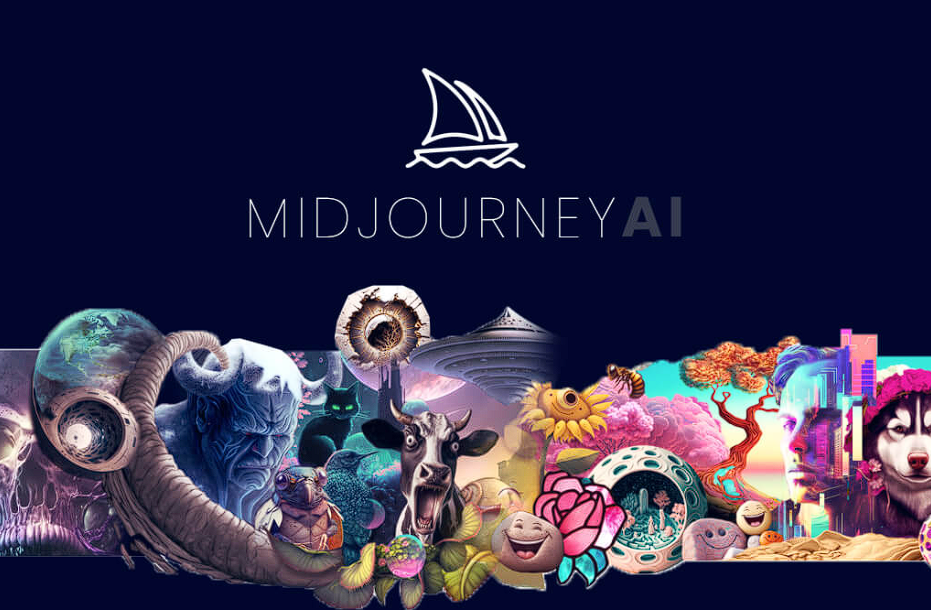
Imagine being able to photograph a dream. Picture a world where your wildest ideas—a cyberpunk city made of crystal, a baroque painting of a futuristic astronaut, or a hyper-realistic product shot—appear on your screen in seconds. This isn't science fiction anymore. It is the reality of modern content creation.
Welcome to the era of "one-click creativity."
At the forefront of this visual revolution is Midjourney. If you have scrolled through social media recently, you have likely seen its work. It is an AI tool that transforms simple text descriptions into breathtaking, high-fidelity images. But it is more than just a toy for digital artists; it is a powerhouse for marketers, designers, and storytellers.
For creators looking to streamline their workflow, understanding tools like Midjourney is the first step. Whether you are generating assets for a marketing campaign or creating storyboards for a project on a video platform like karavideo.ai, mastering image generation unlocks a new level of efficiency.
In this guide, we are going deep. We will explore what makes Midjourney tick, how it compares to giants like Stable Diffusion XL and DALL-E 3, and how it fits into the broader ecosystem of AI-driven creativity.
Get ready to empower your vision.
What is Midjourney?
Midjourney is an independent research lab that explores new mediums of thought and expands the imaginative powers of the human species. In practical terms, it is an artificial intelligence program that creates images from textual descriptions, known as "prompts."
Unlike traditional design software where you build an image pixel by pixel or vector by vector, Midjourney acts as a digital collaborator. You describe what you want, and the AI paints it for you. It is currently one of the most popular and artistically capable generative AI tools on the market, renowned for its distinct, painterly style and incredible attention to texture and lighting.
Why is Everyone Talking About It?
The buzz around Midjourney comes from its ability to produce "finished" work instantly. Where other tools might struggle with composition or lighting, Midjourney often defaults to making things look beautiful. It creates visuals that feel emotionally resonant and professionally polished right out of the gate.
For users of karavideo.ai, this capability is a game-changer. High-quality static images are often the foundation of great video content. By generating stunning base assets in Midjourney, you can then animate or integrate them into larger video projects, streamlining the production pipeline from concept to final cut.
The Magic Under the Hood: How It Works
You don't need a PhD in computer science to use Midjourney, but understanding the basics helps you write better prompts.
Diffusion Models Explained Simply
Midjourney relies on a technology called "Diffusion Models." Imagine a clear photograph. Now, imagine slowly adding static (noise) to it until it is just a scramble of random grey pixels. A diffusion model is trained to reverse this process. It learns to look at static and hallucinate a clear image out of it.
When you type a prompt like "a golden retriever wearing a space suit," the AI starts with pure noise. Guided by its understanding of your words, it gradually removes the noise, step-by-step, refining the chaos until a dog in a space suit emerges.
The Learning Process
The AI has "studied" billions of image-text pairs. It knows what a "banana" looks like, it understands the style of "Van Gogh," and it grasps concepts like "cinematic lighting." It connects these vast webs of data to generate something entirely new that has never existed before.
Getting Started: The Interface
Midjourney is unique because it doesn't have a standalone app (yet). It lives entirely inside Discord, a chat app.
- Join the Discord: You enter the Midjourney server.
- Find a Channel: You go to a "newbies" channel or use a private message with the bot.
- The Magic Command: You type followed by your text.
- Generate: Within a minute, you get four variations of your idea.
It is interactive, social, and fast. You can see what others are creating in real-time, which is a fantastic way to learn new prompting techniques.
Key Features and Capabilities
Midjourney isn't just a random image generator; it offers a suite of powerful controls that let you fine-tune your results.
1. Unmatched Stylization
Midjourney is famous for its artistic flair. By default, it leans towards high-contrast, dramatic, and aesthetically pleasing results. However, you can control this with the parameter. Lower values keep things literal; higher values let the AI get creative and artistic.
2. Zoom and Pan (Outpainting)
Did you generate a perfect character but cut off the top of their hat? The Zoom Out and Pan features allow you to expand the canvas. The AI looks at the existing image and intelligently fills in the new space, maintaining consistency in style and lighting.
3. Vary Region (Inpainting)
This is a lifesaver for perfectionists. If you love an image but hate a specific detail—say, a weirdly shaped hand or an out-of-place object—you can use the Vary Region tool. You simply highlight the area you want to change and type a new prompt for just that section.
4. Image-to-Image Generation
You aren't limited to text. You can upload a reference image to guide the AI. If you have a sketch or a specific color palette you love, you can feed that into Midjourney alongside your text prompt to steer the composition.
5. Aspect Ratio Control
Creating for Instagram Stories? You need a vertical image. Creating a header for your website? You need wide format. The simple --ar command lets you generate images in any aspect ratio, from 16:9 to 9:16 and everything in between.
Use Cases: Who is This For?
The barrier to entry for high-end visuals has collapsed. Here is how different industries are using tools like Midjourney right now.
Marketing and Advertising
Marketers need fresh content constantly. With Midjourney, a small team can generate dozens of campaign concepts in an afternoon. You can create unique social media visuals, blog headers, and ad creatives without scheduling a photoshoot or buying expensive stock photos.
Game Design and Concept Art
Indie developers and major studios use Midjourney to speed up the ideation phase. Concept artists can generate mood boards, character sketches, and environmental textures in minutes. It allows for rapid iteration—"fail faster" to find the winning design sooner.
Architecture and Interior Design
Architects can visualize surreal structures or realistic interior mockups to show clients mood and atmosphere before rendering a single CAD file. It is perfect for brainstorming sessions where visual communication is key.
Content Creation for Video
This is where the synergy with platforms like karavideo.ai becomes powerful. Video creators often need b-roll, background assets, or specific character avatars. By generating these assets in Midjourney, you ensure you have unique, copyright-free material. You can then take these images into video animation tools to bring them to life, creating a seamless pipeline from text-to-image-to-video.
The AI Showdown: Midjourney vs. The Competitors
Midjourney is incredible, but it is not alone. The landscape of AI creation is crowded with powerful tools. To understand where Midjourney fits, we need to look at its peers: Stable Diffusion XL, DALL-E 3, and Krea AI.
Midjourney vs. DALL-E 3
DALL-E 3, developed by OpenAI, is integrated into ChatGPT.
- DALL-E 3 Pros: It is incredibly easy to use. You can talk to it in plain English conversational style, and it follows complex instructions very well. It is also excellent at rendering text within images.
- Midjourney Pros: It generally produces higher resolution, more realistic, and more "artistic" textures. While DALL-E 3 images can sometimes look a bit "plasticky" or overly smoothed, Midjourney excels at grit, texture, and cinematic lighting.
Midjourney vs. Stable Diffusion XL
Stable Diffusion XL is the open-source giant.
- Stable Diffusion XL Pros: It offers ultimate control. You can run it on your own computer, train it on your own face or products, and use plugins like ControlNet for precise posing. It is the power-user's choice.
- Midjourney Pros: Simplicity and out-of-the-box quality. With Stable Diffusion, you often need to tweak settings for an hour to get a great image. With Midjourney, you usually get a stunning result on the first try.
The Role of Krea AI
Krea AI represents the new wave of "real-time" generation. It focuses on speed and enhancing low-resolution images. While Midjourney is a "wait 60 seconds for a masterpiece" tool, tools like Krea are pushing for instant feedback as you draw.
The Ecosystem Approach
Smart creators don't just pick one. They use a toolkit. You might generate a base image in Midjourney, expand it with DALL-E 3, and then animate it using the tools found within karavideo.ai. The best workflow is the one that uses the strength of each specific engine.
Challenges and Limitations
Despite the excitement, Midjourney isn't perfect. Being aware of these limitations will save you frustration.
1. The "Hands" Problem
AI has historically struggled with fingers, creating hands with six or seven digits. While the latest versions (v6 and beyond) have improved drastically, you will still occasionally encounter anatomically impossible limbs.
2. Text Rendering
If you want an image of a shop sign that says "Coffee Shop," Midjourney might render "Cofefe Shoppe." It is getting better at text, but for precise typography, you are often better off using Photoshop or DALL-E 3.
3. Consistency
Generating the exact same character in different poses is difficult. Because the AI uses random noise generation, getting character consistency across a storyboard requires advanced prompting techniques and patience.
4. The Discord Friction
Not everyone loves using a chat app to create art. Navigating public channels can be chaotic, and scrolling through hundreds of other people's images to find your own can be tedious (though paid plans offer private generation).
Best Practices for Prompting
Want to go from "good" to "mind-blowing"? Follow these tips to master the Midjourney language.
- Be Specific: Instead of "a dog," try "a fluffy golden retriever puppy sitting on a vintage velvet couch, cinematic lighting, 8k resolution."
- Talk about Lighting: Use words like "volumetric lighting," "golden hour," "neon lights," or "soft studio lighting." Lighting defines the mood.
- Define the Medium: Tell the AI if you want a "photograph," "oil painting," "3D render," "vector illustration," or "pencil sketch."
- Use Aspect Ratios: Don't forget
--ar 16:9for cinematic shots or--ar 9:16for mobile content. - Iterate: Don't stop at the first result. Use the Vary (Strong) and Vary (Subtle) buttons to explore different versions of your favorite output.
The Future of Creative AI
We are standing at the very beginning of this technology's lifecycle. The jump in quality from Midjourney v1 to v6 occurred in just a couple of years. The trajectory is exponential.
From Static to Motion
The next frontier is video. We are already seeing the convergence of image and video generation. Tools like Stable Diffusion XL, Krea AI, DALL-E 3, and Midjourney are all currently best-in-class creation tools that serve as the raw material engines for the video revolution.
Platforms like karavideo.ai are critical in this next phase. They act as the bridge, taking the stunning static assets created by these engines and breathing motion into them. Imagine generating a character in Midjourney, and then seamlessly animating them to speak a script within a unified video platform.
Democratized Creativity
The future isn't about AI replacing artists; it is about AI empowering everyone to be an artist. It lowers the floor for entry and raises the ceiling for quality. Whether you are a retiree looking to make digital art for fun, or a marketing executive launching a global campaign, the power to visualize your thoughts is now at your fingertips.
Conclusion: Start Creating Today
Midjourney is more than just a piece of software; it is a catalyst for imagination. It removes the technical barriers between your idea and the visual reality.
By combining the high-fidelity generation of Midjourney with the comprehensive video capabilities of karavideo.ai, you have a complete studio in your pocket. You can brainstorm, draft, refine, and produce content faster and cheaper than ever before.
Ready to transform your workflow?
- Dive in: Join the Midjourney Discord and try your first prompt.
- Experiment: Don't be afraid to try weird combinations of words.
- Integrate: Take your best images and see how they can enhance your video projects.
The world is waiting to see what you create. Innovate effortlessly. Share seamlessly. Empower your vision.
Start your journey today.