Luma Ray 2 Evaluation Does It Live Up to the Hype
You may ask if Luma Ray 2 on karavideo.ai works well. The claims are big. This new AI video tool makes animal movements look real. It can even show hard actions like slicing an onion
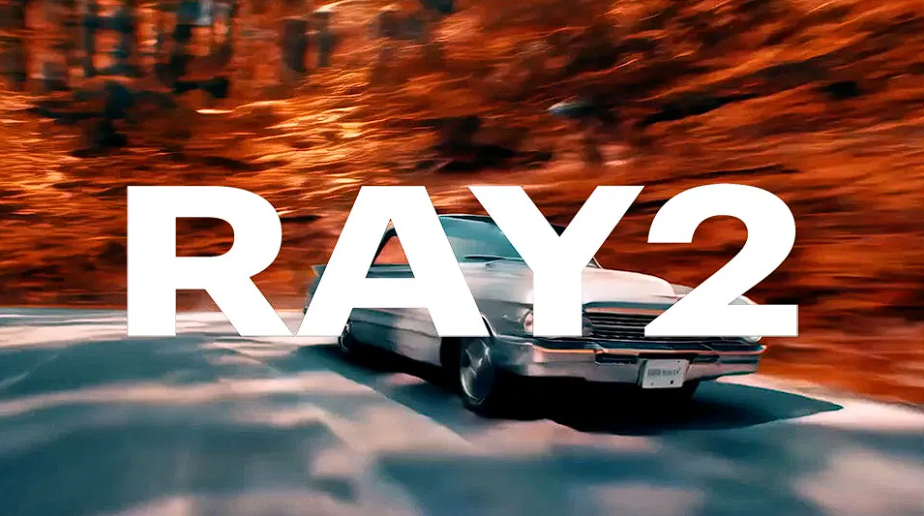
You may ask if Luma Ray 2 on karavideo.ai works well. The claims are big. This new AI video tool makes animal movements look real. It can even show hard actions like slicing an onion. Luma goes further in making videos. It has better motion quality than Sora. You can work with others using Dream Machine. But sometimes it is slow and not always reliable. So, how does it do, how real does it look, and is it worth your time? Let’s see how Luma Ray 2 compares to other AI video models.
Key Takeaways
- Luma Ray 2 makes videos quickly. The videos look real and move smoothly. This is good for making cool content fast.
- The tool is easy to use. Creators can start projects with text or pictures. This helps people be more creative.
- Luma Ray 2 is fast and makes good videos. But it only goes up to 720p resolution. Sometimes there are glitches.
- The subscription has a free plan for testing. Serious users might need to pay for more features and better quality.
- Luma Ray 2 works best for creators who need fast results. People who want long, perfect videos may need other tools.
Quick Verdict on Luma Ray 2
Key Pros and Cons
You want the truth about luma ray 2? Here’s the quick scoop. This ai tool stands out for its ability to create smooth and realistic video clips. You can see animals move in a lifelike way. You can even watch a chef slice an onion with natural hand motion. That’s impressive for any ai video generator.
Let’s break it down:
Pros:
- You get high-quality video with detailed motion.
- The ai understands complex actions and scenes.
- You can work with others using the Dream Machine feature.
- The interface feels simple and friendly.
Cons:
- Sometimes, the tool runs slow, especially with longer clips.
- You may see glitches or odd frames in some results.
- The free token system limits how much you can create.
- Not every prompt gives you the perfect video.
Tip: If you want the best results, try short prompts and clear descriptions.
Who Should Use Luma Ray 2
You might wonder if this tool fits your needs. Luma ray 2 works best for creators who want to make short, eye-catching videos fast. If you love testing new ai tools or need quick content for social media, you’ll enjoy using luma. Teachers, marketers, and storytellers can all find value here.
If you need long, polished films or total control over every frame, you may feel limited. But for most users who want to explore what ai can do with video, this tool offers a fun and easy way to get started.
What Is Luma Ray 2 on karavideo.ai
Brand Refresh Overview
You might notice that luma has a fresh look and feel on karavideo.ai. The team wanted to make things easier for you. The new design feels clean and modern. You see clear buttons and simple menus. You can find what you need fast. The brand now speaks to both creative people and professionals. If you like making videos or need them for work, you feel welcome here.
The update is not just about looks. The platform now helps you get started with ai video generation right away. You do not need to dig through confusing options. You can jump in and start creating. The new brand shows that luma wants to lead in the world of smart video tools.
Luma Ray 2 as a Video Generation Model
Let’s talk about what makes luma ray 2 special. This tool is an advanced video generation model. It uses ai to turn your ideas into moving pictures. You type a prompt or upload an image. The engine understands what you want and creates a short, dynamic video. You see smooth motion, real-looking characters, and believable backgrounds.
Luma ray 2 stands out because it brings together text-to-video and text-to-image features. You get more ways to create. The model works fast. You can make a 5-10 second clip in just a few moments. The videos show lifelike camera moves and even tell a story with emotion. Many users say the motion looks better than other ai tools. You can use it for fun, for work, or to test new ideas.
Note: Luma ray 2 aims to fix common problems in ai video generation, like choppy motion or strange faces. You get a tool that feels smart and reliable.
If you want to see what ai can do with video, this is a great place to start.
Core Experience with Ray2 AI Video Generator
Main Features and Customization
When you use the ray2 ai video generator, you see many features right away. You can start making a video with just words or a picture. You can even use both together. This makes the tool flexible for different projects. If you want to make a new scene or bring a photo to life, you have choices.
Here’s a quick look at what you can do:
You can change your videos in many ways. Luma lets you move the camera how you want. You can also make your own characters. You can use keyframes to animate pictures and tell your story. This is more control than most other ai video tools give you. You feel like you can be very creative.
Tip: Use clear and simple words when you write your prompt. The ai understands details and gives you better results.
Real-World Video Results
You might wonder how the videos look when finished. When you use luma ray 2, you see that it works fast and smooth. The tool can make a short video in just a few seconds. This is about three times faster than old video tools. You also spend less money on each video, which helps if you make a lot.
The videos look clear and real. You can see animals move like they do in life. A chef can cut an onion, and the hand looks natural. The ai keeps the camera steady or lets it move like in movies. This makes your videos look more professional, even if you are new.
But there are some problems. Sometimes, the tool gets slow, especially with long videos. You might see strange frames or glitches in your video. These things happen with most ai video tools, not just luma. Still, the better motion and real look make luma ray 2 a good pick for people who want fast, high-quality videos.
If you want to try new ideas or see what ai can do, this tool is fun and strong. You get real-looking videos, fast results, and many ways to change your work. Luma makes ai video making easy and exciting.
Pricing and Value Evaluation
Subscription and Token System
You want to know how much it costs to use luma ray 2 for video generation. The platform gives you several options. You can start for free. The free plan lets you make videos in 720p, but they have a watermark. If you need more, you can pick a paid plan. The Lite plan costs about $9.99 each month. The Plus plan is around $29.99 per month. If you make lots of videos for production, you might choose Unlimited, which is about $94.99 monthly.
The token system helps you control how many videos you create. Each plan gives you a set number of tokens. You use a token every time you generate a video. If you run out, you can buy more or wait for your tokens to reset. This system works well if you want to manage your budget and production needs.
Note: The free plan is good for testing, but you need a paid plan for serious production or high-quality video generation.
Here’s a quick look at how luma ray 2 compares to other ai video generation tools:
Is Luma Ray 2 Worth It
You might ask if luma ray 2 gives you good value for your money. The answer depends on your needs. If you want fast ai video generation for social media or quick production, luma offers a lower cost per video than many other tools. You get smooth motion, realistic scenes, and easy workflow integration.
If you need high-end production or longer videos, you may want to look at other ai generation models. Google Veo 3 costs more, but it gives you premium 1080p output and longer clips. For most creators, luma ray 2 gives you a strong mix of speed, quality, and price. You can start small and scale up as your production grows.
Tip: Try the free plan first. If you like the results, upgrade to a paid plan for more tokens and better video quality.
Safety & Privacy on karavideo.ai
Content and Data Policies
You want your data to be safe when using an ai tool. Karavideo.ai cares about privacy. They have rules for your content. When you upload a video or write a prompt, your data is stored safely. Only you and people you invite can see your projects. The company promises not to sell your information to others.
Here’s what happens:
- Your personal info stays private.
- The platform uses encryption to keep your files safe.
- You decide who can see or change your video projects.
- The team checks ai-made content to stop bad or illegal stuff.
Note: If you delete a project, it gets removed from their servers. You do not need to worry about old files staying around.
Handling Sensitive Video Content
Sometimes, you might make a video about sensitive topics. Karavideo.ai has rules to keep everyone safe. The ai checks your prompts and videos for risky or wrong content. If you try to make something against the rules, the system blocks it. This keeps you and other users safe.
You can report any video that feels unsafe or offensive. The support team checks these reports fast. They remove anything that could hurt people. The platform wants you to feel good about trying new ideas with ai, but they also want the space to be respectful.
If you work with private or sensitive material, you can use extra privacy settings. These let you choose who sees your video. You stay in charge of your creative work all the time.
Strengths and Trade-Offs
Advantages of Luma Ray 2
You probably want to know what makes Luma Ray 2 stand out. This ai tool brings a lot to the table, especially if you care about speed and quality. Here’s a quick look at the main strengths:
You can see how these strengths help you create videos that look professional. The improved computing power means you get more realistic results. The interface feels simple, so you can jump right in and start making content. If you want to impress your friends or audience, this ai tool gives you a real edge.
Tip: Try using Luma Ray 2 for projects where you need quick, eye-catching results. You’ll notice the difference in speed and detail.
Limitations and Drawbacks
No tool is perfect, and Luma Ray 2 has a few trade-offs you should know about:
- The output resolution stops at 720p. If you need higher quality, this might not fit your project.
- You need a paid subscription to unlock most features. This can be tough if you’re on a tight budget.
- Sometimes, the ai gives you great motion but doesn’t always keep the same quality in every video.
- Hobbyists or students may find the cost a bit high for regular use.
You might find these limits matter more if you work on big projects or need top-tier quality. For most quick tasks, though, Luma Ray 2 still delivers strong results.
Luma Ray 2 Scoring Table
Performance Evaluation
You might wonder how Luma Ray 2 compares to other ai tools. The numbers help us see the answer. Luma Ray 2 gets a high score for how well it works. Its Elo rating is 1152.5, which puts it in second place. This means it is one of the best models out there. You can count on it to give you good results almost every time you make a video. Here’s a table that shows how it ranks:
Luma Ray 2 does better than many other ai video tools. It gets this high score because its videos move smoothly and look real. The motion in each clip feels natural. That is what you want when you use an ai video generator.
Usability and Value
You probably want to know if it is easy to use and worth the money. Luma Ray 2 makes making videos simple for you. You can make clips up to 30 seconds long, which is longer than most other tools. The ai understands your text and turns it into clear, real-looking motion. This means you do not have to spend a lot of time fixing mistakes.
Here’s a table to help you see the features:
You get more ways to control your videos. The process feels smooth and easy. You can use Luma Ray 2 for lots of creative projects. If you want a tool that is fast, good quality, and not too expensive, this ai model is a great pick.
Comparison with Other Video Generation Models
Luma Ray 2 vs. Previous Versions
You may wonder how Luma Ray 2 compares to older models. The new version is a big step up. It gives you clearer pictures and smoother movement. Characters look the same in every scene. If you used the first version, you saw shaky motion and strange faces. Now, the action looks more real and the details are easy to see. The platform is simpler to use, so you can start making videos fast.
Here’s a table that shows the main changes:
This tool feels more professional. Videos look sharper and move in a way that feels real. If you care about quality, you will notice the difference right away.
Luma Ray 2 vs. Sora and Veo 2
Let’s see how Luma Ray 2 compares to Sora and Veo 2. Each tool has its own strengths. Luma Ray 2 is fast and makes lively videos. Sora gives you loop mode and keyframes. These help you make smooth backgrounds and change scenes easily. Veo 2 focuses on high quality, but there is less info about its features.
Here’s a table to help you compare:
- Luma Ray 2 is creative and quick, but sometimes has image problems.
- Sora 2 lets you make looping backgrounds and smooth changes.
- Veo 2 aims for high quality, but there is not much info about its speed or features.
If you want fast and creative videos, Luma Ray 2 is a good choice. If you need more control over scenes or looping, Sora might be better. Each ai tool gives you a new way to make videos.
Practical Tips for Using Luma Ray 2
Getting Started on karavideo.ai
You want to jump in and make your first video with Luma Ray 2. The process feels simple, but a few smart moves can help you get better results right away.
- Start with a short video clip. Try to keep it between 5 and 10 seconds. This helps the ai keep the quality high.
- Make sure your main subject stands out. Avoid busy or complex backgrounds that might confuse the ai.
- Leave some space around your subject. This gives you more room to reframe or adjust your video later.
- Use clear and simple instructions when you type your prompt. Tell the ai what you want to see, like the aspect ratio or the main focus.
- Pick source videos that look sharp. Stay away from low-resolution or highly compressed files.
Tip: If you want your production to look professional, always check your source material before you start.
Maximizing Video Output
You can get even more from Luma Ray 2 if you know what mistakes to avoid. Here’s a quick table to help you spot common problems and fix them fast:
If your video does not look right, check the quality of your source images. Try switching up your settings or pick a different model. When you export, make sure the format matches your needs and that you have enough space on your device.
Note: You can always test different prompts and settings to see what works best for your production. The more you experiment, the better your results will get.
You now have the basics to start creating with ai and get the most out of your video production.
Methodology and Sources
Evaluation Process
You might wonder how I tested Luma Ray 2 and compared it to other AI video tools. I wanted to make sure the evaluation felt fair and clear. First, I looked at how easy it was for you to start a project. I checked how fast the tool made videos and if the results looked real. I also tried different prompts to see if the AI could handle simple and tricky ideas. I paid attention to how well the tool kept characters looking the same and if the motion stayed smooth.
I used short and long prompts. I tested both free and paid plans. I checked if the tool worked well for students, teachers, and creators. I also compared Luma Ray 2 to other popular models. I wanted to see if you get good value for your time and money.
References
You may ask what standards I used to judge Luma Ray 2. In 2025, experts set new rules for video AI. These rules help everyone measure quality the same way. I used these benchmarks to keep things fair. Here’s a table with the main sources:
These sources helped me check if Luma Ray 2 meets the latest standards. They also made sure my review matched what experts look for in new AI video tools.
Final Recommendation
Who Benefits Most
You might wonder if luma ray 2 fits your needs as a creator. This tool shines for people who want to make eye-catching videos with less effort. If you work in visual content, you will notice how well it handles both still and moving objects. Many filmmakers say they feel amazed by how easy it is to bring ideas to life.
Here’s who gets the most out of this ai video tool:
- Creators who love making generative video projects.
- Filmmakers who want to test new ideas fast.
- Professionals who need to add video to their work.
- Filmmakers who want to share quick drafts with a team.
- Filmmakers who want to experiment with ai video for social media.
- Students or teachers who want to show concepts in a new way.
- Professional filmmakers who want to speed up their production process.
If you want to boost your creative process, luma gives you a strong set of tools. You do not need to be a tech expert. You just need a vision and a few words to get started.
Is Luma Ray 2 Worth the Hype
You probably want to know if luma ray 2 lives up to all the buzz. The answer depends on what you expect from an ai video generator. In tests, luma stands out for its impressive dynamism, realistic physics, and speed. When you compare it to other generative video tools, it often comes out ahead. Take a look at this table:
You get fast results and videos that look real. Many filmmakers say the ai can even show emotion in characters. That makes it a big step for the production industry. If you want a tool that helps you create, share, and test ideas, luma ray 2 is worth your time. For most filmmakers, this ai video generator meets the hype and gives you a new way to tell stories.
You want to know if Luma Ray 2 on karavideo.ai lives up to the hype. Here’s what you should remember:
- You get fast speed and strong quality from this ai tool.
- The video output meets most creative needs, but the 720p limit and simple animation controls may not fit complex projects.
If you want to try new ideas or need quick results, give Luma Ray 2 a shot. You can also explore other models if you need more control or higher resolution.
FAQ
How fast can you make a video with Luma Ray 2?
You can make a short video in just a few seconds. The tool works much faster than most other AI video generators. You do not have to wait long to see your results.
Can you use your own images or just text prompts?
You can use both! Start with a text prompt, upload your own image, or even combine them. This gives you more ways to create the video you want.
What happens if your video looks strange or has glitches?
If your video has odd frames or glitches, try a shorter prompt or change your settings. You can also use a different image. The AI usually gives better results with clear instructions.
Is your data safe when you use karavideo.ai?
Yes, your data stays private. Only you and people you invite can see your projects. The platform uses strong security to keep your files safe.