Luma Ray 2 AI Video Review and User Experience
You want to know if luma ray 2 is a great AI video tool. The answer is yes. luma ray 2 gives you a fast and smooth way to make videos. It works well for beginners and experts.
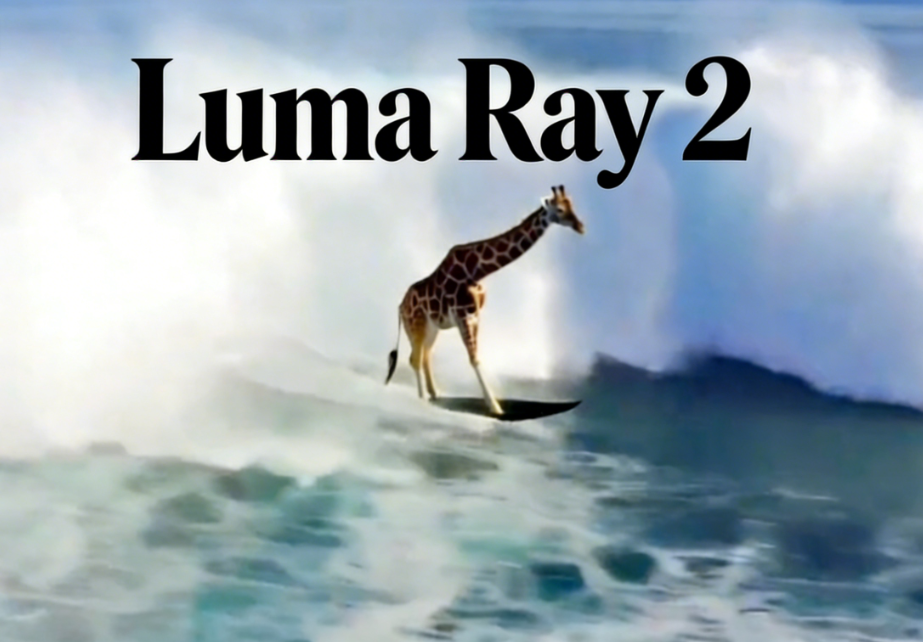
You want to know if luma ray 2 is a great AI video tool. The answer is yes. luma ray 2 gives you a fast and smooth way to make videos. It works well for beginners and experts. You get real-looking motion and movie-like pictures. There are tools to help you tell your story well. The interface is easy to use. You can make short videos in just a few seconds. luma ray 2 is good at special effects and character actions. It also makes loops that look smooth. You will see how luma ray 2 works and how simple it is. You will also see how it compares to other tools. If you want speed, real looks, and good value, luma ray 2 is worth a look.
Key Takeaways
- Luma Ray 2 lets you make great videos fast. It works well for new users and people with experience. - The platform has different modes like Adhere, Flex, and Reimagine. These modes let you control how your videos look and change. - With Ray 2 Flash, you can make videos in 30 to 53 seconds. This makes your video work much faster. - Luma Ray 2 supports 1080p resolution and commercial use. This means it is good for business and marketing. - The easy interface and simple start-up help you make videos right away. You do not need to know a lot about editing.
Luma Ray 2 Overview
What Is Luma Ray 2?
You may ask why Luma Ray 2 is special. Luma Ray 2 is a strong video tool on karavideo.ai. It uses luma ai to give you cool features. You can upload short clips, about 5 to 10 seconds long. The tool lets you change your videos in fun ways. You can pick modes like Adhere, Flex, or Reimagine. Each mode changes your video in a different way. You decide how much your video changes.
Luma Ray 2 works with the Modify Video tool on karavideo.ai. This means you can make your videos better with more choices. You can upload a frame or style prompt to help shape your video’s look. If you want, you can write a text prompt to say what you want. Luma ai lets you pick how big or small the changes are. You get many versions to choose from. You can pick your favorite or keep changing it.
Here’s a quick look at what you can do with Luma Ray 2:
Luma AI and Brand Evolution
Luma ai has grown quickly since it started. The company began in 2021. Alberto Taiuti, Alex Yu, and Amit Jain started it. Luma ai got $4.3 million in seed money that year. In 2023, it got $20 million more. The team wanted to make an ai platform for real-looking videos and 3D objects.
Here are some big moments for luma ai:
- In November 2023, luma ai launched Genie. Genie made 3D objects from text in less than 10 seconds.
- Early 2024 brought Dream Machine. Dream Machine was luma ai’s first video model. It became popular for making realistic videos.
- By November 2024, luma ai made Dream Machine’s interface better. They also launched an iOS app. Now you can use it on your phone.
- In January 2025, luma ai released Ray 2. Ray 2 is a new video model with super-real visuals. It was trained with more computer power.
- In May 2025, luma ai teamed up with HUMAIN AI from Saudi Arabia. They worked together to improve multimodal AGI.
- By June 2025, luma ai added the Modify Video feature. This gives you more control over your video’s style and settings.
Luma Ray 2 is the newest step in this story. When you use karavideo.ai, you get luma ai’s best tech in one place. You can see how luma ai keeps making video creation better.
Ray 2 Model Features
AI Video Generation Capabilities
When you use the ray 2 model on karavideo.ai, you get a powerful video generative model that feels easy to control. You can make videos from text, images, or even other videos. The ray 2 model lets you describe what you want, and it brings your ideas to life. If you want to turn a photo into a moving scene, just use the image-to-video feature. You can also try video-to-video for changing short clips. The ray 2 model understands natural motion, so your videos look smooth and real.
Here’s a quick look at what you can do:
Motion, Depth, and Lighting Effects
The ray 2 model stands out for its advanced cinematography. You will notice how it handles motion, depth, and lighting better than older models. When you use karavideo.ai, you see more detail in faces, hair, and backgrounds. The ray 2 model keeps fast coherent motion, so you don’t get weird flickers or ghosting. Your videos look sharp, even when things move quickly. This makes your cutting-edge video projects shine.
Tip: Try using different lighting prompts on karavideo.ai. The ray 2 model responds well and gives you more control over the mood of your video.
Ray 2 Flash for Fast Video Creation
If you want speed, you will love Ray 2 Flash on karavideo.ai. This tool lets you make a video in less than a minute. Most videos finish in about 30 to 53 seconds. That’s much faster than many other tools. For example, Motion 2.0 takes about 81 seconds, and Wan 2.1 14b can take up to 110 seconds. The ray 2 model helps you create more videos in less time, so you can test ideas quickly.
You can see why so many creators choose karavideo.ai and the ray 2 model for their projects. The mix of natural motion, fast results, and creative control makes it a top pick for anyone who wants to make videos that stand out.
Performance and Output Quality
Speed and Processing Time
You want your videos to finish fast. With karavideo.ai and Ray 2, you get quick results. The platform uses smart tech to keep things speedy and clear. Ray 2 is faster than most other tools.
Here’s a table that shows how Ray 2 compares:
You can make video clips in just seconds. Ray 2 Flash helps you make short videos even faster. Dream Machine, another tool, makes images in about 20 to 30 seconds per batch. If you want 3D capture, the time can change, but Ray 2 is still fast for most jobs. You do not have to wait long to see your ideas turn into videos.
Tip: If you want to try many ideas, use Ray 2 Flash on karavideo.ai. You can make more videos in less time.
Realism and Visual Quality
You want your videos to look real. Ray 2 on karavideo.ai gives you visuals that look lifelike. People say the platform is great for real-looking scenes and camera moves. You see action that feels strong and real. Many other AI tools have trouble with this, but Ray 2 does it well.
You get high-quality videos with lots of detail. The pictures look like movies, so your projects look pro. Ray 2 makes videos that wow people. You see clear faces, smooth moves, and nice backgrounds. The platform keeps getting better, and Ray 3 will be even more real, but Ray 2 is already ahead of most others.
Note: If you want your videos to look like films, karavideo.ai has the tools for you. You can make videos that stand out.
1080p and Commercial Use
You want your videos ready for work or business. Ray 2 on karavideo.ai lets you make videos in 1080p. You can upload many types of files, like JPEG, PNG, WebP, GIF, and AVIF. The platform gives you MP4 videos, so you can use them anywhere.
Here’s a quick table for the tech specs:
You can use your videos for work or to sell. The license lets you share and sell what you make. If you need sharp videos, karavideo.ai gives you choices. You can go up to 1080p for the best look.
Callout: If you want to make videos for your job or business, karavideo.ai has what you need. You get top-quality videos that are ready to use.
User Experience with Luma Ray 2
Interface and Ease of Use
You want a tool that feels easy from the start. Luma Ray 2 gives you a clean and simple interface. You do not need to know much about video editing. The buttons and menus make sense. You can jump right into text-to-video projects or try out other features. Many users say the platform feels friendly for both beginners and pros. You will not get lost in confusing options. The conversational interface helps you focus on your ideas, not the tech.
- Users like the user-friendly design.
- Both new and experienced creators find it easy to use.
- The interface makes text-to-video creation simple.
- Some users wish for more advanced editing tools.
Onboarding and Learning Curve
Starting with Luma Ray 2 feels smooth. When you sign up on karavideo.ai, you see clear steps. The platform guides you through your first video. You get tips and prompts as you go. You can try text-to-video generation right away. Most people say they learn the basics in minutes. If you want to do more, you can explore extra features at your own pace. You do not need to watch long tutorials.
Tip: Try making a short video as your first project. You will see how fast you can get results.
Support and Community
You might have questions as you use karavideo.ai. The support team answers quickly. You can reach out through chat or email. Many users say the team is helpful and friendly. There is also a growing community. You can share your work, ask questions, and get feedback from others. This makes it easy to learn new tricks and stay inspired.
User Feedback
People who use Luma Ray 2 share a lot of thoughts. They love how easy it is to make videos. Many say the platform is great for text-to-video and image-to-video projects. Users like the fast results and smooth workflow. Some wish for longer video options and more editing controls. Others mention the cost of the subscription. Most agree that karavideo.ai makes video creation simple and fun.
Note: If you want a tool that helps you create videos without stress, Luma Ray 2 on karavideo.ai is a strong choice.
Pricing and Value
Cost Per Run and Free Preview
You probably want to know how much it costs to make a video with Luma Ray 2. On karavideo.ai, you pay with credits for each video you create. The price depends on the length of your video. Here’s a quick look:
You can try a free preview before you spend any credits. This lets you make a short clip and see the quality for yourself. You get to test the service and decide if it fits your needs.
Tip: Always use the free preview to check your video before using your credits.
Subscription and Token System
karavideo.ai uses a token system for payments. You buy credits, and then use them for each run. This system gives you control over how much you spend. You can buy more credits when you need them. If you make videos often, you might want to look at a subscription plan. Subscriptions give you a set number of credits each month, which can save you money if you create a lot of content.
- Buy credits as you go or choose a monthly plan.
- Use credits for different features, like text-to-video generation or reframing.
- No hidden fees or surprise charges.
Value for Money
You get a lot for what you pay on karavideo.ai. Industry experts say the videos look real and natural. The platform follows your prompts closely, so you get effects like camera shake or slow motion just right. Lighting and textures look great, and you can make both wide shots and closeups. Luma Ray 2 works well for designers, founders, educators, and marketers. If you want high-quality videos without spending a fortune, this tool gives you strong value.
Note: Many users feel that the price matches the quality and speed you get with Luma Ray 2.
Safety and Content Policies
Data Security and Privacy
When you use karavideo.ai, you want your info to stay safe. Luma Ray 2 cares about your privacy. The platform uses strong steps to protect your data from others. These steps help keep your videos and details safe. But no system online can be perfect. Still, karavideo.ai tries hard to keep your info private and safe from bad people.
Note: Use strong passwords and do not share your login. This makes your account even safer.
Inappropriate Content Handling
You may wonder what happens if someone tries to make bad content. Karavideo.ai has rules to stop this from happening. The system checks for things like violence or adult stuff. If you try to upload or make something that breaks the rules, the platform blocks it. This helps keep everyone safe and happy.
Here’s a quick look at how karavideo.ai stops unsafe content:
- Checks uploads and prompts for bad material
- Blocks videos that break the rules
- Warns you if you try to make unsafe content
If you see something that breaks the rules, you can report it. The team looks at reports and acts fast. This way, you can feel good about sharing your videos and ideas on karavideo.ai.
Tip: Always follow the platform’s rules when you make or share content. This keeps the space safe and nice for all users.
Pros and Cons of Luma Ray 2
Key Advantages
You get a lot of benefits when you use Luma Ray 2 on karavideo.ai. Many users say it changes the way they make videos. Here are some of the top reasons people love this tool:
- You can create high-quality, cinematic videos just by typing a prompt.
- Amazon sellers use Luma Ray 2 to make product videos that look real and grab attention.
- The tool helps you show off products from different camera angles, making your listings stand out.
- You save time and money because you do not need a big video crew or fancy equipment.
- Luma Ray 2 lets you make more videos for less money than traditional video production.
- The simple design on karavideo.ai means you can start making videos fast, even if you are new to editing.
- Dynamic videos can boost engagement and help you get more conversions on your product pages.
Tip: If you want to impress your customers and make your products pop, try making a quick video on karavideo.ai with Luma Ray 2.
Main Drawbacks
While Luma Ray 2 on karavideo.ai gives you many strengths, you should know about a few limits. Some users wish for longer videos and higher resolution. Here is a quick look at how Luma Ray 2 compares to a top competitor:
You might find the video length a bit short if you want to tell a longer story. The resolution works well for most uses, but if you need full HD, you may notice the difference. Still, for most projects on karavideo.ai, Luma Ray 2 gives you fast, realistic results that look great.
Luma Ray 2 vs Other AI Video Tools
Comparison with Leading Alternatives
When you look at AI video tools, you want to know how Luma Ray 2 stacks up against the rest. Let’s compare Luma Ray 2, HeyGen, and Google Veo 3. You will see how they differ in speed, quality, and price. This helps you pick the right tool for your needs.
You will notice that Luma Ray 2 on karavideo.ai gives you fast results, especially for short videos. The visual quality stands out, making your clips look sharp and real. HeyGen works well for training videos but may not look as lifelike. Google Veo 3 offers near film-quality, but you might pay more for those features. If you want a balance of speed, quality, and price, Luma Ray 2 on karavideo.ai is a strong choice.
Tip: If you need to make lots of quick, realistic videos, karavideo.ai with Luma Ray 2 can save you time and money.
Unique Selling Points
What makes Luma Ray 2 on karavideo.ai special? You get features that help your videos stand out from the crowd. Here are some things you will not find in every tool:
You will love how karavideo.ai lets you create seamless loops for digital displays or social media. The 3D awareness means your scenes have depth, not just flat images. Keyframing gives you the power to shape your story from start to finish. Photorealistic motion makes every video feel alive.
Note: If you want your videos to look professional and unique, Luma Ray 2 on karavideo.ai gives you tools that others do not.
Practical Tips for Video Creation
Getting Started with Luma Ray 2
Ready to dive into video creation with Luma Ray 2? You can start in just a few steps. First, sign up or log in to karavideo.ai. The platform welcomes you with a simple dashboard. You will see clear buttons for uploading images, entering text prompts, or picking a video to modify. Try starting with a short clip or a single image. Type out what you want to see in your video. The system guides you with helpful tips as you go. If you get stuck, look for the question mark icon for quick help.
Here’s a quick checklist to help you get started:
- Sign up or log in to karavideo.ai.
- Choose your starting point: text, image, or video.
- Enter your prompt or upload your file.
- Select your preferred style or mode.
- Preview your video before using credits.
- Download or share your finished video.
Tip: Start with short, simple prompts. You will see results faster and learn how the tool responds.
Avoiding Common Pitfalls
Even with a user-friendly tool like karavideo.ai, you might run into a few bumps. Here are some common issues and how you can avoid them:
- Temporal inconsistency: Keep your scenes simple. Clearly set the duration you want. Use scene transitions for smoother flow. Test different generations to find the best result.
- Audio-visual synchronization: Make your video first with placeholder timing. Create your audio separately. Use a video editor to sync them. Add sound effects at the end for a polished touch.
- Platform compliance issues: Always check the rules for the platform where you plan to share your video. Avoid using copyrighted material. Stick to community standards. Add your own creative ideas to make your video unique.
Note: If you follow these tips, you will get better results and avoid most problems with karavideo.ai.
Review Methodology and Sources
How the Review Was Conducted
You want to know how this review came together. I took a hands-on approach with Luma Ray 2 on karavideo.ai. I created videos using different prompts, images, and short clips. I tested the platform’s main features, like text-to-video and image-to-video, to see how easy they felt for you. I paid close attention to the interface, the speed of video creation, and the final output quality.
I also compared Luma Ray 2 with other AI video tools. I looked at how fast you could make a video, how real the motion looked, and how much you would pay for each run. I checked the professional-grade HDR features, which help you get videos that look sharp and ready for business. I explored the creative tools, trying out different modes and prompts to see how much you could do with karavideo.ai.
To make sure the review stayed up to date, I checked the official Luma AI website for the latest details. AI video tech changes fast, so it helps to double-check what’s new before you decide. I also read user feedback and community posts to see what real people like you think about using karavideo.ai and Luma Ray 2.
References
Here’s a quick list of sources and methods used for this review:
- Direct testing of Luma Ray 2 features on karavideo.ai.
- User feedback and community discussions from creators who use karavideo.ai.
- Official documentation and updates from the Luma AI website.
- Comparison with other leading AI video tools for speed, quality, and pricing.
- Industry articles highlighting Luma Ray 2’s HDR capabilities and creative options.
Note: If you want the most accurate info, always check the latest updates on karavideo.ai and the Luma AI website. The world of AI video moves quickly, and new features arrive often.
Final Verdict and Recommendation
Who Should Use Luma Ray 2?
You might wonder if Luma Ray 2 on karavideo.ai fits your needs. This tool works well for many people. If you want to make videos quickly and easily, you will enjoy using it. Here are some groups who get the most out of Luma Ray 2:
- Educators: You can create lesson videos or tell stories without spending much. The simple tools help you make more content for your students.
- Casual Users: You will find karavideo.ai easy to use for fun projects. You do not need to know video editing. Just type your idea and watch it come to life.
- Businesses and Marketers: You need fast videos for ads or social posts. Luma Ray 2 gives you quick results and lets you change your message as needed. The AI tools help you repurpose content and save time.
If you want a tool that feels friendly and gives you pro-looking videos, Luma Ray 2 on karavideo.ai stands out. You can make short, sharp clips for many uses. The pricing works for both small and large projects.
Tip: Try making a sample video on karavideo.ai. You will see how fast and easy it feels.
When to Consider Alternatives
Luma Ray 2 on karavideo.ai gives you speed, realism, and value. Still, you may want to look at other options in some cases. If you need longer videos or higher resolution, you might find other tools fit better. Some platforms let you make videos over 20 seconds or export in full HD. If you want deep editing features or advanced controls, you may prefer a more complex editor.
You should also think about your budget. If you plan to make many long videos, check the credit system on karavideo.ai. Some users want unlimited runs or different pricing models.
Note: Luma Ray 2 shines for quick, realistic clips. For special needs, explore other AI video tools. Always match the tool to your project goals.
Luma Ray 2 gives you a fast, easy way to make videos that look real. You get the most value if you want quick results for school, business, or fun. Karavideo.ai helps you start right away. Try Luma Ray 2 on karavideo.ai and see what you can create.
Want to learn more? Explore karavideo.ai and test Luma Ray 2 for yourself!
FAQ
How fast can you make a video with Luma Ray 2 on karavideo.ai?
You can create a short video in about 30 to 53 seconds using Luma Ray 2 on karavideo.ai. The Ray 2 Flash feature helps you get results quickly, so you do not have to wait long.
Can you use Luma Ray 2 videos for business on karavideo.ai?
Yes! You can use videos made with Luma Ray 2 on karavideo.ai for business or commercial projects. The platform gives you a license that lets you share and sell your finished videos.
What file types can you upload and download on karavideo.ai?
You can upload JPEG, PNG, WebP, GIF, or AVIF files to karavideo.ai. When you finish your video, you can download it as an MP4 file. This makes it easy to use your video anywhere.
Is Luma Ray 2 easy for beginners to use?
Absolutely! You do not need video editing experience. The interface on karavideo.ai is simple. You just type your idea or upload a file, and the platform guides you step by step.
What should you do if you need help while using karavideo.ai?
If you get stuck, you can reach out to the support team through chat or email. You can also check the community for tips. Many users say karavideo.ai has fast and friendly help.