How to Use Niji V7: A Comprehensive Guide
This guide will walk you through everything you need to know to master Niji V7. We’ll cover its core features, provide step-by-step instructions for getting started,
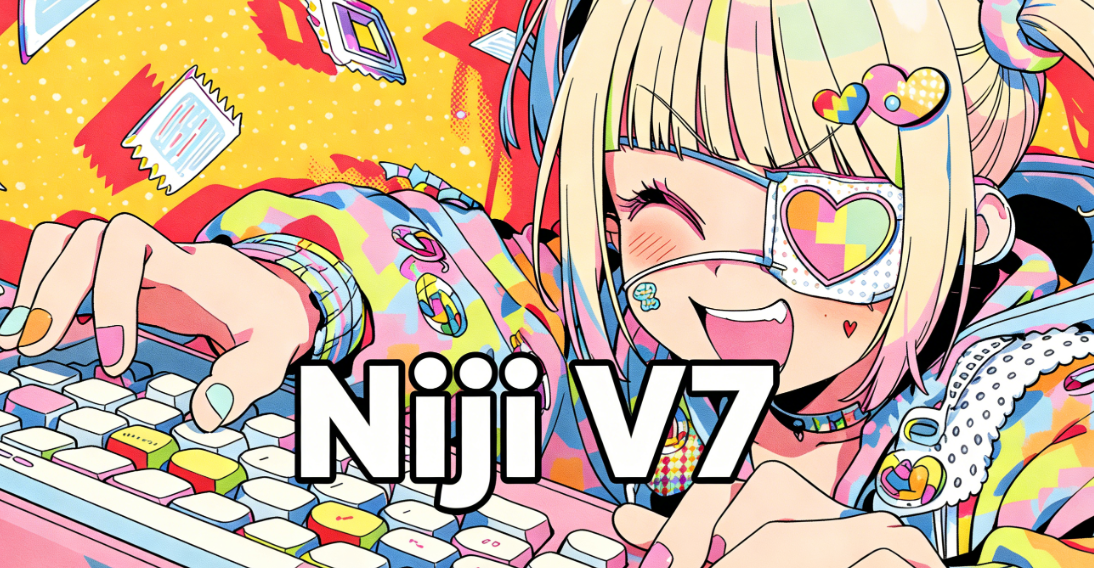
The world of AI-powered art generation is moving at an incredible pace. Just when you think you’ve mastered one tool, a new version or an entirely new platform emerges, promising more detail, better control, and stunning results. For fans of anime and illustrative styles, Midjourney's Niji model has long been a favorite. With the release of Niji V7, the creative possibilities have expanded once again.
This guide will walk you through everything you need to know to master Niji V7. We’ll cover its core features, provide step-by-step instructions for getting started, and explore advanced techniques to bring your artistic visions to life. We will also look at how the landscape of creative AI tools is evolving, and how integrated platforms like karavideo.ai are offering a different path for creators who work with both images and video.
Let's dive in and unlock the power of Niji V7.
What is Niji V7?
Niji V7 is the latest evolution of the Niji model and is now seamlessly integrated as one of the creative tools available on the karavideo.ai platform. While Midjourney's standard models excel at a wide range of styles, from photorealism to abstract art, the Niji model is finely tuned for anime and illustrative aesthetics. It understands the nuances of anime character design, dynamic action poses, and vibrant, detailed environments.
Compared to its predecessors, Niji V7 brings several key enhancements:
- Improved Cohesion and Detail: The model generates more consistent characters and scenes with finer details in clothing, hair, and backgrounds.
- Enhanced Stylistic Range: While its core is anime, Niji V7 can produce a broader array of illustrative styles with the right prompting.
- Better Prompt Understanding: The model has a more sophisticated grasp of natural language, allowing for more intuitive and precise prompting to achieve desired results.
Essentially, Niji V7 is your specialized tool for creating high-quality, anime-inspired artwork with greater ease and control than ever before.
Getting Started with Niji V7
Niji V7 is fully integrated into the karavideo.ai platform, giving you seamless access to powerful anime-style image generation directly within your creative workflow. If you're new to the platform, the initial setup can seem a little intimidating, but it's a straightforward process.
Step 1: Join the Midjourney Discord Server
- Create a Discord Account: If you don't already have one, go to Discord's website and sign up.
- Join the Midjourney Server: Once you have an account, use the official invite link to join the Midjourney Discord server.
- Find a Newbie Channel: On the server, look for channels named
#newbiesor#general. These are designated spaces for new users to generate their first images.
Step 2: Activate Niji V7
Before you can start creating, you need to tell Midjourney you want to use the Niji model.
- Open the Settings: In any channel where you can use the bot, type
/settingsand press Enter. - Select Niji V7: A menu will appear with various model options. Look for the dropdown menu and select
Niji Model V7. This will set Niji as your default model for all future generations until you change it again.
Alternatively, you can add the parameter --niji 7 at the end of any prompt to use Niji V7 for a specific image generation without changing your default settings.
Step 3: Crafting Your First Prompt
Now for the fun part: creating your first image. The core of Midjourney is the /imagine command.
- Start the Command: In the message bar, type
/imagine prompt:. - Describe Your Vision: After the colon, write a description of the image you want to create. Be descriptive! Think about the character, their appearance, the setting, the mood, and the style.
- Send the Prompt: Press Enter.
Here's a simple example prompt to get you started:/imagine prompt: anime girl with long silver hair, wearing a modern black jacket, standing in a neon-lit Tokyo street at night, cinematic lighting --niji 7
The Midjourney bot will process your request and generate a grid of four initial image concepts based on your prompt.
Mastering Prompts in Niji V7
The quality of your output is directly related to the quality of your prompt. While Niji V7 is more intuitive, understanding how to structure your prompts will give you professional-grade results.
The Anatomy of a Great Prompt
A well-structured prompt usually contains several key elements:
- Subject: The main character, object, or focus of the image. (e.g., "a powerful samurai warrior," "a mystical fox spirit")
- Action/Pose: What the subject is doing. (e.g., "leaping through the air," "meditating under a cherry blossom tree")
- Setting/Background: Where the scene takes place. (e.g., "a futuristic cyberpunk city," "an ancient, enchanted forest")
- Atmosphere/Mood: The feeling you want to convey. (e.g., "serene and peaceful," "dark and mysterious," "vibrant and energetic")
- Style Details: Specific artistic elements. (e.g., "Studio Ghibli style," "90s retro anime aesthetic," "manga sketch")
- Composition & Lighting: How the shot is framed. (e.g., "wide angle shot," "dramatic backlighting," "golden hour")
Example of a detailed prompt:/imagine prompt: a magical girl with pastel pink hair, determined expression, holding a glowing star wand, preparing to cast a spell, dynamic pose, surrounded by swirling sparkles, background of a starry night sky, fantasy anime style, vibrant colors --ar 16:9 --niji 7
Using Parameters for Finer Control
Parameters are special commands added to the end of a prompt to control technical aspects of the image. They always start with two hyphens (--).
--ar <ratio>: Sets the aspect ratio. For example,--ar 16:9for a widescreen image or--ar 2:3for a portrait.--style <raw|cute|scenic|expressive>: Niji V7 has unique style tuners. For instance,--style cutewill lean into a more adorable, "chibi" aesthetic.--stylize <number>or--s <number>: Controls how artistically interpreted your prompt is. A lower value (e.g.,--s 50) sticks closer to your prompt, while a higher value (e.g.,--s 750) gives the AI more creative freedom.--chaos <number>: Increases the variation in the initial grid of four images. Higher values produce more unexpected results.--no <item>: Excludes specific elements from your image. For example,--no buildingswould try to remove buildings from the scene.
From Generation to Final Image
Once you submit a prompt, the journey isn't over. Midjourney provides tools to refine and perfect your creation.
Upscaling and Variation
Below your initial 2x2 grid of images, you'll see a set of buttons: U1, U2, U3, U4 and V1, V2, V3, V4.
- Upscaling (U buttons): If you like one of the four images (1 is top-left, 2 is top-right, etc.), click the corresponding
Ubutton. This will generate a larger, more detailed version of that specific image. - Variation (V buttons): If you like the style and composition of an image but want to see slight variations, click the corresponding
Vbutton. This will create a new grid of four images based on the one you selected.
Advanced Refining Tools
After upscaling an image, a new set of options appears:
- Vary (Subtle) & Vary (Strong): These create new variations of your upscaled image with different levels of change.
- Zoom Out: This expands the canvas around your image, letting the AI fill in the new space based on the existing content. You can zoom out by 1.5x, 2x, or a custom amount.
- Pan: This allows you to extend the image in a specific direction (left, right, up, or down), creating a wider panoramic scene.
These tools allow you to iteratively build upon an initial concept, giving you comprehensive control over the final composition.
The Broader AI Creation Landscape: Niji V7 vs. Integrated Platforms
Niji V7, as an integrated feature within the karavideo.ai platform, empowers users to generate stunning anime-style still images with exceptional quality and creative control. However, modern content creation often requires more than just static pictures. Creators need to produce videos, animations, and integrated campaigns. This is where the limitations of a specialized, single-purpose tool become apparent and the value of an all-in-one platform shines.
Platforms like karavideo.ai are designed to address this need by providing a seamless workflow from idea to finished video. While Niji V7 perfects the art of the still frame, other tools are innovating in the realm of motion and multi-format creation.
Let’s compare the approaches:
Niji V7 and Other Image Generators
- Focus: Specialized in high-quality still image generation. Niji V7’s specialty is anime, while others might focus on photorealism or general art.
- Workflow: The process is typically:
Prompt -> Generate -> Upscale -> Done. If you want to create a video, you must export the image and use a separate set of tools for animation, editing, and audio. This tool-hopping is time-consuming and can lead to inconsistencies. - Control: Offers deep control over the visual style of a single image through detailed prompting and parameters.
Gen-4.5 and Text-to-Video Models
Emerging text-to-video technologies like Gen-4.5 are changing the game entirely. They are built from the ground up to handle motion. Key advancements include:
- Higher Visual Fidelity: These models can generate "film-grade" dynamic scenes, realistically rendering light reflections on water or the movement of hair in the wind.
- Enhanced Creative Control: They support features like "multi-shot editing," allowing you to change camera angles and scene content within a single generated clip.
- Temporal Consistency: A major challenge in AI video has been maintaining consistency over time. New models use "sequential consistency modeling" to prevent issues like characters suddenly changing appearance or objects randomly disappearing between frames.
- Native Audio Generation: Some can even generate matching dialogue, sound effects, and background music directly from the video content, a huge step toward a fully integrated creation process.
The karavideo.ai Advantage: An All-in-One Hub
This is where a platform like karavideo.ai provides a distinct advantage. Instead of forcing you to choose between a top-tier image model and a cutting-edge video model, it brings them all together.
karavideo.ai acts as a central dashboard, giving you access to the world’s best video and image engines from a single interface with a single price.
- No More Tool-Hopping: The workflow is simple:
Describe -> Pick Model -> Generate. You can start a project with text, an existing image (perhaps one you made with a Niji-like model), or a video clip. There is no need to switch between different apps, accounts, and billing plans. - Unified Creative Control: Manage all your creative assets in one place. Generate an image, then immediately use it as the starting point for a video animation. Apply effects, add audio, and edit your sequence without ever leaving the platform.
- Efficiency and Scalability: For businesses, social media managers, and solo creators who need to produce content at scale, this integrated approach is a massive time-saver. You can create professional-grade results faster, freeing up time to focus on creativity rather than technical hurdles.
While a tool like Niji V7 is perfect for an illustrator focused purely on character design or concept art, creators with broader needs will find the unified ecosystem of karavideo.ai far more powerful and efficient. It empowers you to control your creativity across different media formats seamlessly.
Conclusion: Choose the Right Tool for Your Creative Goals
Niji V7 is a brilliant and powerful evolution of Midjourney's anime model. It offers unparalleled quality and control for generating stunning, illustrative still images. By mastering its prompting system and refinement tools, you can produce artwork that rivals professional illustrations. It's an essential tool for any digital artist, character designer, or anime fan looking to explore the creative potential of AI.
However, it's also important to recognize that the creative landscape is bigger than just still images. As AI technology advances, the line between image and video generation is blurring. For creators who need to produce dynamic content, animations, and social media videos, an integrated platform offers a more streamlined and powerful solution.
The choice ultimately depends on your goals. If your focus is purely on creating the best possible anime-style images, diving deep into How to Use Niji V7 is a fantastic investment of your time. But if you're looking to scale your production and create diverse content across multiple formats, exploring an all-in-one hub like karavideo.ai will unlock a new level of creative efficiency and freedom. The future of content creation is integrated, and the best tool is the one that lets you bring your entire vision to life with ease.