How to Use MidJourney V8: A Comprehensive Guide
This guide will walk you through everything you need to know about how to use MidJourney V8.
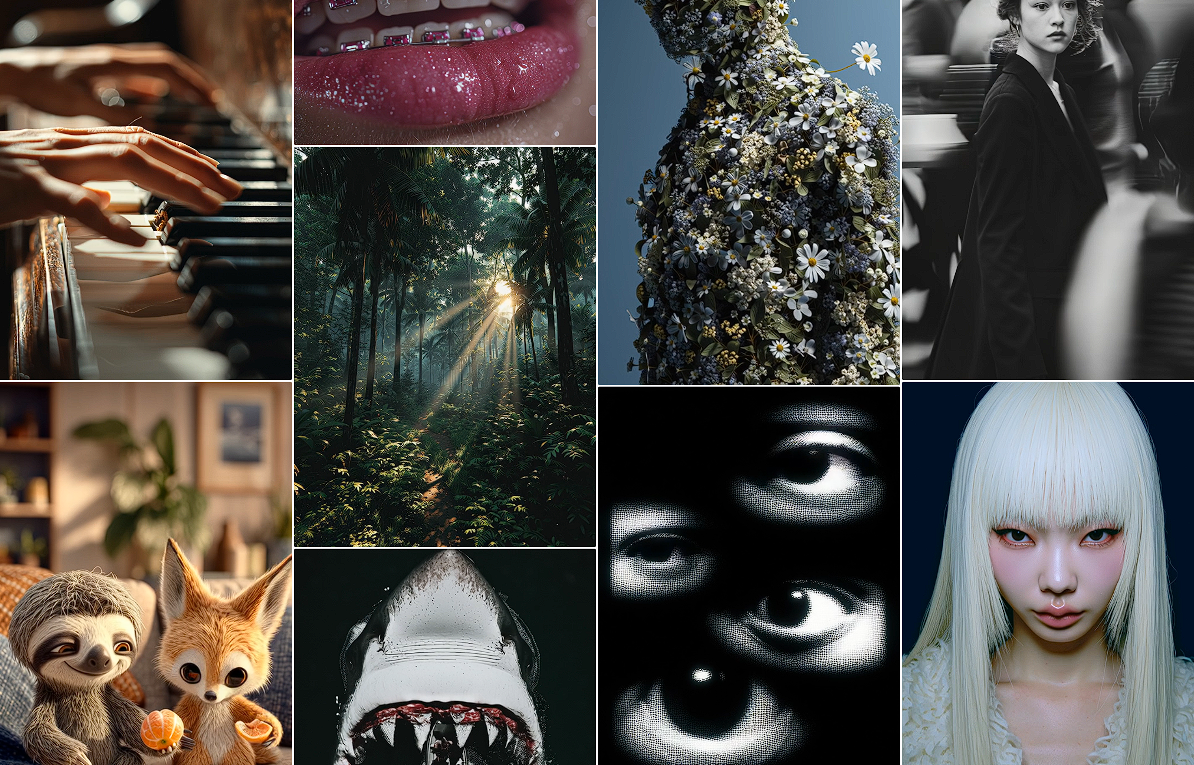
The world of AI-driven art and video creation is moving at an incredible pace, and MidJourney has consistently been at the forefront. With each new version, it pushes the boundaries of what's possible, offering creators more power, control, and realism. Now, with the highly anticipated MidJourney V8, the platform takes another giant leap forward.
This guide will walk you through everything you need to know about how to use MidJourney V8. We'll cover getting started, crafting the perfect prompts, using advanced parameters, and unlocking its most powerful features. We will also explore how integrated platforms like karavideo.ai are streamlining the creative process, making these powerful tools more accessible than ever. Get ready to transform your ideas into stunning visual realities.
What's New in MidJourney V8?
While every version brings improvements, MidJourney V8 focuses on three core areas: enhanced realism, better prompt understanding, and greater creative control. Users can expect images that are nearly indistinguishable from professional photographs, with sophisticated lighting, textures, and details.
Key enhancements include:
- Superior Photorealism: V8's new model has been trained on an even larger dataset, resulting in breathtakingly realistic images. Skin textures, natural lighting, and complex environmental details are rendered with incredible accuracy.
- Advanced Natural Language Processing: The AI now understands more nuanced and complex prompts. You can use more conversational language to describe your vision, and the model will interpret it with greater precision.
- Expanded Stylistic Range: V8 introduces a wider array of artistic styles. Whether you want a classic oil painting, a futuristic cyberpunk aesthetic, or a specific photographer's signature look, V8 can deliver.
- Improved Consistency: Generating consistent characters and elements across multiple images has been a major challenge. V8 offers better tools for maintaining visual continuity, which is a game-changer for storytelling and branding.
Getting Started with MidJourney V8
If you're new to MidJourney, the primary interface is through Discord. Here’s a step-by-step guide to get you up and running.
Step 1: Join the MidJourney Discord Server
First, you need a Discord account. Once you have one, you can join the official MidJourney server. This is where the magic happens. After joining, you'll see various channels, including newcomer rooms like #newbies. These are the perfect places to start generating your first images.
Step 2: Subscribe to a Plan
MidJourney operates on a subscription model. To use V8, you'll need an active subscription. You can manage your subscription by using the /subscribe command in a direct message with the MidJourney Bot. This will generate a unique link to the subscription page where you can choose the plan that best fits your needs.
Step 3: Generating Your First Image with /imagine
The core command for creating images in MidJourney is /imagine.
- Go to a designated bot channel (like
#newbiesor a private chat with the MidJourney Bot). - Type
/imagineand a prompt box will appear. - In the prompt box, describe the image you want to create. Be as descriptive as possible!
- Press Enter and wait. The MidJourney Bot will process your request and generate four initial image options based on your prompt.
For example, a simple prompt could be:
/imagine prompt: a majestic lion with a crown made of stars, sitting on a throne on the moon, photorealistic
After a minute or two, you'll receive a grid of four images.
Mastering the Art of the Prompt
The quality of your output depends heavily on the quality of your input. Learning how to write effective prompts is the most crucial skill for using MidJourney V8. A great prompt is a blend of subject, style, and technical details.
The Anatomy of a Perfect Prompt
A well-structured prompt usually includes these components:
- Subject: What is the main focus of your image? (e.g., "a futuristic cityscape," "a portrait of an old wizard")
- Action/Setting: What is the subject doing, and where are they? (e.g., "walking through a neon-lit alley," "reading a glowing book in a library")
- Style/Aesthetic: What artistic style are you aiming for? (e.g., "in the style of Van Gogh," "cyberpunk aesthetic," "fantasy art")
- Composition/Lighting: How should the shot be framed? What is the lighting like? (e.g., "wide-angle shot," "cinematic lighting," "golden hour")
- Technical Details: Specify things like aspect ratio, version, and stylization. (e.g.,
--ar 16:9,--v 8)
Example of a detailed prompt:
/imagine prompt: cinematic photo of a female astronaut floating in zero gravity inside a sleek, minimalist spaceship, looking out a large window at a swirling nebula, soft blue light illuminating her face, highly detailed, shot on a 70mm lens --ar 16:9 --v 8
Tips for Effective Prompting
- Be Specific: Instead of "a car," try "a vintage 1967 cherry red Ford Mustang convertible."
- Use Adjectives: Words like "ethereal," "majestic," "gritty," and "serene" add powerful emotional and stylistic direction.
- Reference Artists and Styles: Mentioning artists (e.g., "in the style of Ansel Adams") or movements (e.g., "Impressionist painting") can quickly define the aesthetic.
- Control the Mood: Use lighting descriptions like "dramatic backlighting," "soft morning light," or "ominous shadows" to set the tone.
Using Advanced Parameters in MidJourney V8
Parameters are special commands you add to the end of your prompt to control the output. They always begin with a double hyphen (--).
- Aspect Ratio (
--ar): Controls the dimensions of your image. Common ratios are--ar 16:9(widescreen),--ar 1:1(square), and--ar 2:3(portrait). - Version (
--v): This is how you ensure you're using the latest model. For V8, you would add--v 8to your prompt. You can also set this as your default in the settings. - Stylize (
--s): This parameter influences how artistic and interpretive the AI's output is. A lower value (e.g.,--s 50) sticks closer to your prompt, while a higher value (e.g.,--s 750) allows for more creative freedom. - Chaos (
--c): The chaos parameter (0-100) determines how varied the initial four images in the grid will be. A higher chaos value will produce more unexpected and diverse results. - Negative Prompts (
--no): Use this to exclude specific elements from your image. For example,--no buildingswill try to remove buildings from a landscape scene.
Example with parameters:
/imagine prompt: a serene Japanese garden with a koi pond and a stone lantern --ar 3:2 --s 250 --no people --v 8
From Static Images to Dynamic Videos: The Next Creative Frontier
Creating stunning images with MidJourney V8 is an incredible experience. But what if you could bring those images to life? The natural next step in AI content creation is video. However, this often introduces a new set of challenges: complex software, inconsistent results, and the need to jump between multiple platforms.
This is where unified creative platforms like karavideo.ai are making a significant impact. While tools like MidJourney excel at image generation and others like Runway or Pika specialize in video, managing them separately can be inefficient and costly. karavideo.ai streamlines this entire workflow by integrating access to the world’s best video and image engines—all from one dashboard with one simple price.
Why a Unified Platform like karavideo.ai Is a Game-Changer
While specialized platforms are powerful, they often operate in silos. A creator might use MidJourney for a character concept, another tool for background plates, and a third for animation. This fragmented process creates several pain points:
- Tool-Hopping: Constantly switching between different apps, each with its own interface and subscription, is time-consuming and breaks creative flow.
- Inconsistent Styles: Maintaining a consistent look and feel when moving assets between different AI models is extremely difficult.
- High Costs: Subscribing to multiple specialized AI services can quickly become expensive.
- Steep Learning Curves: Each new tool requires time to learn its unique commands, parameters, and quirks.
karavideo.ai addresses these issues head-on. By providing a centralized hub, it allows you to describe your vision, pick a model, and generate content seamlessly. This "describe → pick model → generate" workflow eliminates setup overhead and lets you focus on creativity.
Imagine generating a character in a style similar to MidJourney's output, then instantly animating it using a leading video model, all within the same interface. You can start with any text, image, or clip and apply over 40 AI-powered effects to create fun, expressive, and viral-ready videos with just one click. This level of integration represents a major leap in making advanced AI creation accessible to everyone, from individual creators to large marketing teams. It's a more efficient, cost-effective, and creatively cohesive way to produce high-quality content.
Advanced Techniques and Workflows in V8
Once you've mastered the basics, you can explore some of MidJourney V8's more advanced features to gain even more control over your creations.
Image Upscaling and Variations
After MidJourney generates your initial 2x2 grid, you have several options below it:
U1, U2, U3, U4(Upscale): These buttons correspond to the four images in the grid (1 is top-left, 2 is top-right, etc.). Clicking aUbutton will generate a larger, more detailed version of that specific image.V1, V2, V3, V4(Vary): These buttons create four new variations based on the style and composition of the selected image. This is perfect when you like the general direction of an image but want to see slightly different versions.- Reroll Button: The blue circular arrow button will rerun your original prompt, giving you a completely new set of four images.
Using Image Prompts
One of MidJourney's most powerful features is the ability to use an existing image as part of your prompt. This allows you to guide the AI with a specific visual reference.
- Upload an image to Discord.
- Open the image and copy its URL.
- Use the URL at the beginning of your
/imagineprompt.
Example:
/imagine prompt: [image URL] a portrait of a man in the style of Rembrandt, dramatic lighting
The AI will use your uploaded image as inspiration for the subject and composition, then apply the stylistic instructions from your text prompt.
The Blend Command
The /blend command is a simplified way to merge multiple images. You can upload 2-5 images, and MidJourney will blend their concepts and aesthetics to create a new, unique image. It’s a fantastic tool for creative experimentation and happy accidents.
Final Tips for Success with MidJourney V8
- Start Simple, Then Add Complexity: Don't try to write a novel-length prompt on your first go. Start with a clear subject and style, see what the AI produces, and then refine your prompt with more detail.
- Organize Your Work: As you generate more images, your Discord channels can get cluttered. Use Discord's "Threads" feature to organize projects. Right-click an image grid and select "Create Thread" to keep all variations and upscales of that idea in one place.
- Study the Community Feed: The MidJourney website has a community feed showcasing creations from other users. This is an invaluable resource for inspiration. You can see what prompts others are using to achieve certain styles and learn from their techniques.
- Embrace the Unexpected: AI art generation is part science, part art, and part luck. Sometimes, the most amazing creations come from unexpected interpretations of your prompt. Don't be afraid to experiment with the
chaosparameter or vague prompts to see what surprises the AI has in store.
MidJourney V8 is an astonishingly powerful tool that puts the power of a professional artist, photographer, and visual effects expert at your fingertips. By understanding its core commands, mastering the art of the prompt, and leveraging its advanced features, you can unlock a new level of creative expression. And as the AI landscape evolves, unified platforms like karavideo.ai will be key to harnessing these incredible technologies in a simple, cohesive, and powerful way. Now, go forth and create something amazing