How to Use Hunyuan Video 1.5: A Comprehensive Guide to AI-Powered Video Creation
This comprehensive guide will walk you through everything you need to know about how to use Hunyuan Video 1.5
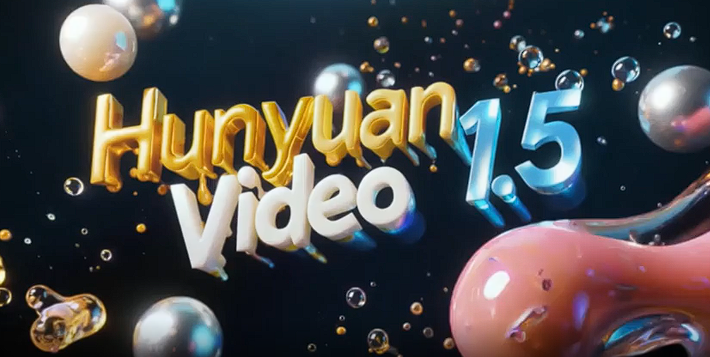
Welcome to the cutting edge of video creation! Artificial intelligence is transforming how we produce visual content, making it faster, easier, and more accessible than ever before. Leading this charge is Hunyuan Video 1.5, a groundbreaking text-to-video diffusion model. This powerful tool allows you to turn simple text descriptions into stunning, high-definition videos complete with fluid motion and rich detail.
Whether you're a marketer creating dynamic ads, a content creator looking to produce viral videos, or an educator developing engaging learning materials, Hunyuan Video 1.5 offers a world of creative possibilities. The best part? You can access this revolutionary technology directly through karavideo.ai, an all-in-one platform that simplifies the entire video creation process. Forget juggling multiple tools or dealing with complicated setups. With karavideo.ai, you get seamless access to the world’s best video engines, including Hunyuan Video 1.5, from a single, intuitive dashboard.
This comprehensive guide will walk you through everything you need to know about how to use Hunyuan Video 1.5. We'll cover its exciting features, provide a step-by-step tutorial for generating your first video, and share expert tips to help you create professional-quality content effortlessly.
What is Hunyuan Video 1.5?
Hunyuan Video 1.5 is a state-of-the-art AI model designed to generate video clips from text prompts. Developed with an innovative architecture, it excels at creating videos with a strong sense of temporality—meaning the movements and transitions feel natural and logical. Unlike earlier models that often produced disjointed or "glitchy" results, Hunyuan Video 1.5 generates smooth, coherent motion that truly brings your ideas to life.
One of its standout capabilities is generating videos in native 16:9 widescreen format, perfect for platforms like YouTube and professional presentations. It can also produce videos at 1080p resolution, ensuring your final output is crisp, clear, and ready for any screen.
Key Features of Hunyuan Video 1.5
Hunyuan Video 1.5 is packed with features that empower you to create with unparalleled freedom and quality.
· Exceptional Temporal Coherence: The model is trained to understand the flow of time in video. This results in characters and objects moving realistically across scenes, without the strange artifacts seen in less advanced AI generators.
· High-Resolution Widescreen Output: Create videos in a 16:9 aspect ratio at resolutions up to 1080p. This makes your content look polished and professional, right out of the box.
· Deep Language and Image Understanding: The model boasts a powerful understanding of both text prompts and visual aesthetics. It can interpret complex descriptions and translate them into detailed, visually appealing scenes that accurately reflect your vision.
· Artistic Control: Hunyuan Video 1.5 isn't just a technical tool; it's a creative partner. It can generate videos in various artistic styles, from photorealistic to cinematic to anime, giving you the flexibility to match your content's tone and message.
· Character and Motion Consistency: A major challenge in AI video has been keeping characters consistent from one frame to the next. Hunyuan Video 1.5 makes significant strides in this area, maintaining character appearance and delivering smooth, believable motion.
Getting Started: Accessing Hunyuan Video 1.5 on karavideo.ai
The easiest and most efficient way to harness the power of Hunyuan Video 1.5 is through karavideo.ai. Our platform eliminates the technical hurdles, providing a streamlined workflow that lets you focus on what matters most: your creativity. There's no complex installation or setup required.
Here’s why using karavideo.ai is the smart choice:
· One Dashboard, All Engines: Access Hunyuan Video 1.5 alongside other top-tier AI video models without ever leaving the platform.
· Simplified Workflow: Describe → pick model → generate. It’s that simple. We handle the backend complexity so you don't have to.
· No Setup Overhead: Get started in seconds. Simply sign up for a karavideo.ai account, and you're ready to create. All processing is done in the cloud, so you don’t need a powerful computer.
Ready to begin? Let's dive into the step-by-step process of creating your first AI-generated video.
Step-by-Step Guide: How to Use Hunyuan Video 1.5
Creating a video with Hunyuan Video 1.5 on our platform is an intuitive three-step process. Follow along to generate your own unique video from a simple text prompt.
Step 1: Write a Detailed Text Prompt
Your prompt is the blueprint for your video. The more detailed and descriptive you are, the better the AI can understand and execute your vision. Think like a film director—what do you want to see on screen?
Elements of a Great Prompt:
· Subject: Who or what is the main focus of the scene? (e.g., "a golden retriever," "a futuristic spaceship," "a woman meditating").
· Action: What is the subject doing? (e.g., "chasing a red ball," "flying through a nebula," "sitting on a mountain peak at sunrise").
· Setting: Where is the scene taking place? (e.g., "in a sunny park," "among colorful stars and galaxies," "overlooking a misty valley").
· Style and Mood: What is the aesthetic you're aiming for? (e.g., "cinematic, dramatic lighting," "anime style, vibrant colors," "photorealistic, 8K resolution," "vintage film look").
· Camera Shot: How should the scene be framed? (e.g., "close-up shot," "wide-angle aerial view," "dolly shot following the character").
Example Prompts:
· Simple Prompt: "A cat playing with a yarn ball."
· Detailed Prompt: "A fluffy calico cat playfully batting at a bright red ball of yarn on a polished wooden floor. Sunlight streams through a nearby window, casting long shadows. Cinematic, warm lighting, close-up shot."
The detailed prompt provides much more information for the AI to work with, resulting in a richer and more specific video. Experiment with different levels of detail to see what works best for your ideas.
Step 2: Select the Hunyuan Video 1.5 Model
Once you've crafted the perfect prompt in the karavideo.ai dashboard, the next step is to choose your AI engine. Our platform offers a selection of the world's best models, and for this guide, you'll select Hunyuan Video 1.5.
After selecting the model, you can configure a few settings to fine-tune your output:
· Aspect Ratio: While Hunyuan Video 1.5 excels at 16:9, you may have other options available. For most uses, stick with the widescreen format for a professional look.
· Video Length: Choose the desired duration for your video clip. Initially, it's best to start with shorter clips (e.g., 4-8 seconds) to generate results quickly and test your prompts.
· Seed Number (Advanced): The seed is a number that determines the initial noise pattern from which the video is generated. If you use the same prompt and the same seed, you will get the exact same video. If you like a result but want to tweak the prompt slightly while keeping the overall composition, reusing the seed can be helpful. For now, you can leave this on random.
Step 3: Generate and Refine Your Video
With your prompt written and your settings configured, it's time for the magic to happen. Click the "Generate" button and let the AI get to work. The generation process can take a few minutes, as the model is rendering a complex sequence of frames based on your instructions.
Once your video is ready, you can preview it directly in the dashboard.
What if the result isn't perfect?
Don't worry! AI video generation is an iterative process. Here’s how you can refine your output:
· Revise Your Prompt: The most common reason for a video not meeting expectations is the prompt. Try rephrasing your description, adding more specific details, or removing ambiguous words. For example, if you wanted a "fast car" but got a race car instead of a sports car, specify "a red convertible sports car driving fast."
· Adjust Negative Prompts: Many AI tools, including those on our platform, allow you to use "negative prompts." These tell the AI what you don't want to see. For example, if your video has a blurry or distorted look, you could add "blurry, distorted, low quality" to the negative prompt field.
· Generate Again: Sometimes, simply running the same prompt again will produce a different, better result due to the random nature of the generation process (unless you used a fixed seed).
Continue this cycle of generating and refining until you have a video clip that you're happy with. You can then download your creation in high resolution and use it in your projects.
Advanced Functionalities and Tips for Optimization
Now that you know the basics of how to use Hunyuan Video 1.5, let's explore some advanced techniques to elevate your video editing workflow and unlock even more creative potential.
Mastering the Art of the Prompt
Prompt engineering is the key to unlocking the full power of any generative AI model. Here are some pro tips for writing prompts that deliver exceptional results with Hunyuan Video 1.5.
Be Hyper-Specific: Instead of "a forest," try "a dense, misty redwood forest with sunbeams filtering through the canopy." Instead of "a man walking," try "a man in a trench coat walking briskly down a rain-slicked city street at night." Specificity is your best friend.
Use Adjectives to Set the Mood: Words like "serene," "chaotic," "majestic," "eerie," or "vibrant" can dramatically influence the tone of your video. Think about the feeling you want to evoke and choose your words accordingly.
Specify Camera Movement: Add cinematic flair by including camera directions in your prompt.
o Dolly shot: The camera moves forward or backward.
o Pan: The camera swivels left or right.
o Tilt: The camera swivels up or down.
o Crane shot or Aerial view: The camera looks down from above.
o Tracking shot: The camera follows a moving subject.Example: "An aerial view of a lone kayaker paddling across a crystal-clear turquoise lake."
Chain Prompts for Longer Scenes: While Hunyuan Video 1.5 generates clips, you can create a longer narrative by generating multiple clips and editing them together. To maintain consistency, try to keep the core elements (subject, setting, style) similar across prompts while only changing the action
o Clip 1: "A knight in shining armor draws his sword in a dark castle hall. Cinematic."
o Clip 2: "The knight in shining armor charges forward, sword raised, down the dark castle hall. Cinematic."
o Clip 3: "Close-up of the knight's determined face as he swings his sword. Cinematic."
Optimizing Your Video Editing Workflow
Using an integrated platform like karavideo.ai is the first step to an efficient workflow. Here are more tips to help you work faster and smarter.
· Create a Prompt Library: If you frequently create videos with a similar style or subject, save your best prompts in a document. This saves you time and helps you maintain a consistent brand aesthetic. You can create a base prompt for your style (e.g., "cinematic, photorealistic, 8K, dramatic lighting") and then add the specific subject and action for each new video.
· Batch Generation: Have a lot of ideas? Write down all your prompts first, then start generating them in batches on the karavideo.ai platform. While one video is rendering, you can be setting up the next one.
· Use AI Effects: Once you've generated your base clips, bring them to the next level. Our platform offers over 40 AI-powered effects that you can apply with a single click. Add slow-motion, create a vintage look, or apply dynamic transitions to make your videos more expressive and viral-ready.
· Combine AI with Traditional Editing: Don't be afraid to import your AI-generated clips into a traditional video editor. This is where you can add music, voiceovers, text overlays, and sound effects to create a polished final product. The combination of AI for visual generation and traditional software for post-production is an incredibly powerful workflow.
Troubleshooting Common Issues
Even the most advanced AI can sometimes produce unexpected results. Here are some common issues you might encounter and how to solve them.
Issue 1: The Video is Blurry or Low-Quality
· Solution: Check your resolution settings. Ensure you are generating at the highest possible resolution (e.g., 1080p). Additionally, add terms like "blurry, low resolution, grainy" to your negative prompt and words like "sharp, 8K, photorealistic, high detail" to your main prompt.
Issue 2: The Motion Looks Unnatural or Jittery
· Solution: Hunyuan Video 1.5 is excellent with temporal coherence, but very complex or fast motions can still be challenging. Try simplifying the action in your prompt. For example, instead of "a person doing complex parkour," try "a person jumping over a barrier." You can also try regenerating the clip, as a different random seed might produce a smoother result.
Issue 3: The AI Misinterprets My Prompt
· Solution: This usually means your prompt is too ambiguous. Break down your request and be more explicit. Instead of "a magical scene," describe what makes it magical: "A glowing, translucent deer walks through an enchanted forest where the trees are made of crystal." If a word has multiple meanings, try to find a more precise synonym.
Issue 4: Characters or Objects Change Appearance Mid-Video
· Solution: This is a common challenge in AI video. To improve consistency, be very specific in your initial description of the character or object. For example, "a woman with long red hair wearing a blue jacket" is better than "a woman." If the problem persists, try generating shorter clips where the subject doesn't move as dramatically. Using a consistent seed for related clips can also sometimes help.
Unleash Your Creativity with Hunyuan Video 1.5
You now have a comprehensive understanding of how to use Hunyuan Video 1.5 to create breathtaking videos from text. From crafting the perfect prompt to optimizing your workflow and troubleshooting issues, you are equipped to dive into the world of AI-powered video creation.
The possibilities are truly limitless. Create stunning marketing videos that capture attention, develop educational content that mesmerizes students, or simply bring your wildest imaginative ideas to life in vivid detail.
The future of video is here, and it’s more accessible than ever. Free your video creation and start with any text, image, or clip. There's no need to wait—start your journey today. Describe your vision, pick your model, and generate incredible content with ease.