Discover the Latest Features in Google Veo 3.1 for 2026
You can use google veo 3.1 on karavideo.ai starting January 2026. This update lets you make videos in 4K and 1080p. You can also make vertical videos
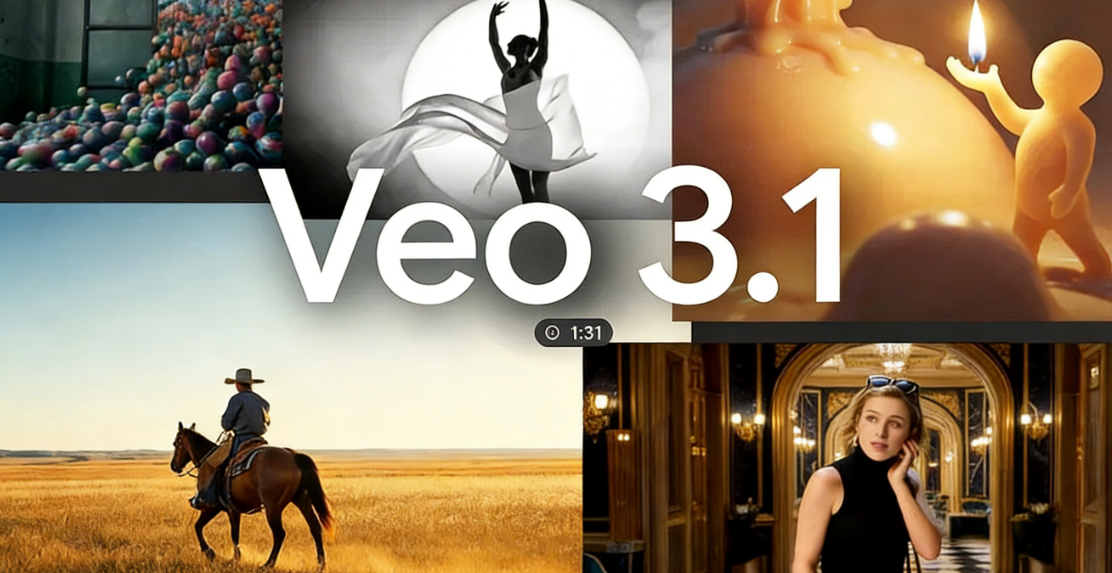
You can use google veo 3.1 on karavideo.ai starting January 2026. This update lets you make videos in 4K and 1080p. You can also make vertical videos. The audio is better now. There are new creative controls. These features help your videos look sharp and sound clear. Veo 3.1 makes creating videos easier. You get more choices for your projects.
Key Takeaways
- Google Veo 3.1 lets you make videos in 4K and 1080p. Your projects will look clear and professional.
- You can easily make vertical videos with a 9:16 aspect ratio. This is great for TikTok and YouTube Shorts.
- The audio quality is better now. It makes sound effects and background noise stronger. Your videos will feel more real and fun.
- The new 'Ingredients to Video' feature helps you use your own images. It keeps the characters and backgrounds the same in your videos.
- Advanced editing tools help you work faster. You can make quick changes and get high-quality videos.
Google Veo 3.1 Updates
4K and 1080p Output
Now, you can make videos in 4K and 1080p using google veo 3.1. This means your projects can look like they are ready for TV. The new upscaling tool helps keep small details clear, even on big screens. Before, you could only use up to 1080p, but now you can pick 720p, 1080p, or 4K. The upscaling makes your video look smooth and sharp. Your ai-generated videos will look neat and professional.
- Veo 3.1 lets you pick 720p, 1080p, or 4K.
- 4K upscaling gives you better detail and clearer videos.
- Videos stay sharp and look good on large screens.
These updates help your videos look special and high-quality. You can be sure your videos will look nice online or in a slideshow.
Vertical Video Creation
With veo 3.1, making vertical videos is simple. You can use the 9:16 aspect ratio, which is great for YouTube Shorts and TikTok. You do not have to spend time editing or changing the format. You can also use reference images to keep your videos looking the same and nice.
- 9:16 aspect ratio works for social media uploads.
- No more trouble with formatting vertical videos.
- Reference images help your videos look the same.
Now, you can make videos that fit what people want to watch today. The new features in google veo 3.1 help you reach your viewers where they are.
Improved Audio Quality
Veo 3.1 gives your videos better sound. You get audio that matches the video and sounds richer. The update makes sound effects and background noise better too. This helps your videos feel more real and fun to watch.
- Audio tracks are richer and match the video better.
- Sound effects and background noise are improved.
- Audio is better for creative and movie-like projects.
Now, your videos can have sound that is as good as the pictures. This makes your projects look and sound more professional.
Tip: Try the new audio features to make your videos more exciting. Good sound can help people remember your videos.
The new google veo 3.1 features help creators on karavideo.ai. You get better quality, more ways to be creative, and an easier time making videos. These updates help you make videos that stand out anywhere.
New Features and Creative Controls
Ingredients to Video
Now, you can use Ingredients to Video in google veo 3.1. This tool lets you make videos from your own images and ideas. It helps you make content that is fun and interesting. Your characters and backgrounds stay the same in every scene. This makes your story easy to follow. You can mix different things together for a smooth look. Your videos will look sharp in 1080p and 4K on any site.
This feature gives you more ways to control your generative ai features. Your videos can look special and professional.
Advanced Editing Tools
Veo 3.1 has new editing tools to help you shape your videos. You can make audio that matches your video, like sound effects and talking, with just one prompt. The controls let you add or take out objects. You can use frames to video and follow hard instructions easily. Safety tools like SynthID watermarking keep your work safe.
- Make audio that matches your video.
- Get clear visuals with high resolution.
- Add or remove objects with editing controls.
- Follow detailed prompts for movie-like scenes.
- Keep your videos safe with watermarking.
These tools give you more ways to change your generative ai features. You can make your clips look just how you want.
Portrait Clips and Fast Pacing
You can make portrait clips that look good on phones. Fast pacing keeps people interested with quick, lively clips. Better audio and visuals make your videos stand out. You can add things that match your style to be more creative. Short-form creators can use vertical videos to share on social media.
Tip: Try portrait clips and fast pacing to get attention and keep people watching until the end.
These updates help you make videos that are fun, creative, and ready for any platform.
Improvements in Veo 3.1
Character Consistency
You will see that characters look the same in every scene. Google veo 3.1 keeps faces, hair, and style steady. Even if a character moves or changes clothes, they still look the same. This helps you make videos where your main character never changes by accident. Your ai-generated video will look neat and professional from start to finish.
When you use this, your character stays the same in every frame. Your videos will show:
- Realistic scenes with the same character in many places.
- The character looks the same during movie-like changes.
- The face, hair, and skin tone do not change in any shot.
This control gives you high-quality options for your projects. You can tell stories that are easy to follow and keep people watching.
Background Stability
Backgrounds in your videos now stay clear and steady. Before, you might have seen random cuts or mistakes in the video size. The new google veo 3.1 fixes these problems. Your videos look smoother and more polished. The background does not jump or get cut off, so scenes feel real and connected.
With these updates, you can focus on your story, not fixing mistakes. Your videos will have backgrounds that help your message. This makes your work faster and your results more reliable.
Note: Steady backgrounds help people watch the action. Your videos feel more real and fun to watch.
Realism and Expressiveness
Now, you can make videos that look and feel real. Google veo 3.1 uses new upscaling to make details sharp. You can upload your own images to help shape your scenes. This lets you pick the look, color, and lighting you want. Scenes show real body language, eye movement, and faces. The sound matches what is happening, so your video sounds real too.
You get sharp, clear results with every update. The new upscaling in google veo 3.1 brings out small details and smooth motion. Your videos will look like real movies, not just cartoons. This helps you be more creative and make better videos.
Tip: Try using your own images and the new sound tools together. You will see how easy it is to make videos that really stand out.
These updates in google veo 3.1 give you more control, better pictures, and a smoother way to work. Now you can make ai-generated videos that look great for any professional use.
Access and Integration
Using Veo 3.1 on karavideo.ai
You can start using google veo 3.1 on karavideo.ai right away. The platform gives you direct access to the latest updates from the ai video-generation model. You only need to log in to your account and select the new update. The interface makes it easy to choose 4K or 1080p output. You can also pick vertical or horizontal video formats. The app guides you through each step, so you do not miss any new features. You can upload your own images or use reference photos to help the app create the video you want. The app keeps your workflow smooth and simple.
Gemini App Workflow
The Gemini app brings even more creative power to your projects. You can upload vertical images, and the app keeps the aspect ratio perfect for social media. The app lets you direct scenes by using reference images, so you get the look you want. You will notice that the app keeps characters and scenes consistent, which saves you time. The app also gives you richer audio and more lifelike video with improved textures. You can use new editing tools in the app to add or remove objects from your scenes. The app supports 9:16 vertical videos and upscaling to 4K, making your content look sharp on any device.
- The app supports vertical and horizontal formats.
- You can use the app to keep scenes and characters steady.
- The app lets you edit videos with new tools for better results.
User Experience Enhancements
You will see many improvements in how you use the app. The app now offers a smoother workflow, so you can finish projects faster. The app helps you keep your videos realistic by maintaining scene consistency. You can use the app to create high-quality videos for mobile or desktop. The app makes it easy to switch between editing, previewing, and exporting your work. You will find that the app gives you more control over every part of your video. These changes make the app a powerful tool for any creator.
Tip: Try using the app’s new editing tools to make your videos stand out. The app’s updates help you create professional results with less effort.
Creator Benefits
Streamlined Production
Now, you can make good videos much faster. Google Veo 3.1 takes away old problems in making videos. You do not need a big group or costly gear. The platform gives you tools to make movie-like scenes from your ideas. You can control characters, frames, and motion with just a few clicks.
Before, you needed lots of resources to be creative. Now, you only need your imagination. Making videos used to take time, teams, and money. Google Veo 3.1 changed this. It makes movie scenes that look real. You get character consistency, frame control, and real motion. You do not need a camera crew. You do not have to wait for editing. There are no long delays.
You can focus on your story and what you want to say. The system does the hard work for you. This means you spend less time waiting and more time making videos.
- Makes movie scenes with steady characters and real motion
- No need for a camera crew
- Cuts down on delays
- Lets you make content quickly, so marketers can make good videos fast
Social Media Content
You can make videos for phones and social media. Veo 3.1 works with vertical formats, so your videos look good on phones. The tools help you make short videos for TikTok, YouTube Shorts, and Instagram Reels. You do not have to change or edit your video for each site. The platform keeps your videos clear and ready to share.
- Make videos in vertical or horizontal formats
- Use quick pacing to keep viewers watching
- Add sound effects and music to make videos more fun
You can reach more people with videos that fit what they like.
Real-World Use Cases
You can use ai-generated videos for many real needs. Marketers try new ideas with creative briefs. Teachers make lessons more interesting with custom videos. Artists show their stories with better sound and pictures. Veo 3.1 is praised for its audio and storytelling features.
- Try AI video models with creative briefs to see how Google Veo 3.1 works in creative ways
- Won awards for 'Best Audio' because it adds sound effects that fit the story, showing how it makes videos better
- Compared to other models for storytelling and audio, showing it is strong in making creative videos
You can use these tools to make your own stories, ads, or lessons. The platform helps you turn your ideas into videos that stand out.
You get powerful tools with Google Veo 3.1 on karavideo.ai. The new features help you make videos in 4K and 1080p. You can create vertical clips for social media. Improved audio and creative controls make your projects stand out.
- Make videos faster and easier.
- Share your stories with clear visuals and sound.
Try Google Veo 3.1 for your next project. You will see how simple video creation can be.
FAQ
How do you start using Google Veo 3.1 on karavideo.ai?
You log in to your karavideo.ai account. Choose Google Veo 3.1 from the menu. Pick your video settings and upload your images. The platform guides you step by step.
Can you make vertical videos for social media?
Yes! You select the 9:16 aspect ratio. Your videos fit TikTok, YouTube Shorts, and Instagram Reels. The app keeps your clips clear and ready to share.
What makes the audio better in Veo 3.1?
Veo 3.1 uses improved audio tools. You get richer sound and effects that match your video. Your projects sound more real and professional.
Is it possible to use your own images in videos?
You can upload your own images. The app uses them to shape characters and backgrounds. This helps your video look unique and match your style.
What are the main benefits for creators?
You make videos faster. You get high-quality visuals and sound. You can create content for phones and computers. The tools help you tell stories and share ideas easily.