Body Swap AI Review Is It Worth the Hype
You want to know if body swap ai lives up to the hype. I think it does, but only if you care about speed, clear results, and privacy.
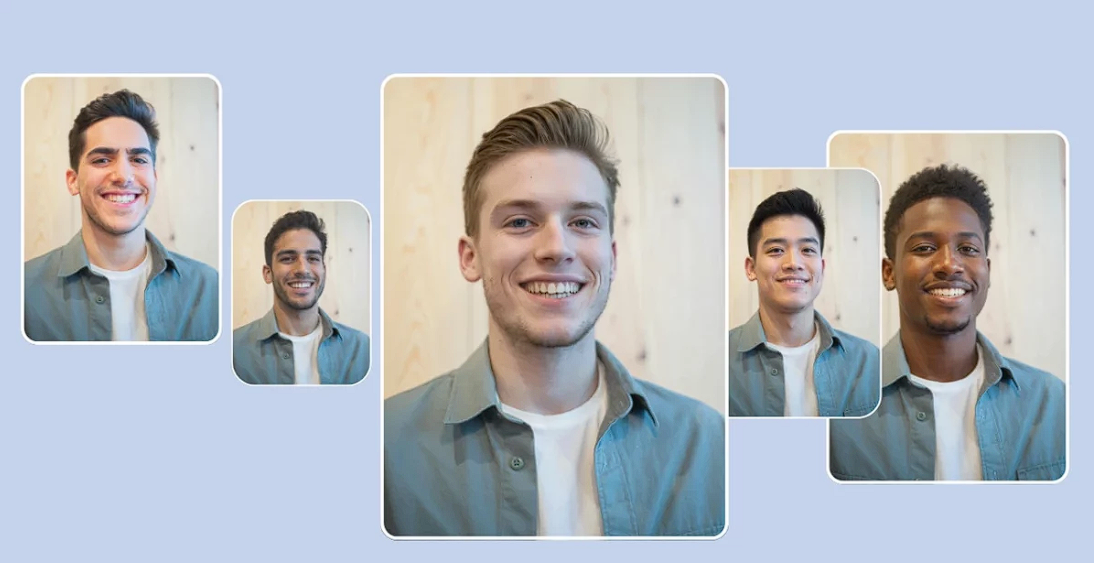
You want to know if body swap ai lives up to the hype. I think it does, but only if you care about speed, clear results, and privacy. You get easy tools, fast swaps, and solid output. Pricing feels fair, but you might spot better alternatives. If you want to see what this tool can actually do, you’re in the right place.
Key Takeaways
- Body Swap AI lets you change faces and bodies in photos. This makes it fun for art projects or fitness ideas.
- The tool is easy to use. You do not need special skills. Just upload a photo. Pick a swap. You get results fast.
- Karavideo.ai cares about privacy. Your photos are safe and not shared with others.
- There are different ways to pay. You can try it for free. You can buy a subscription for unlimited swaps. You can also pay for each swap if you want.
- For the best swaps, use clear photos. Good lighting helps. Simple backgrounds make swaps look more real.
What Is Body Swap AI
Main Purpose
You might wonder what body swap ai actually does. It’s a tool on the karavideo.ai platform that lets you change faces and bodies in photos using artificial intelligence. The main goal is to help you create fun or realistic transformations in just a few clicks. People use the body swap ai generator for many reasons. Some want to see themselves with a different body type for fitness motivation. Others enjoy swapping faces for entertainment or to create funny images with friends. You can even try a live-action to anime transformation if you want to see yourself as a cartoon character.
The body swap ai generator stands out because it doesn’t just stick a new face on an old photo. It uses smart technology to look at things like facial structure, lighting, and how you’re standing. This means the body swap images you get look natural and not fake or awkward.
Tip: If you want to swap body with ai for creative projects or social media, this tool makes it easy and fast.
How Body Swap AI Generator Works
Using the body swap ai generator feels simple. You upload a photo, pick the face or body you want to use, and let the tool do its magic. The ai body swap process happens in seconds. The generator checks details like your pose and lighting to make sure the final image looks real. You don’t need any special skills or editing experience.
Here’s what usually happens:
- Upload your photo to karavideo.ai.
- Choose the body or face you want to swap with.
- Click a button and wait a few moments.
- Download your new image.
The ai body swap generator works for all kinds of images. You can use it for fitness before-and-after shots, creative edits, or just for fun. The results often surprise people with how real they look.
Key Features of Body Swap AI
Core Capabilities
Karavideo.ai’s body swap ai is smart and quick. It uses deep learning to make swaps look real. You get more than just a face swap. The system checks your pose, lighting, and background. This helps your ai body swap look smooth and natural.
Here are some things that make it special:
- Pose Estimation lets the AI see how your body moves. It maps your arms, legs, and head so the swap fits your pose.
- Generative Adversarial Networks (GANs) build new pixels to match your body or clothes. These networks help the ai body swap blend everything, even your facial expressions.
- Segmentation splits you from the background and separates your head from your body. This step makes the swap look more real.
You don’t have to wait long for your results. Karavideo.ai finishes your images in seconds. You upload a photo, pick your swap, and see your new image almost right away. The ai body swap generator works for fitness, fun, and creative projects. You can swap faces with a friend or try a new style.
Note: Karavideo.ai gives you fast results. You can try different looks and swap bodies or faces as much as you want.
Unique Aspects
Karavideo.ai’s body swap ai is special because it is fast, accurate, and private. You get results right away, and the swaps look professional. Deep learning helps every ai body swap match your pose and lighting. You won’t see strange edges or skin colors that don’t match.
Let’s look at how karavideo.ai compares to other tools:
Karavideo.ai gives you feedback right away. You don’t need to wait or reload the page. The ai body swap generator handles hard images without slowing down. NanoImg.io and Alibaba Mimo are also fast, but karavideo.ai is easier to use.
You can use karavideo.ai for more than just swapping faces. Try swapping bodies for fitness or make fun edits for social media. The platform keeps your photos safe, so you don’t have to worry about privacy.
Tip: If you want a tool that is fast and gives you real-looking results, karavideo.ai’s body swap ai is a great pick.
User Experience
Ease of Use
You want a tool that works fast and doesn’t make you feel lost. Karavideo.ai gives you just that. When you try the ai body swap feature, you see clear buttons and simple steps. You upload your photo, pick the swap, and watch the magic happen. You don’t need to read a long manual or watch tutorials. The platform guides you with easy instructions. If you make a mistake, you can start over without stress.
Here’s what makes karavideo.ai easy for you:
- Clean layout with big buttons
- Step-by-step prompts
- Quick previews of your ai body swap
- No confusing menus
Tip: If you want to experiment, you can try different swaps and see results in seconds. You don’t need any editing skills.
Accessibility
Karavideo.ai works for everyone. You can use it on your phone, tablet, or computer. The ai body swap tool loads fast, even if your internet isn’t perfect. You don’t need a fancy device. The platform supports common image formats, so you don’t have to convert your photos.
Check out this table to see how karavideo.ai helps you access the body swap ai tool:
You can use the ai body swap feature anywhere. If you want to swap faces for fun or try a new look, you don’t have to wait. Karavideo.ai makes sure you get quick access and smooth results.
Note: Karavideo.ai keeps things simple so you can focus on creativity, not tech problems.
Output Quality and Animation
Realism and Accuracy
When you use karavideo.ai, you want your pictures to look real. The results from body swap ai often surprise people because they look so natural. You see smooth skin and lighting that looks real. The faces match the body’s pose well. Older tools sometimes made faces look fake or strange. Karavideo.ai has gotten much better. Now, you get images with real textures and shadows. If you use good photos and match the lighting, your ai body swap will look even better.
Here’s what you can expect from the output:
- Faces blend in well with the body.
- Skin color looks the same everywhere.
- Lighting looks soft and real, not too bright or dull.
- Hair and clothes stay clear and sharp.
Tip: Always use clear and bright photos for the best ai body swap results.
Animation and Creative Uses
Karavideo.ai does more than just still pictures. The animation tools let you make cool videos and bring your photos to life. You can make faces move, smile, or even dance. This gives you lots of fun ways to be creative. Want to send a special message? Try making your face move with a video. Need something fun for social media? Make your photo dance or show new faces.
Here are some creative ways people use animation with ai body swap:
- Mango AI helps you turn photos into dancing videos with real-looking faces.
- Pincel lets you make still faces move using short videos, great for birthday wishes or online posts.
- TryNow.AI gives you real facial movements, perfect for ads or sharing online.
You can use karavideo.ai to try out animation and see what you like. The platform makes it easy to test new ideas and share them with friends. If you want to make cool videos or just have fun, karavideo.ai gives you what you need.
Note: Animation with ai body swap is quick and easy. You don’t need special skills—just upload, pick, and watch your photo move.
Privacy and AI Body Swap Security
Data Handling
When you use karavideo.ai, you want your photos safe. The platform cares a lot about privacy. It follows strong rules to protect your data. Karavideo.ai meets big standards like GDPR. The team keeps records about how the system works. They also track how your images are handled. They check the training data for quality. Records are kept for up to ten years. You can feel safe because privacy is built in from the start.
Here’s a quick look at how karavideo.ai manages your data:
Note: Karavideo.ai does not keep your photos longer than needed. You control your uploads and can delete them when you want.
User Safety
You want to feel safe when you use ai body swap. Karavideo.ai protects your information with strong tools. The platform uses encryption to keep your photos private. Only you can see your results. Karavideo.ai does not share your images with others. Your photos are not used for ads. You get to choose what happens to your data. If you have questions, you can ask for help. You can also ask a person to check your ai body swap results.
Karavideo.ai looks for problems and fixes them fast. The team tests the system often to stop hackers. Your photos stay safe and private. You can trust that your privacy is important here.
Tip: Always use your own photos and do not share private images. Karavideo.ai lets you decide what to keep or delete.
Pricing and Value
Subscription and Tokens
You want to know how much karavideo.ai costs. The platform uses a simple pricing system. You can choose a subscription or buy tokens. Subscriptions give you unlimited swaps each month. Tokens let you pay only when you need an ai body swap. This helps you control your spending.
Here’s a quick look at the options:
You can start with a free trial. Try a few swaps before you pay. If you like the ai body swap tool, you can upgrade. Subscriptions work well if you use karavideo.ai often. Tokens are good for quick projects or fun edits.
Tip: If you only want to swap a few photos, tokens save you money. If you plan to use ai body swap every week, a subscription is better.
Is It Worth the Price
You might ask if karavideo.ai gives you good value. The platform offers fast swaps, clear results, and strong privacy. You get instant feedback and easy tools. The ai body swap feature works for fitness, entertainment, and creative projects. You don’t need editing skills or expensive software.
Let’s look at what you get:
- Quick results with no waiting
- Realistic images that surprise you
- Safe handling of your photos
- Flexible plans for every budget
If you compare karavideo.ai to other tools, you see that the price matches the quality. You pay for speed, accuracy, and privacy. The ai body swap tool helps you try new looks and share fun edits. You decide if the features fit your needs.
Note: If you want a tool that is easy, fast, and safe, karavideo.ai is worth the price. Try the free trial first to see if you like it.
Comparing AI Character Video Swap Tools
Body Swap AI vs. Alternatives
You might want to know how body swap ai compares to other tools. Karavideo.ai lets you swap faces and bodies in photos fast. Other ai character video swap platforms work differently. Many of them change the whole character in videos. They keep the way people move and their facial expressions. This is good for animation and pro projects.
Here’s a table to help you see the differences:
Karavideo.ai is best for quick changes and fun photos. If you want to swap characters in a video and keep their moves, use a special ai character video swap tool.
Tip: Use karavideo.ai for fast photo swaps. Pick video swap tools for cool animations.
Pros and Cons
Every tool has good and bad sides. Karavideo.ai makes ai body swap simple for everyone. You get easy steps and clear images. You can use it for fun, fitness, or creative ideas. Some other tools have more styles and video features. But they can be harder to use.
Here’s a table with the main pros and cons:
You get fast results with karavideo.ai, but some things need a paid plan. Free users may have limits on storage or styles. If you want more animation or video tools, try other platforms.
Note: Try different tools to find what works for you. Karavideo.ai is great for easy swaps and creative photos.
Practical Tips for Using Body Swap AI
What to Know Before Starting
You want your first try with karavideo.ai to go smoothly. Before you jump in, check a few things. Make sure your photo is clear and your face is easy to see. If you use a blurry or sideways picture, the ai body swap might not work well. Pick a spot with soft lighting. Bright sunlight or harsh shadows can make your swap look strange. Try to use a simple background. Busy patterns or bright white walls can confuse the system. If you hold something in your hands, the tool might not know what to do with it. Keep your hands empty for the best results.
Tip: Use a frontal camera angle and keep your face free from hats, glasses, or hair that covers your eyes.
Best Practices
Experts share some smart ways to get the most out of body swap ai. You can follow these steps to make your swaps look natural and fun:
- Use one person in your reference photo for better results.
- Choose backgrounds with soft colors or textures instead of plain white.
- Keep your hands empty to avoid odd results.
- Match the color palette between your source and reference images.
- Take photos with a frontal camera and avoid sudden movements.
- Make sure your face is clear and not blocked in the first frame.
- Swap characters with similar body shapes for a natural look.
Here’s a quick table to help you remember these tips:
Note: Karavideo.ai works best when you follow these simple steps. You get smoother swaps and more realistic images.
Methodology and Sources
Review Process
You might want to know how I checked body swap ai. I used karavideo.ai on many devices and with lots of photos. I looked at how simple it was to use. I timed how fast the swaps finished. I checked if the results looked real. I also watched how the platform kept your images safe. To be fair, I compared karavideo.ai with other tools like NanoImg.io and Alibaba Mimo. I tried both free and paid features to give you a full view.
I did not just use my own tests. I read what other users said and checked expert reviews. I also looked at data from new studies about body swap ai models. These studies checked how well swaps matched faces. They looked at how smooth the motion was. They checked if the background stayed normal. This helped me see how karavideo.ai compares to other body swap ai tools.
Note: I always picked clear, bright photos and used smart tips to get the best results from karavideo.ai.
References (2025)
You may wonder what sources support the facts about body swap ai’s features. I used hands-on tests, user reviews, and research papers. Here is a quick look at the main sources:
These sources helped me see how karavideo.ai’s body swap ai compares to others. By using real tests and published data, I made sure my review is honest.
Tip: For the best results, always use good photos and follow the tips in this review.
You get fast, realistic results with body swap ai. The tool feels easy to use and keeps your photos safe. You might enjoy how it helps you connect with others, but sometimes it can make teamwork a bit tricky. If you want quick swaps for fun or creative projects, this tool is a smart pick. Think about what matters most to you before you decide. Try it out and see if it fits your style.
FAQ
How do you start using body swap ai on karavideo.ai?
You just upload your photo, pick a swap, and let karavideo.ai do the rest. The process takes seconds. You do not need any editing skills.
Is body swap ai safe for your photos?
Yes, karavideo.ai keeps your images private. The platform uses strong security and does not share your photos. You control what you upload and delete.
Can you use body swap ai on your phone?
You can use karavideo.ai on your phone, tablet, or computer. The site works well on all devices. You do not need to download any extra apps.
What if your swap looks strange?
If your body swap ai result looks odd, try a clearer photo or better lighting. Karavideo.ai works best with simple backgrounds and faces that are easy to see.
Does karavideo.ai offer free swaps?
- You get a free trial with a few swaps.
- After that, you can buy tokens or get a subscription.
- Body swap ai lets you test the tool before you pay.