Best Image Editing Tools for 2026
Looking for professional-grade effects, creative animation, or casual automation? There’s a perfect match for you in this list of the Best Image Editing Tools for 2026.
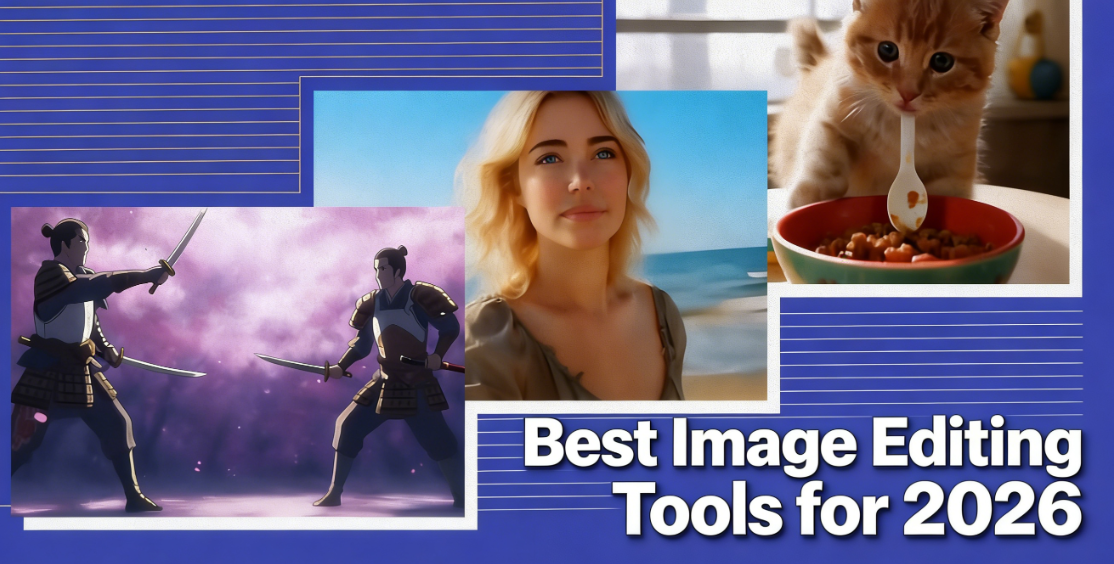
Ready to upgrade your images and videos? Check out these top picks for 2026:
- karavideo.ai: Create stunning videos using AI and access multiple engines with one dashboard.
- lumalabs.ai: Generate crisp 1080p videos fast with powerful multimodal AI.
- vidu: Turn ideas into smooth animations and videos in seconds.
- d-id: Make lifelike avatars that talk in over 120 languages for engaging content.
- zapier: Automate your editing workflows and connect thousands of apps.
Looking for professional-grade effects, creative animation, or casual automation? There’s a perfect match for you in this list of the Best Image Editing Tools for 2026.
Key Takeaways
- Choose image editing tools based on speed, accuracy, and integration with your favorite apps to enhance your workflow.
- AI features can significantly simplify editing tasks, allowing for quick background removal and batch processing of images.
- Look for user-friendly interfaces that require minimal learning, so you can start editing right away without frustration.
- Consider pricing models carefully; some tools offer free trials, while others have subscription plans that provide ongoing updates and features.
- Automate repetitive tasks with tools like Zapier to save time and keep your creative process flowing smoothly.
Choosing the Best Image Editing Tools for 2026
Key Criteria
When you start searching for the Best Image Editing Tools for 2026, you want to focus on what matters most. Here’s a quick checklist to guide your decision:
- Speed and Efficiency: Fast processing and smooth workflow save you time.
- Consistency and Accuracy: The tool should keep your style and handle tricky lighting.
- Integration and Ecosystem: Make sure it works with your favorite apps and file types.
- Data Safety: Look for backup options and secure file storage.
- Cost and Value: Check if the price matches the features and time saved.
Tip: Always test how well a tool fits your daily workflow before committing.
AI and Automation
AI features can make your editing life much easier. You’ll find tools that remove backgrounds with over 95% accuracy, fill in missing parts of images, and upscale photos for sharper results. Some editors let you batch process images or automate tasks, which is perfect if you work with lots of files. Web-based options are great for quick edits, while desktop software might offer more power for advanced projects.
- AI editors now follow instructions closely and keep your subject looking consistent.
- Automation helps you get more done with less effort.
Usability
You want a tool that feels easy to use. The best image editors in 2026 offer simple dashboards and minimal learning curves. You can jump in and start editing without reading a manual. Look for clear menus, drag-and-drop features, and helpful templates.
- User-friendly design means you spend less time figuring things out.
- Free versions let you test features before upgrading.
Pricing Models
Here’s a quick look at common pricing options:
Pricing Model | Description |
|---|---|
Free | Good for testing, but may limit features. |
Subscription | Monthly or yearly payments for full access and updates. |
One-Time Purchase | Pay upfront for permanent access, sometimes with upgrade fees. |
Integration
Integration is key if you use multiple apps. The Best Image Editing Tools for 2026 connect with popular platforms and cloud services, making your workflow smoother. You can move files between tools, chain tasks, and even automate entire processes. This saves you time and keeps everything organized.
Note: Seamless integration boosts productivity and helps you get the most out of your editing software.
1. karavideo.ai
Features
If you want a tool that packs a punch, karavideo.ai stands out with its all-in-one dashboard. You get access to top AI video engines like Sora, Veo, and Runway without juggling multiple subscriptions. You can upload reference images to keep your characters looking the same from start to finish. Frame locking lets you set the beginning and end of your animation, so transitions look smooth every time. Audio integration means you can add sound effects and dialogue that match your visuals. Plus, you get over 40 AI-powered effects and templates to make your videos pop.
Feature | Description |
|---|---|
Multiple AI Engines | Access Sora, Veo, Runway, and more from one dashboard. |
Reference Image Upload | Keep character consistency throughout your video. |
Frame Locking | Lock start and end frames for smooth transitions. |
Audio Integration | Add sound effects and dialogue for a complete experience. |
AI-Powered Effects and Templates | Over 40 effects and templates to boost your video production. |
AI Capabilities
karavideo.ai uses advanced AI to make your editing process easier and more creative. You can switch between different engines under one subscription, so you always get high-quality results. The platform keeps your characters consistent, which is great for storytelling and branding. Cinematic animation brings realistic movement and professional transitions to your videos. You can sync audio with visuals for a polished finish. If you love animation, the cartoon generator lets you create anime-inspired content in styles you know and love.
Feature | Description |
|---|---|
Multi-Engine Access | Use several AI video engines for easy, high-quality video generation. |
Character Consistency | Keep characters looking the same throughout your video. |
Cinematic Animation | Get realistic movement and smooth transitions for engaging videos. |
Audio Integration | Sync sound effects and dialogue with your visuals. |
Cartoon Generator | Make animated content in popular anime styles. |
Who Should Use
karavideo.ai works for a wide range of users. If you run a business, you can create fast, adaptable videos for marketing or training. Marketers love the integrated tools for social media and product videos, including translation and voiceovers. Educators get cost-effective tools that make lessons more engaging and keep character identity consistent. Casual users can jump in with affordable options and create content that looks professional without a steep learning curve.
User Group | Benefits |
|---|---|
Businesses | Fast video solutions, AI-powered editing, automated creation, commercial use. |
Marketers | Social media tools, translation, localized voiceovers for product videos. |
Educators | Easy-to-use, creative freedom, consistent character identity. |
Casual Users | Affordable content creation, enhanced footage, reliable results. |
Tip: Try karavideo.ai if you want to boost your creative workflow and make videos that stand out. 🎬
2. lumalabs.ai
Features
If you want a tool that makes video creation fast and easy, lumalabs.ai is a top choice for 2026. You get a user-friendly web interface that feels intuitive, even if you don’t have technical skills. You can generate 120 frames in just 120 seconds, so you never have to wait long for your results. The subscription-based pricing model starts at $29.99 per month, giving you instant access to professional-grade video production.
Feature | Description |
|---|---|
User-friendly web interface | Intuitive design for users of all skill levels. |
Fast video generation | Creates 120 frames in 120 seconds for quick project turnaround. |
Subscription-based pricing | Plans start at $29.99/month for full access to advanced video tools. |
You can use lumalabs.ai to create videos, 3D objects, and concept visuals with just a few clicks. The platform supports multimodal AI, so you can work with text, images, and video all in one place.
Performance
You’ll notice how quickly lumalabs.ai transforms your footage. The Modify Video tool stands out for speed, letting you make changes and see results almost instantly. You get high video quality every time, with motion and facial expressions preserved during edits. The Standard plan starts at $23.99 per month, making it affordable for creators who want top-tier results without breaking the bank.
Aspect | Description |
|---|---|
Speed | Quick transformations with minimal wait time. |
Video Quality | Maintains motion and facial details for professional results. |
Cost-Effectiveness | Standard plan at $23.99/month, accessible for individuals and teams. |
Best For
lumalabs.ai works best for creative studios, marketing teams, and product designers who need fast, reliable video generation. You can use it to build 3D objects, digital twins, and simulations for enterprise projects. Brands love how quickly they can visualize concepts, ads, and product demos.
Professionals/Industries | Description |
|---|---|
Creative studios, marketing teams, product design | Enhance creative workflows with AI-powered video and 3D object creation. |
Enterprises building simulations or digital twins | Create digital representations and simulations for business applications. |
Brands needing fast concept visualization | Generate visual content for ads and product demos in minutes. |
Tip: If you want to speed up your creative process and get high-quality results, lumalabs.ai is a smart pick for your toolkit. 🚀
3. vidu
Features
If you want to turn your ideas into videos in seconds, Vidu AI makes it possible. You can create animations and videos from text or images with just a few clicks. The platform supports multiple creation modes, so you can go from text-to-video, image-to-video, or even use reference videos. You get fast results—Vidu AI can generate a video in about 10 seconds. That means you spend less time waiting and more time creating.
You can upload up to seven reference images to keep your characters and scenes consistent. This helps your videos look polished and professional. Vidu AI also offers a library of video templates, so you can start with a style that fits your project. The interface feels simple and friendly, so you don’t need to be a tech expert to get started.
Feature | What You Get |
|---|---|
Fast video generation | Create videos in about 10 seconds |
Reference image support | Keep characters and scenes consistent |
Multiple creation modes | Text-to-video, image-to-video, reference video |
Video templates | Start quickly with ready-made styles |
Animation Tools
Vidu AI shines when it comes to animation. You can upload a starting image and an ending image, and Vidu fills in the animation between them. This makes your transitions look smooth and natural. If you work with comics or storyboards, you can turn static images into lively animations. The platform uses advanced AI to make character movements look real, not robotic.
Tip: Try using Vidu’s animation tools for social media clips or explainer videos. You’ll see how easy it is to make your content stand out.
Ideal Users
Vidu AI works for a wide range of creators. Whether you’re part of a big company or just starting out, you’ll find value here. Over 20,000 customers already use Vidu AI for different projects. Here are some of the most common ways people use it:
- Training videos for teams
- Internal communications to keep everyone updated
- Marketing videos that grab attention
- Sales enablement content to help your team close deals
Animation studios, marketers, and content creators love how Vidu AI speeds up their workflow. You can create professional videos without a big budget or a lot of editing experience. If you want to bring your ideas to life quickly, Vidu AI is a smart choice.
4. d-id
Features
If you want to create lifelike avatars that speak many languages, d-id makes it easy. You can turn a single photo into a talking avatar in seconds. The platform uses advanced AI to sync facial expressions and gestures with speech. You don’t need design skills. Just upload your image and script, and d-id does the rest. You can connect avatars to your apps using secure cloud-based APIs. This means you can scale your projects without worrying about technical limits.
Here’s a quick look at what you get:
Feature | Description |
|---|---|
Multilingual Interaction | Translate content across over 100 languages and auto-sync facial movement to match each one. |
Real-Time Video Rendering | Create talking avatars from a single image in seconds with synced facial expressions and gestures. |
Cloud-Based API Access | Connect avatars directly to your application via secure, scalable APIs. |
No Design Expertise Required | Upload a photo/video and script, then let the platform do the rest. |
Customization
You have lots of ways to personalize your avatars with d-id. The AI engine recognizes the language you use and translates it. The avatar speaks with realistic voice synthesis, so your message sounds natural. Lip movements and facial expressions match the spoken words, making your avatar look real. You can even clone voices or change accents to fit your audience.
- Language recognition and translation for global reach.
- Text-to-speech conversion with lifelike voices.
- Lip sync and facial animation for natural communication.
- Voice cloning and accent customization for brand consistency.
Tip: Try mixing different languages and voices to connect with more people around the world.
Use Cases
You can use d-id in many ways. In marketing, avatars make your campaigns more personal and engaging. For customer service, digital humans act as virtual assistants. They answer questions and give recommendations based on past interactions. In training, avatars become digital instructors. They adjust lessons in real time to fit each employee’s needs.
Use Case | Description |
|---|---|
Marketing | D-ID’s technology personalizes digital interactions, enhancing engagement in marketing campaigns. |
Customer Service | Digital humans act as virtual assistants, managing inquiries and providing personalized recommendations. |
Training | Interactive avatars serve as digital instructors, adapting to employee learning needs in real-time. |
- Digital humans handle bookings and first questions.
- They offer advice based on what users did before.
- They change training material complexity for each learner.
Note: d-id helps you create content that feels human, no matter where your audience lives or what language they speak.
5. zapier
Features
Zapier makes your workflow smarter by connecting thousands of apps. You can link your favorite image editing tools with storage, design, and publishing platforms. This means your visuals show up where you need them, right when you need them. You don’t have to move files around or upload images manually. Zapier does it for you.
- Connects AI image editors with Google Drive, Canva, and more.
- Sends finished images straight to your website or social media.
- Keeps your brand’s look consistent across all platforms.
You get a toolkit that helps you automate resizing, cropping, and format conversion. Zapier makes sure your images always fit the right dimensions and formats, so you don’t have to worry about mistakes.
Automation
Zapier’s automation features save you time and keep your creative process running smoothly. You can set up workflows that handle repetitive editing tasks. When you update a product or add new data, Zapier can trigger image edits automatically.
- Automates resizing and cropping based on your rules.
- Converts image formats for different platforms.
- Eliminates manual editing steps, so you focus on creativity.
You can connect Zapier with tools like CompanyCam for job site photos, Canva for graphic design, Bannerbear for template variations, Placid for auto-generated images, and remove.bg for background removal. These integrations help you build a seamless editing pipeline.
Tip: Set up a Zap to create image variations every time you add a new product. Your catalog stays fresh without extra effort.
Best Use Cases
Zapier shines when you want to automate image editing for business or team projects. You can create product image variants, organize job site photos, or generate graphics for marketing campaigns. Here’s how teams use Zapier in 2026:
Use Case Description | Tool Integration |
|---|---|
Create image variations from product names in Airtable using Midjourney API | Airtable, Midjourney, Google Drive |
Generate product image variants when a new item is added to a catalog using Stable Diffusion | Product Catalog, Stable Diffusion |
- CompanyCam captures and organizes job site photos.
- Canva helps you design professional graphics.
- Bannerbear generates template variations automatically.
- Placid creates images from templates.
- remove.bg removes backgrounds with one click.
Zapier gives you the power to automate, organize, and scale your image editing tasks. You spend less time on busywork and more time creating.
Comparison of Best Image Editing Tools for 2026
Choosing the right editor can feel overwhelming. You want to see how each tool stacks up before you decide. Here’s a quick comparison to help you pick the Best Image Editing Tools for 2026.
Feature Overview
Let’s break down what each tool offers. You’ll see which features matter most for your workflow.
Tool | Key Features |
|---|---|
karavideo.ai | Multi-engine dashboard, reference image upload, frame locking, audio sync, cartoon generator |
lumalabs.ai | Fast 1080p video generation, multimodal AI, Modify Video tool, web and iOS access |
vidu | 10-second video creation, animation tools, reference image support, video templates |
d-id | Lifelike avatars, multilingual support, voice cloning, cloud API integration |
zapier | Workflow automation, app integrations, image resizing/cropping, format conversion |
Tip: Look for features that match your creative style and daily needs.
Pricing
You want value for your money. Here’s how the pricing models compare:
Tool | Pricing Model |
|---|---|
karavideo.ai | Subscription (all engines included) |
lumalabs.ai | Subscription (starts at $23.99/mo) |
vidu | Subscription (varies by usage) |
d-id | Subscription (scalable plans) |
zapier | Free tier, paid plans for more features |
Some tools offer free trials. You can test before you commit.
User Types
Each tool fits different users. Find the one that matches your goals.
Tool | Best For |
|---|---|
karavideo.ai | Creators, marketers, educators, casual users |
lumalabs.ai | Studios, designers, educators, brands |
vidu | Animation studios, marketers, content creators |
d-id | Marketers, trainers, customer service teams |
zapier | Businesses, teams, automation seekers |
If you want creative control, karavideo.ai and vidu work well. For fast video generation, lumalabs.ai is a top pick. d-id helps you connect with global audiences. Zapier is perfect if you want to automate your editing tasks.
Note: The Best Image Editing Tools for 2026 give you options for every skill level and budget. Try a few and see which one fits your workflow best.
Tips for Choosing the Right Tool
Workflow Needs
Picking the right image editing tool starts with knowing your workflow. You want a tool that fits how you work and what you create. Here are some tips to help you decide:
- Choose software with an intuitive interface. You should be able to edit quickly and deliver results fast.
- Look for a wide range of features. If you need advanced editing, pick a tool with professional-grade options.
- Check compatibility. Make sure the tool works well with your favorite platforms and file types.
- Test reliability. Read user reviews and try free trials to see if the software meets your standards.
Tip: Try out a demo before you commit. You’ll see if the tool matches your daily routine.
Budget
Your budget matters when you select an editing tool. Some platforms offer free versions, while others use subscriptions or one-time payments. Compare what you get for your money. Here’s a quick table to help you weigh your options:
Criteria | Description |
|---|---|
Pricing Model | Subscription, one-time purchase, or pay-per-use. |
Core Features and Advanced Tools | Check if the price includes RAW processing, asset management, layering, and masking. |
Performance and Speed | Faster software may cost more but saves you time. |
Workflow Integration | Some paid plans offer better integration with other tools. |
Note: Always check if the tool offers a free trial or demo. You can test features before spending money.
Skill Level
Your experience level shapes your choice. Beginners need easy-to-use software with tutorials and guides. Professionals may want complex tools with advanced features. Here’s what to look for:
- Simple dashboards and clear menus help you learn fast.
- Tutorials and support make it easier to get started.
- Advanced users should seek tools with RAW processing, asset management, and custom effects.
Tip: Pick a tool that matches your skill level. You’ll enjoy editing more and get better results.
You’ve seen what makes each tool special. KaraVideo gives you creative control with multi-engine access. Luma AI speeds up video generation for studios and brands. Vidu AI helps you animate ideas fast. D-ID brings avatars to life for global audiences. Zapier automates your editing tasks. Try free demos to see which fits your workflow. Think about your needs before you choose from the Best Image Editing Tools for 2026.
Ready to get started? Test a few options and pick the one that feels right for you!
FAQ
What is the easiest image editing tool for beginners?
You’ll find karavideo.ai and vidu super easy to use. Both offer simple dashboards and helpful templates. You can start editing right away without reading a manual.
Can I use these tools for social media content?
Absolutely!
- karavideo.ai and vidu create viral-ready videos.
- d-id makes engaging avatars.
- Zapier automates posting across platforms.
Do these tools offer free trials?
Most tools on this list offer free trials or demo versions. You can test features before you buy. Always check the official website for the latest offers.
Which tool is best for animation?
If you want smooth animations, try vidu or karavideo.ai. Both let you turn images and text into animated videos quickly. You’ll love the cartoon generator in karavideo.ai!
Can I automate my editing workflow?
Yes!
Zapier connects your favorite apps and automates tasks like resizing, cropping, and posting. You save time and keep your workflow organized.